Verifications
Prepare and pass your carbon footprint verification
Everything you need to have ready so your carbon footprint verification passes on the first attempt: the 3-stage method, the checklist, Guarantees of Origin, Scope 3, the internal pre-audit and the final report.
A verification is the review of your carbon footprint by an accredited, independent body (EQA, AENOR, TÜV, Bureau Veritas, SGS, APPLUS, Deloitte…). When it ends well, you receive a verification report and a certificate.
Important
Dcycle does not verify your footprint. We help you measure it, so for independence the audit is always carried out by a third party.
What is verification for?
- Register your footprint with MITECO (mandatory if you register Scope 3).
- Include environmental management in your EINF or take part in public tenders.
- If you are a large company (+250 employees), regulation requires you to externally verify your Scopes 1 and 2 and to submit a 5-year reduction plan.
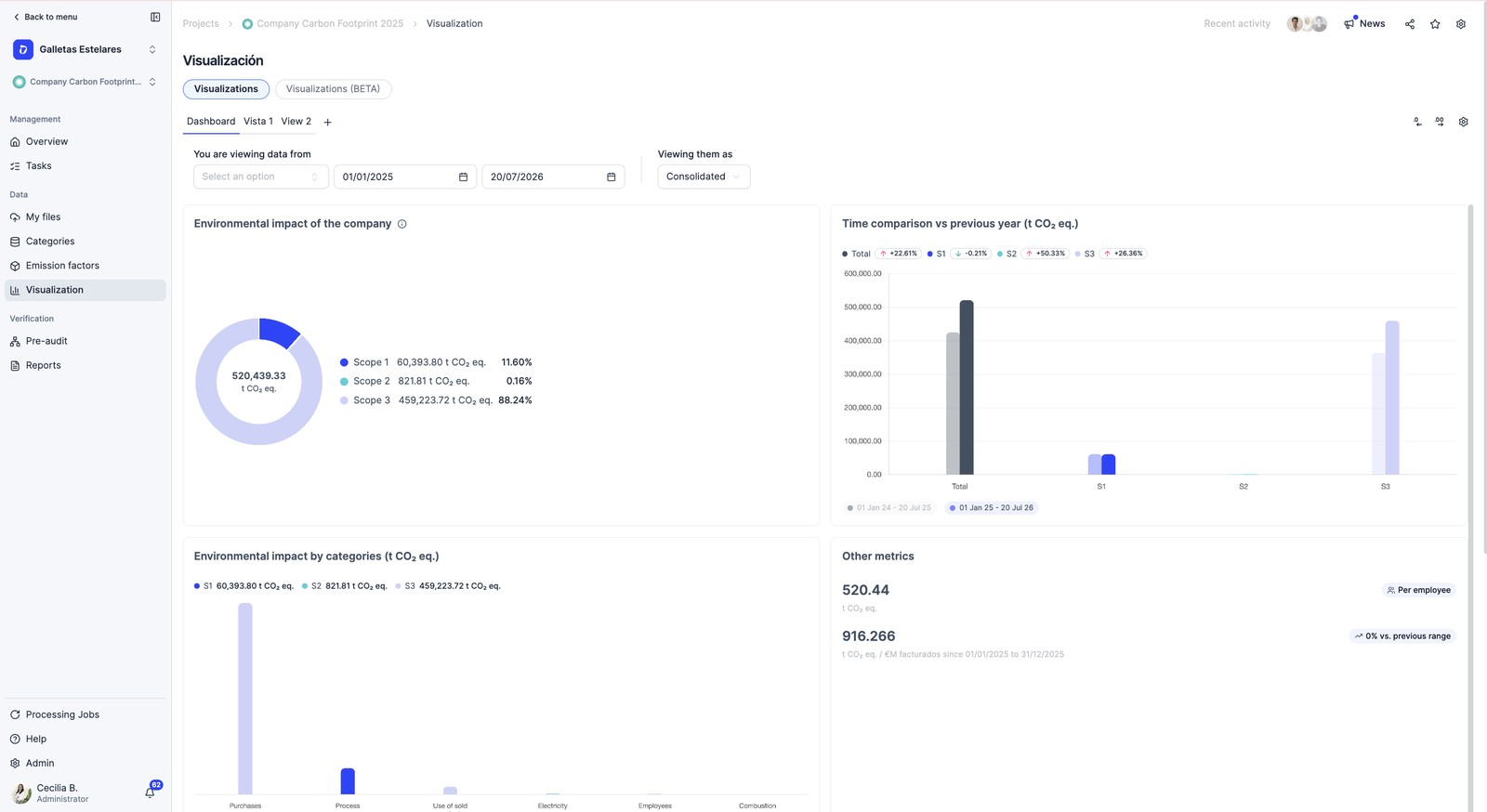
The 3 stages to pass your verification
Preparing a verification is the same thing every year. If you follow these 3 stages in order, you will reach the audit without surprises:
- Prepare your data — gather and upload everything, with an owner for each area.
- Make sure everything adds up — check, avoid errors and request your pre-audit.
- Share and verify — generate the report, grant access and face the audit.
Stage 1 · Prepare your data
Your data, your responsibility
Dcycle calculates your footprint from the data and evidence you upload. The responsibility for the data being correct, complete and justified lies with your organization and its data owners (one per area): energy/facilities, fleet, purchasing, HR and operations.
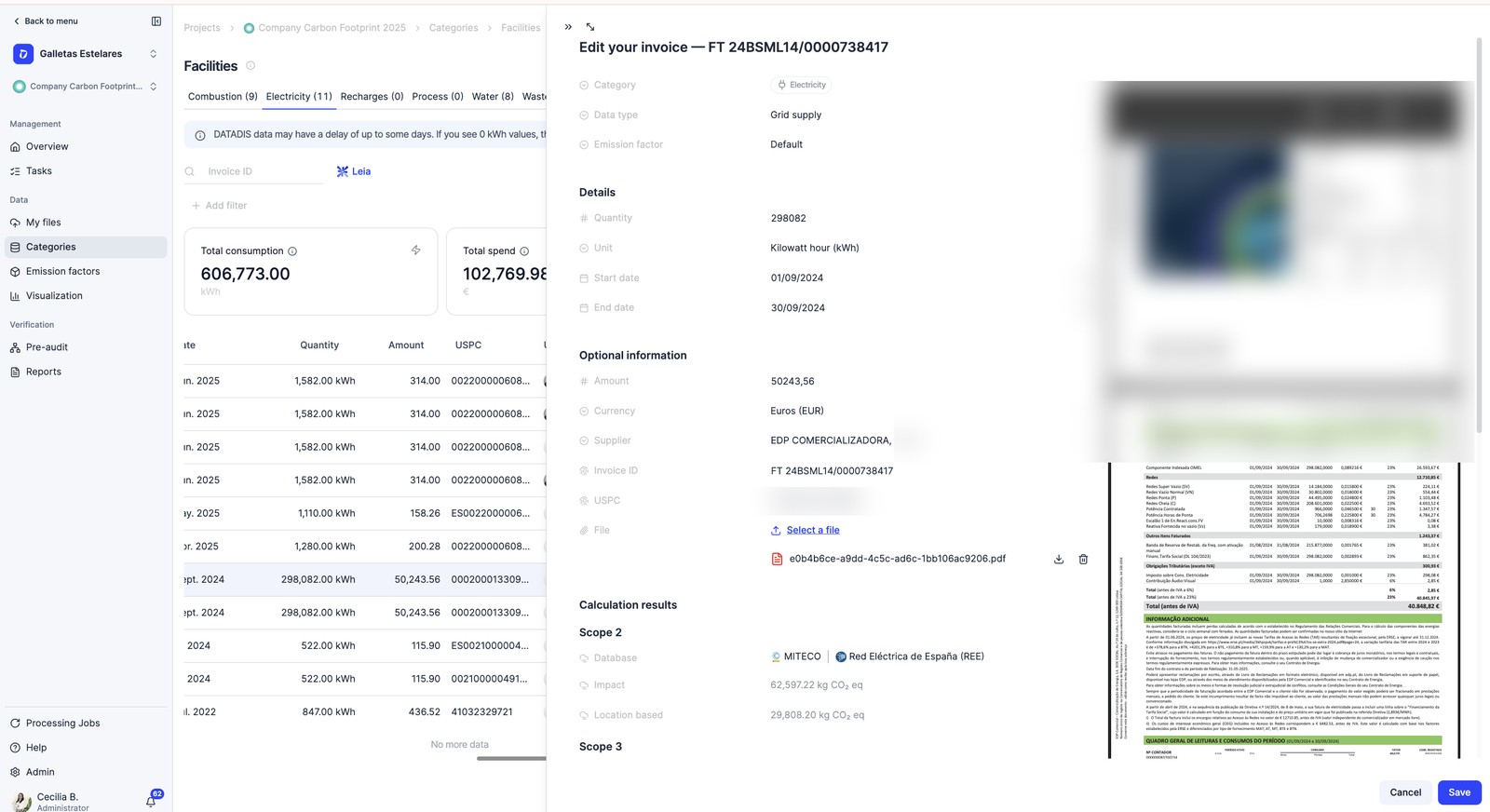
You make sure that: your data is correct, complete and evidenced; the emissions in the report match the downloads by category; the emission factors are aligned with the period of your data; the Guarantees of Origin are applied according to your certificate; and a sample of invoices matches its original document.
Dcycle automatically assigns factors by period and location and publishes the new versions (e.g. MITECO, annual), runs the internal pre-audit and makes reader mode and a technical Hub available to the verifier. The specialist (ESG) team coordinates the pre-audit with you and resolves specific questions.
Evidence
A data point without evidence behind it is not verifiable: each owner uploads their supporting document to the platform. For data coming from an ERP (purchasing, logistics…), the verifier selects the sample in Dcycle and the evidence can come directly from the ERP itself.
Checklist
Go through these 6 points and you will arrive with peace of mind:
Step 1
Upload all your evidence to Dcycle, don’t keep it in a separate Excel. The verifier samples directly on the platform.
Step 2
Check that each facility is complete. If a consumption value is missing, don’t leave it blank: explain why in the open fields of the report. A justified “Not applicable” is valid; an unexplained gap generates a non-conformity.
Step 3
Vehicles and fuel: have the refuelling receipts ready. You will be asked for a sample (≈30%). On fuel-card invoices (e.g. Solred) there are sometimes lines with an amount in euros but 0 litres; since the footprint is calculated from the litres, review them so the total is correct.
Step 4
Employees: prepare the commuting survey Excel. Common mistake: reporting several trips a day instead of one round trip. The pre-audit flags it as an outlier.
Step 5
Refrigerants (Scope 1): upload all recharges with their invoice and in kg. Incomplete refrigerant data is one of the most frequent causes of failure.
Step 6
Emission factors: use updated and consistent versions. Mixing old versions of a database across categories raises observations. Choose the version when configuring the project.
Guarantees of Origin (renewable energy)
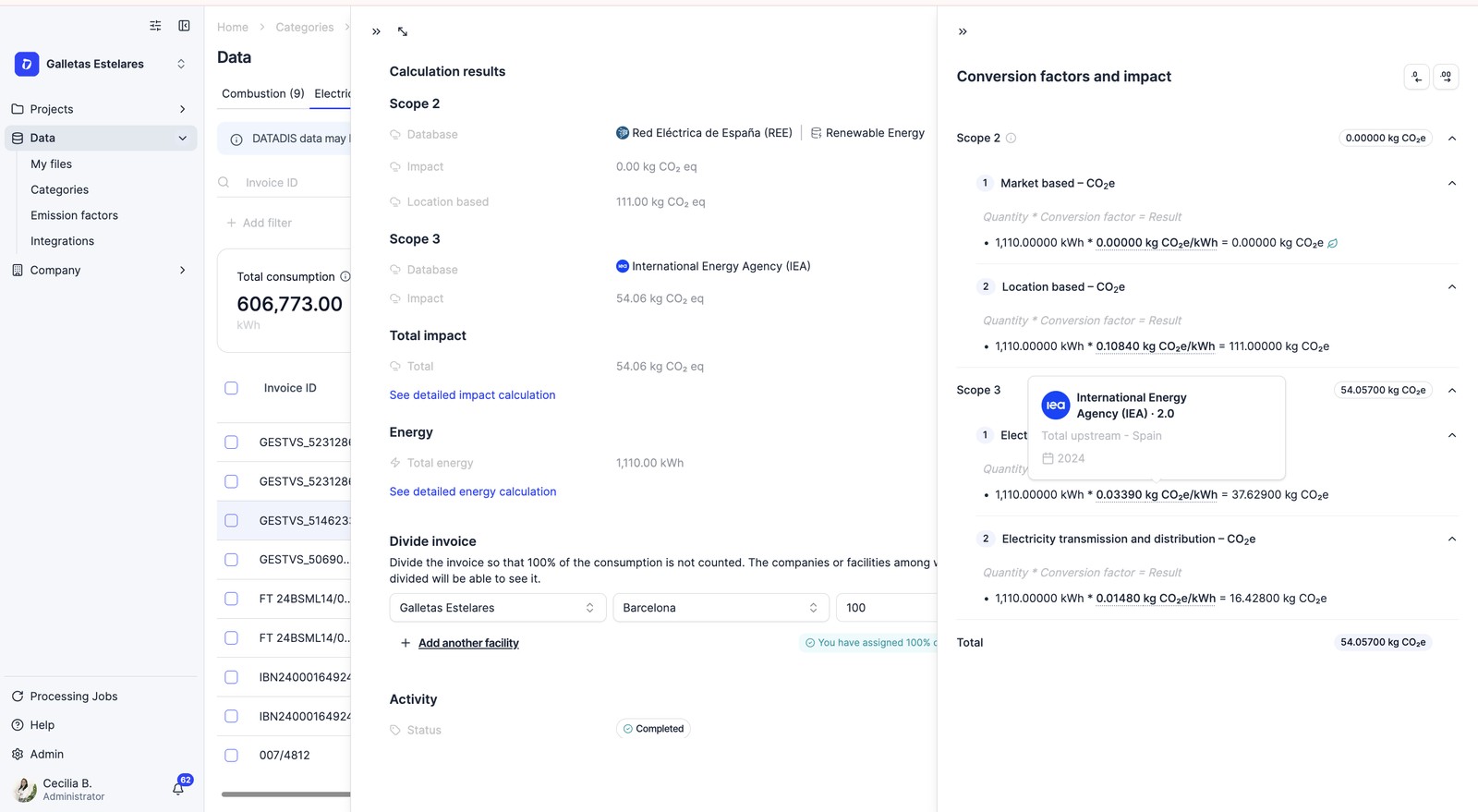
If you buy electricity with a renewable certificate, your market-based Scope 2 can drop significantly thanks to Guarantees of Origin (GdO): the accreditation that a given amount of MWh has been generated from renewable sources in a specific period.
Dcycle automatically identifies the consumption period and location and assigns the corresponding factor. In the emission factor manager you can check the version of each factor and update it when a new one is released.
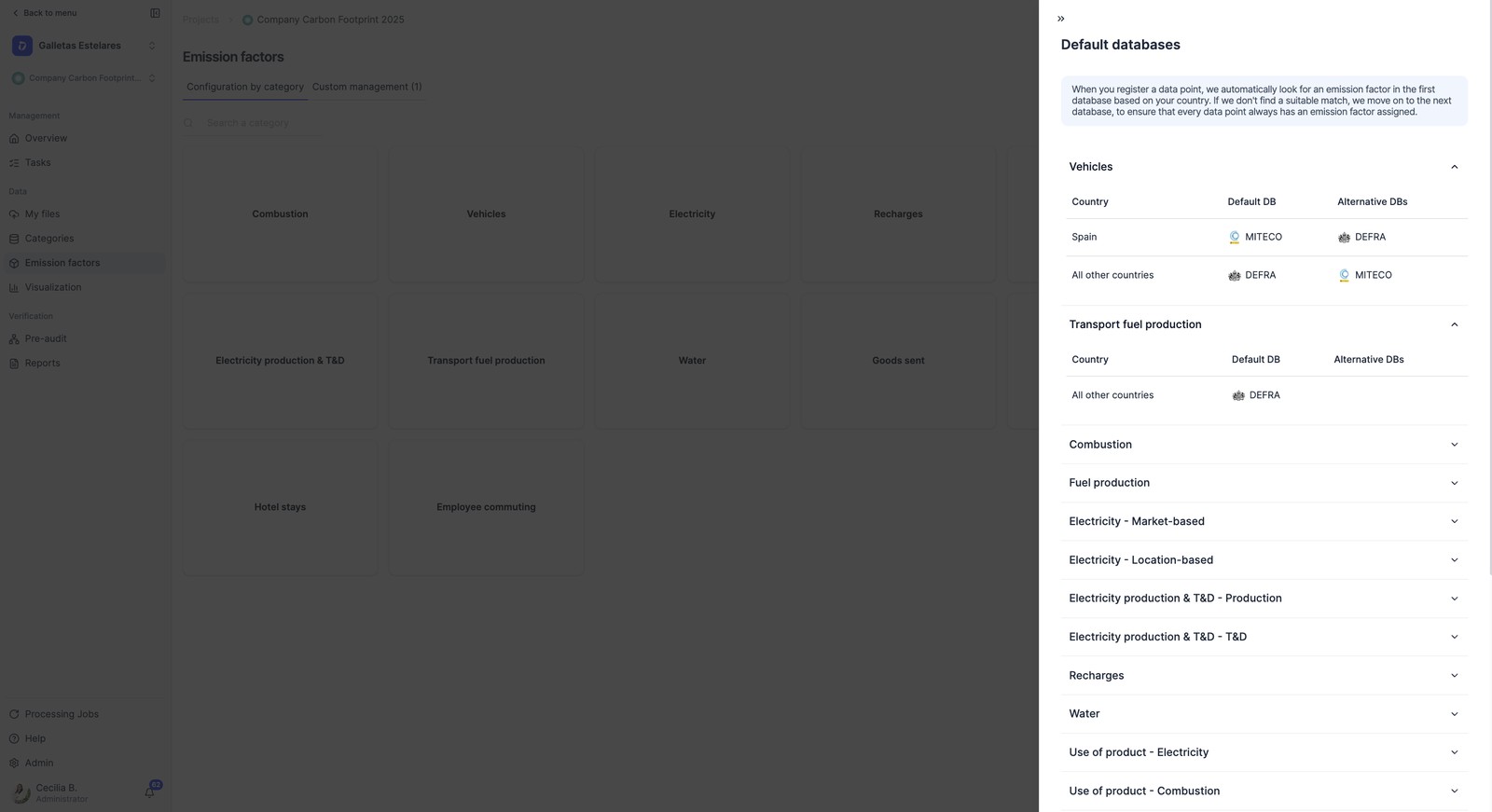
Your responsibility
For factors with renewable Guarantees of Origin, it is you who must make sure they are applied in line with your certificate (that the GdOs cover that consumption, period and energy supplier). The verifier will ask for the valid Guarantees of Origin, issued and registered by the CNMC (Comisión Nacional de los Mercados y la Competencia).
Scope 3, in detail
Scope 3 is the indirect emissions of your value chain: suppliers, logistics, waste, commuting, business travel and use of your products. It is where the most corrections appear.
- With the GHG Protocol it has 15 categories and is not mandatory (but if you register it with MITECO, that part is verified).
- With ISO 14064-1 it is mandatory (categories 3 to 6).
How to prepare it: prioritize what is material (especially in the first year); use primary data whenever you can and document the spend-based methodology; in purchasing focus on critical suppliers (recycled material does not have a factor of 0); in transport review km and mode; for employees, a well-filled survey; in waste, classify by LER code.
Methodology
The methodology for each category comes by default according to the GHG Protocol —that is how Dcycle calculates it—; if you need a specific clarification, you add it in the GHG report itself.
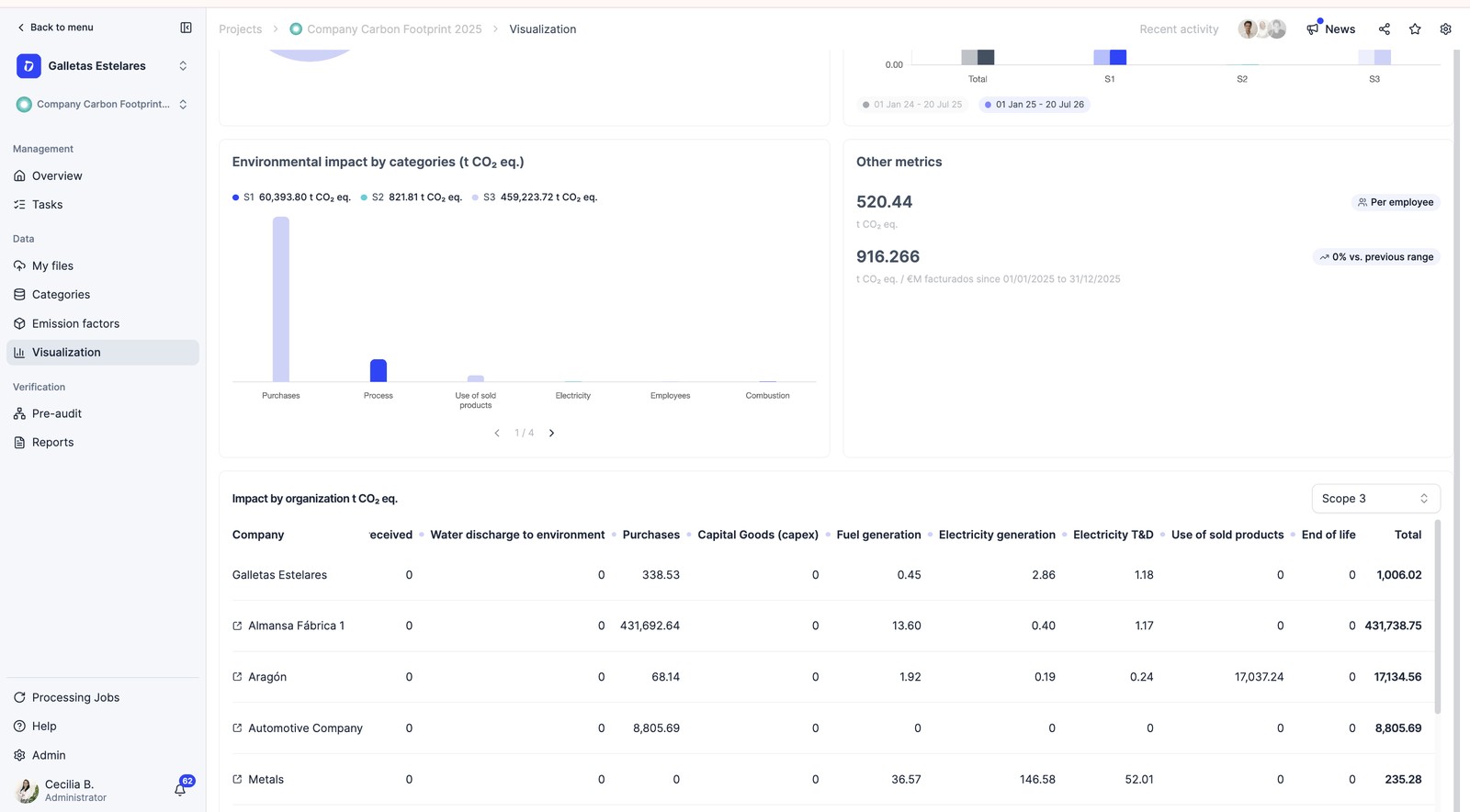
Stage 2 · Make sure everything adds up
Errors that cause failures
- Data entered by hand without evidence. A data point without a document behind it is not verifiable.
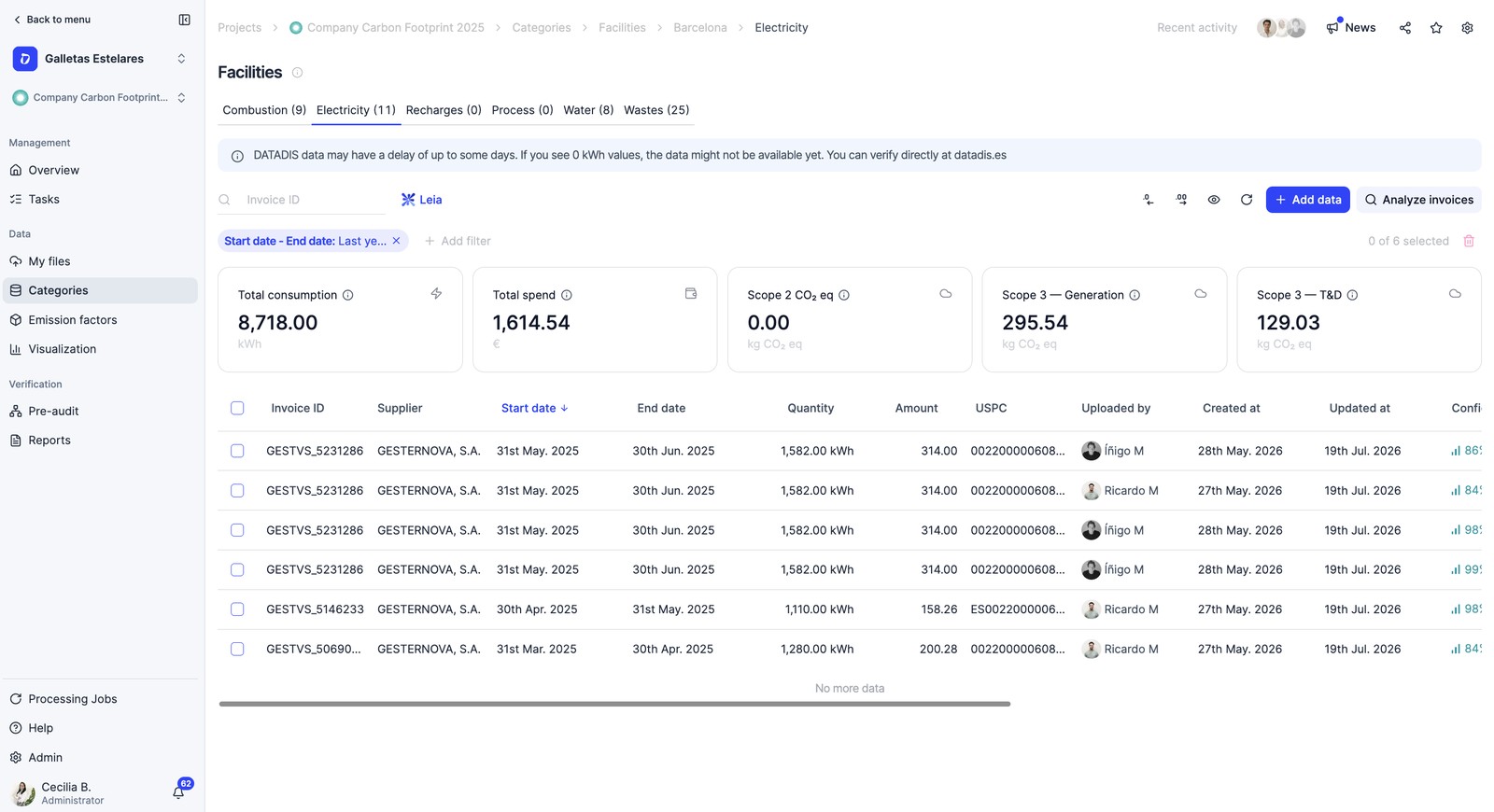
- Uploading the same document through two channels. Use a single channel per facility (or “My Files”) so as not to duplicate it. You can check the data in each facility and in the pre-verification section of the data control panel.
- Not declaring the two Scope 2 approaches (location-based and market-based). Almost every verifier asks for it.
Dcycle’s internal pre-audit
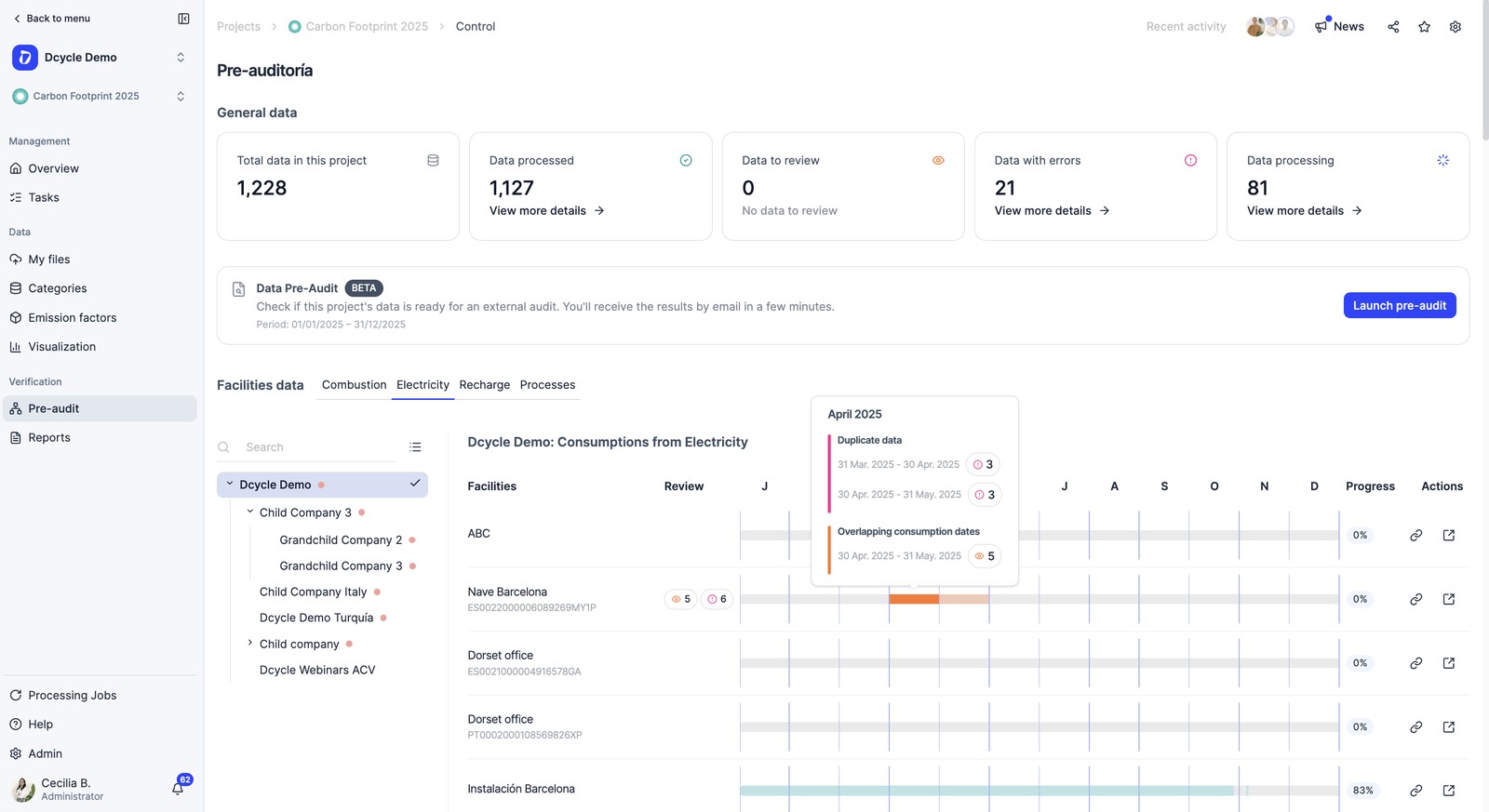
Before you share anything with the verifier, at Dcycle we run an internal pre-audit: a quality control of your data to catch errors in time. It is not the verification —that is done by the accredited third party— but your safety net beforehand. It reviews three things:
- Status check — that all documentation is uploaded and complete.
- Consistency check — that categories, impacts and totals add up with each other.
- Value check — zero amounts, duplicates and figures out of range.
Plan ahead
Contact your Customer Success (ESG) specialist to coordinate the pre-audit at least 2 weeks before the verification date.
Stage 3 · Share and verify
The final report
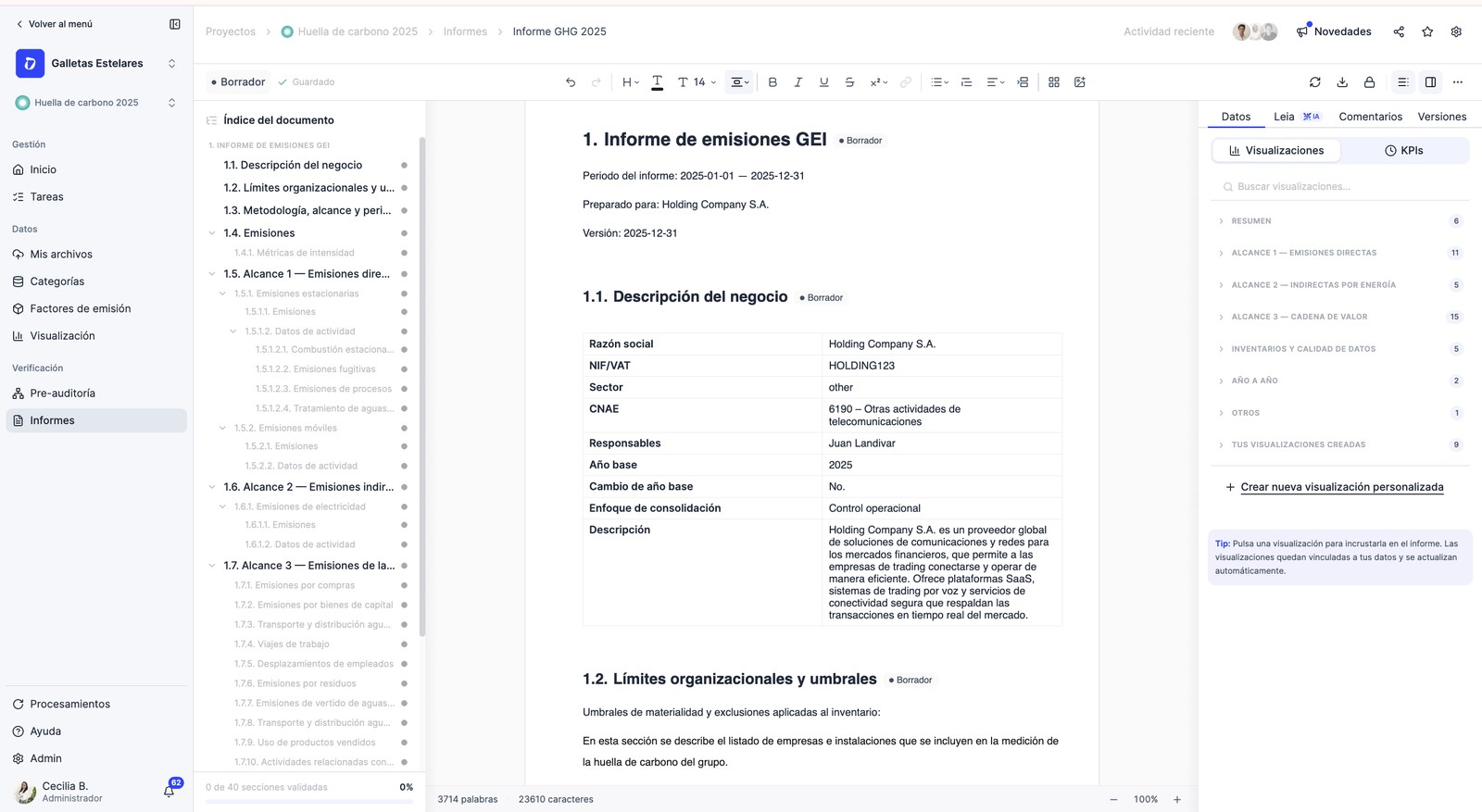
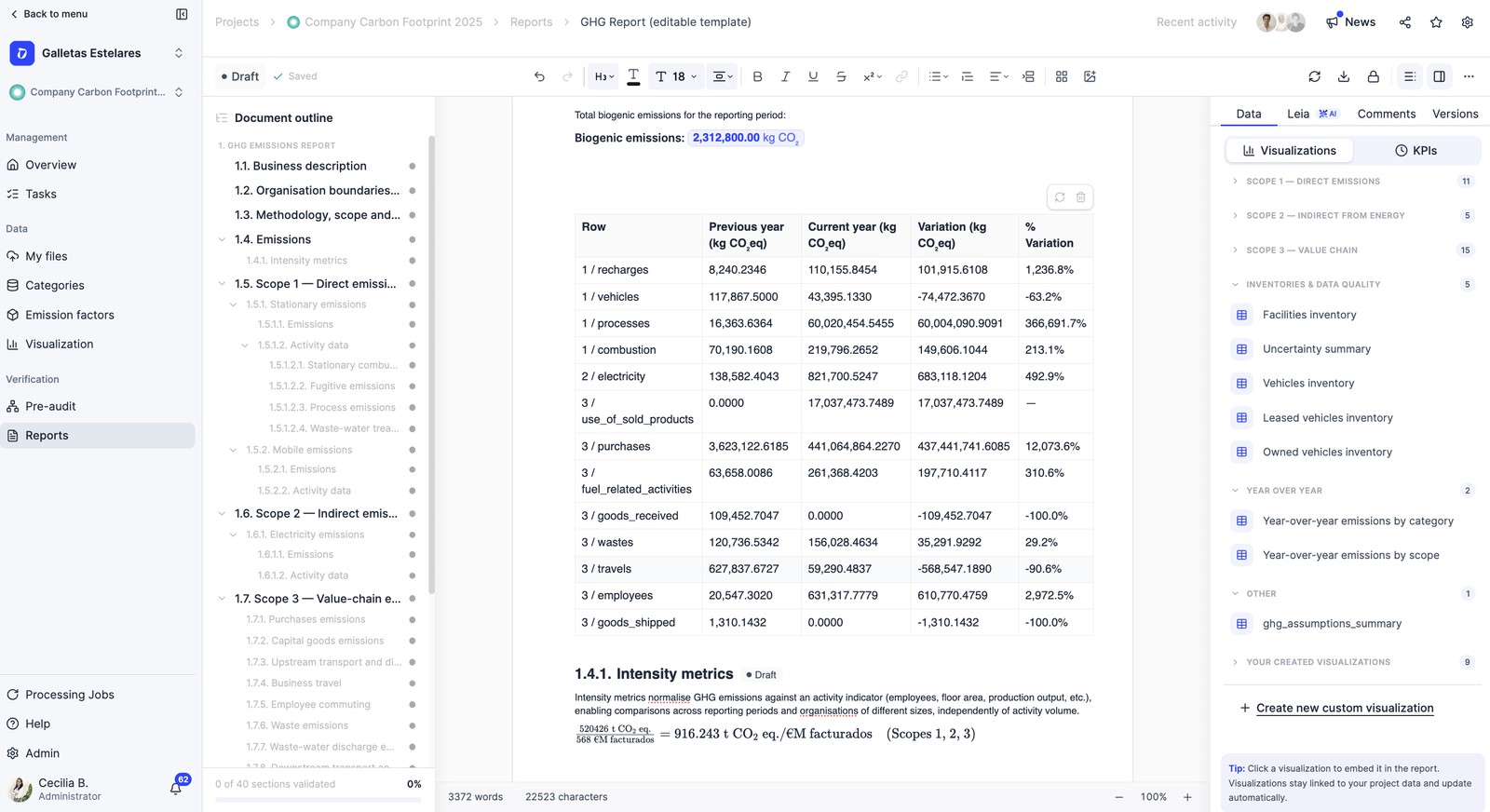
The final report is your key document: it summarizes your footprint and is what the verifier reviews. Dcycle generates it automatically and pre-filled; you download it, review it and customize it. It must reflect:
- Boundaries and justification of scopes (mandatory) — entities and sites included, consolidation approach, and why each one is included or excluded.
- Base year and its evolution (mandatory), with the historical record of years.
- Results by scope and by gas (mandatory), with biogenic CO₂ separately.
- Methodology and factor versions (mandatory).
- Intensity metric (e.g. tCO₂e per tonne produced).
- Visualizations and summary tables.
Critical point — scope and boundaries
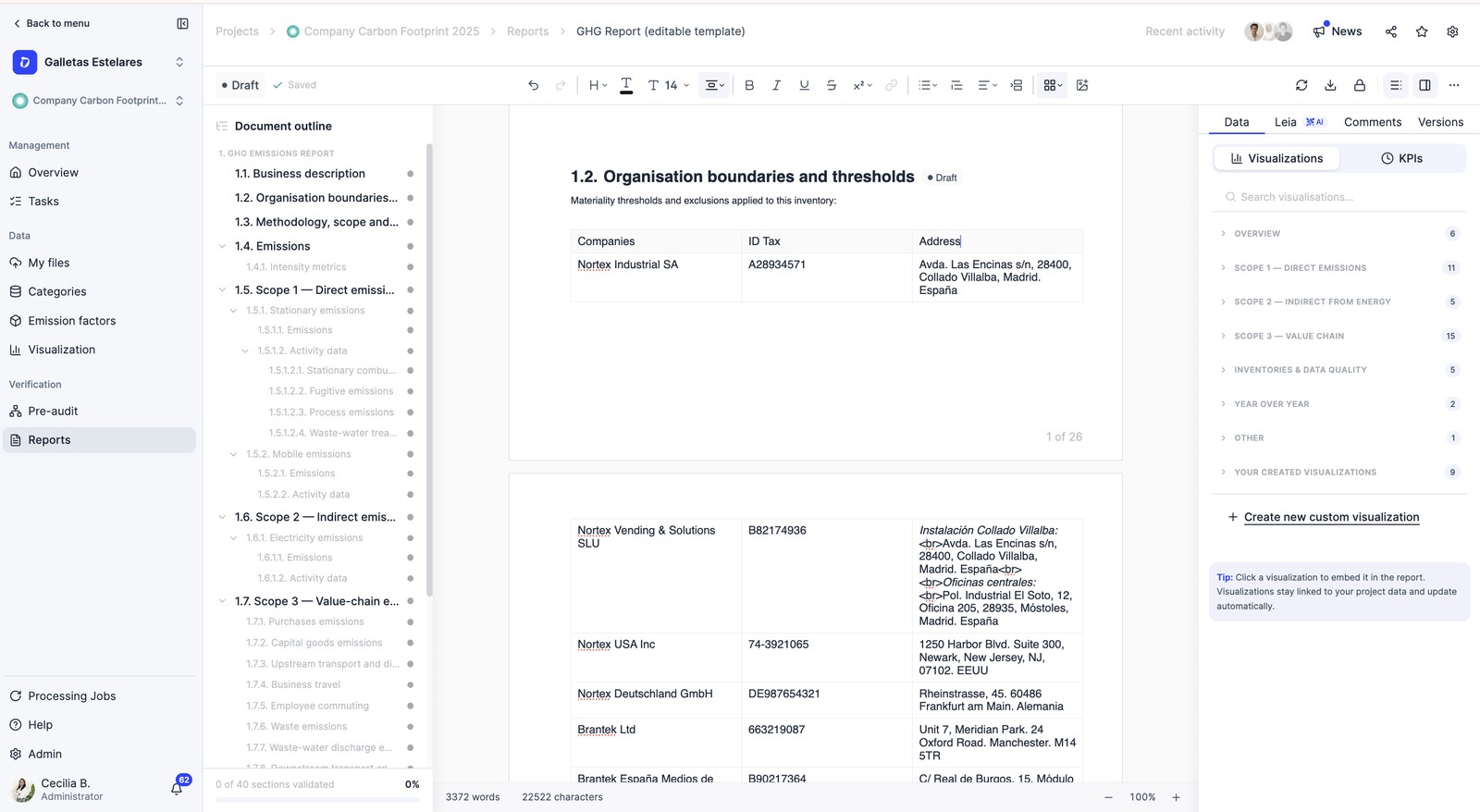
The report must precisely define the scope of the verification and the boundaries of the company: the legal name of each entity, the facilities with their addresses and, if there are exclusions, which ones and why. It is one of the first things the verifier reviews.
Versions matter for corrections
If you adjust a factor or its version, the report must reflect it. Keeping them clear and traceable avoids additional reviews with the verifier.
Historical emissions
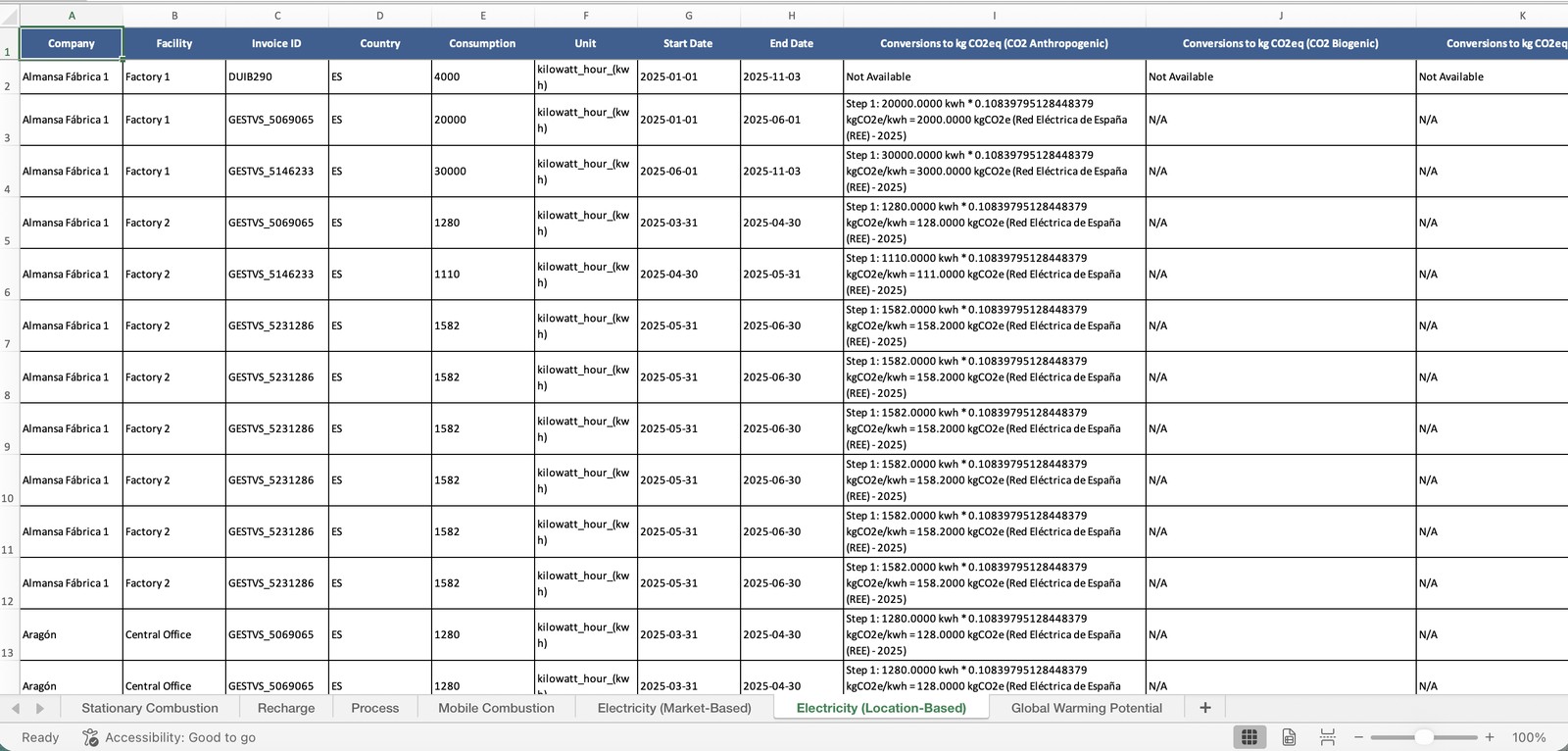
If part of your emissions was loaded using the historical emissions format (e.g. years migrated from previous reports), they do not carry the data × factor breakdown on the platform. Add all those details (methodology, factors and sources) in the GHG report so they are verifiable.
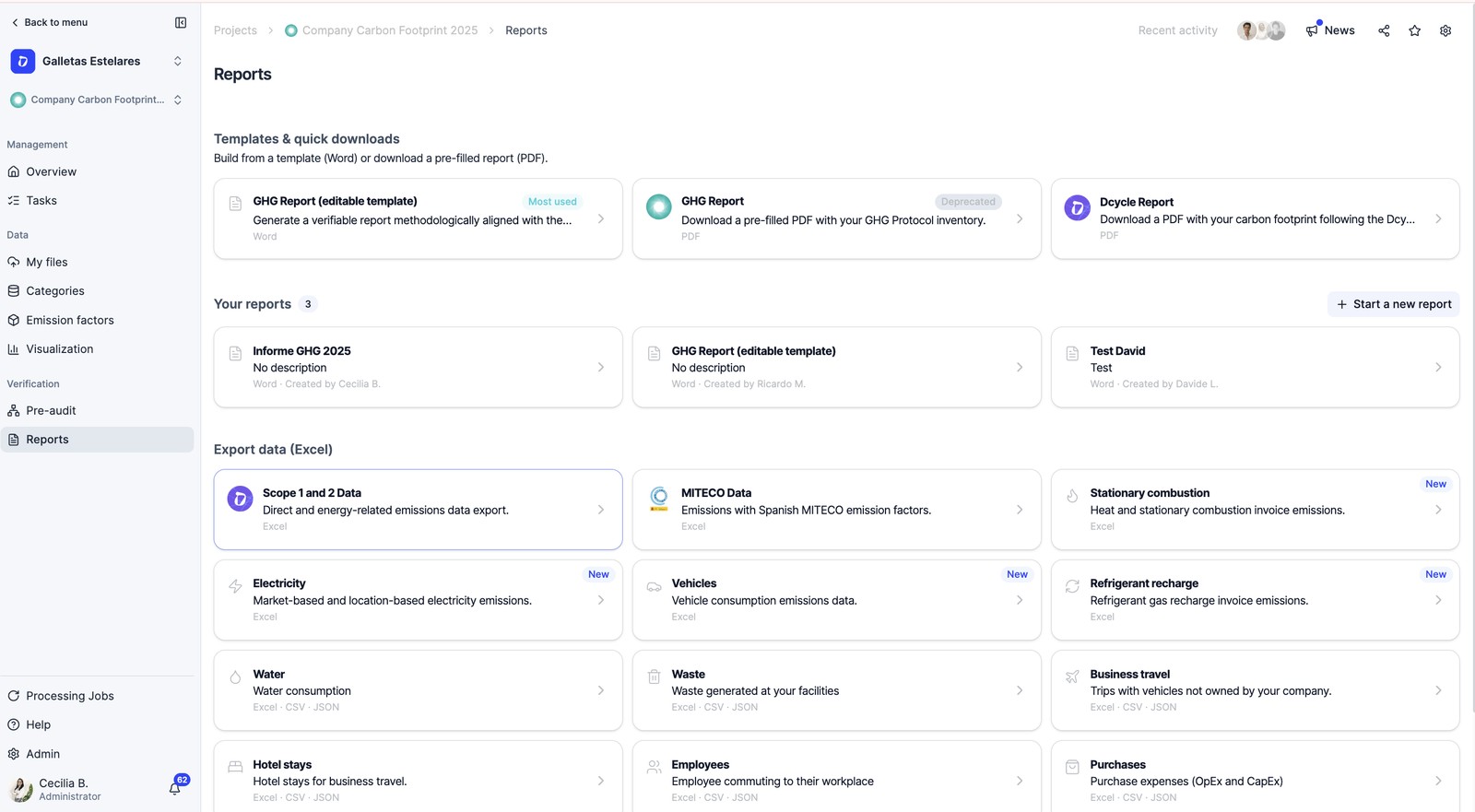
How to get the data Excel: go to Reports › Export data (Excel), choose the data (e.g. “Scope 1 and 2 data” or each category), configure year, companies and categories, and click Download (it arrives by email).
That detailed data Excel (activity data × factor = emission, per record) must be attached together with the revised GHG report.
When you close the checklist, deliver: the group report, the Scope 1 and 2 data Excel (for MITECO), reader access to the platform and the agreed date. Verifiers usually ask for the documentation one week in advance for the desk study.
Give access to your verifier
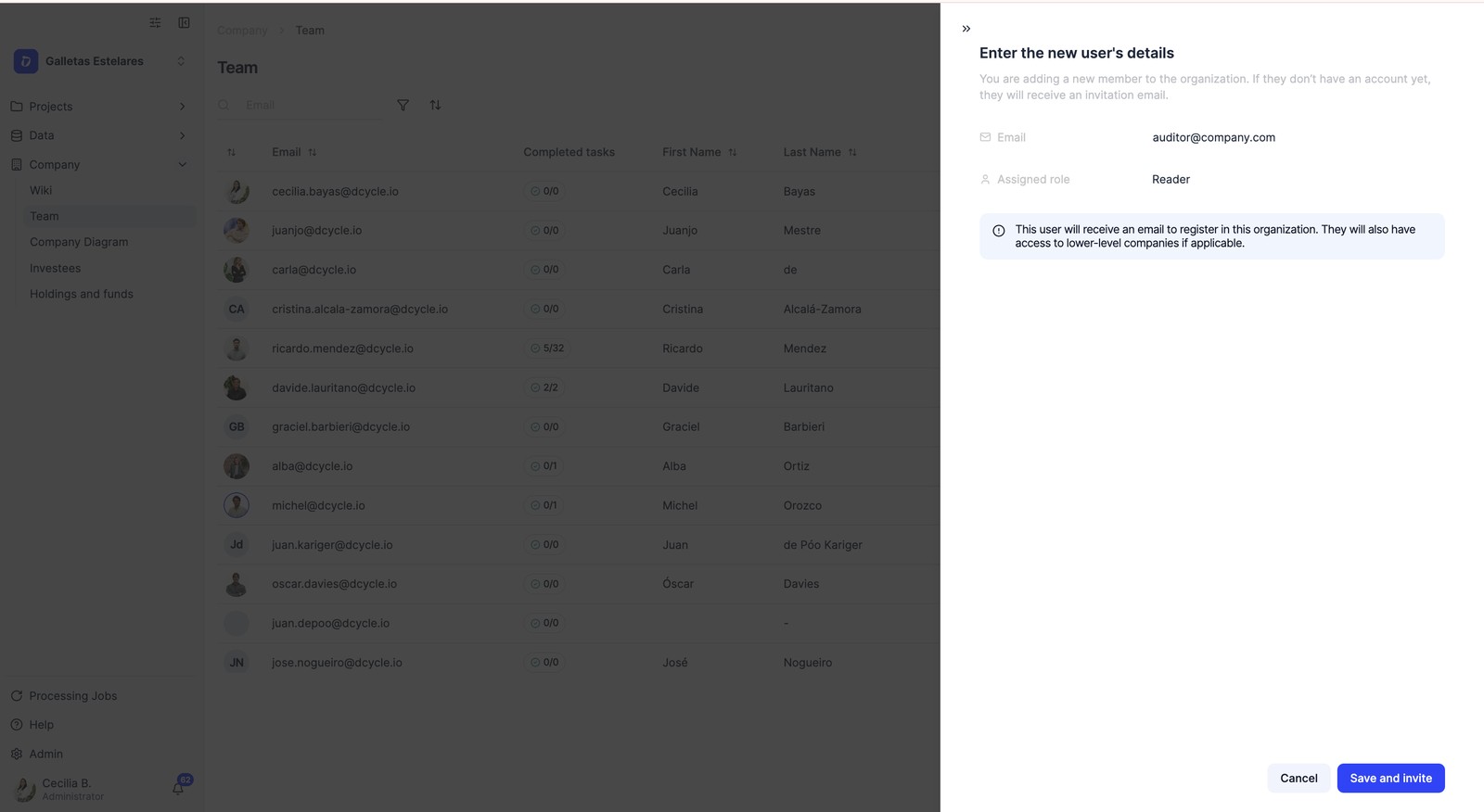
Your verifier reviews the platform in reader mode (read-only). You are the one who grants access:
Step 1
Go to Team and invite the verifier with their email.
Step 2
Assign them the Reader role: they see all the information but cannot modify or create anything.
Step 3
If you work with a group and divisions, give them access to the level they are going to review.
Data protection
For data protection reasons, Dcycle cannot give access to external people: you set up the verifier's account yourself from your account. Grant access at the start of the process and remove it when the verification closes.
During the verification
- The verifier will do sampling: ~40% of the invoices in high-volume categories and up to 100% in low-volume ones.
- It is normal to have corrections: they flag a point → you fix it on the platform → it is closed. They are usually small adjustments.
- Do not modify data you already considered closed while the review is underway.
Methodology and references
Every category is calculated the same way: activity data × emission factor = emission, with its source and version. The detail is documented in the Learning Hub:
- See the detail of an emission factor
- Catalog of databases and versions
- Scope 2: apply the Guarantee of Origin
- Download the emission factors (Excel)
- Recalculate emissions and base year
Frequently asked questions
Can Dcycle verify my footprint?
No. We measure your footprint, but the verification is done by an accredited independent body. We can recommend partner verifiers (EQA, TÜV) with preferential conditions.
What do I do if the verifier finds errors?
That is normal. They are logged as corrections, you fix them on the platform and they are closed in the final report.
Was this helpful?
What was missing or unclear? (optional)
Sent. Thank you for helping us improve.