Product Guides
Set electricity emissions to zero with a Guarantee of Origin
If you buy electricity backed by a Guarantee of Origin (GdO), its market-based Scope 2 emissions are zero. This guide shows how to switch the market-based factor on your electricity records to the renewable (GdO) option in Dcycle, so those invoices stop counting CO2 — without re-uploading or deleting any data.
Before you start
You need an Editor role in your Dcycle organization.
Steps
Step 1
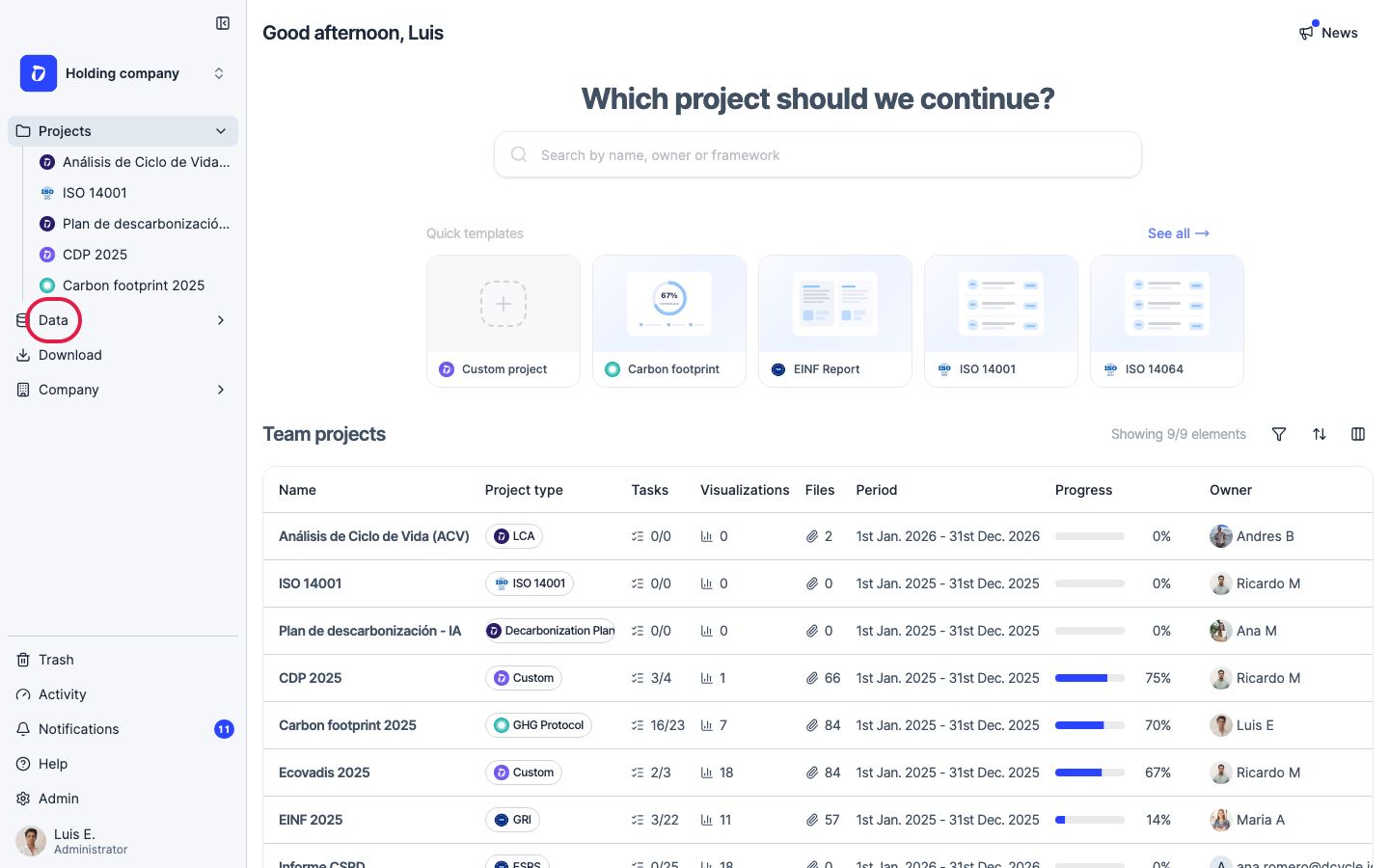
Click “Data” in the left navigation.
Step 2
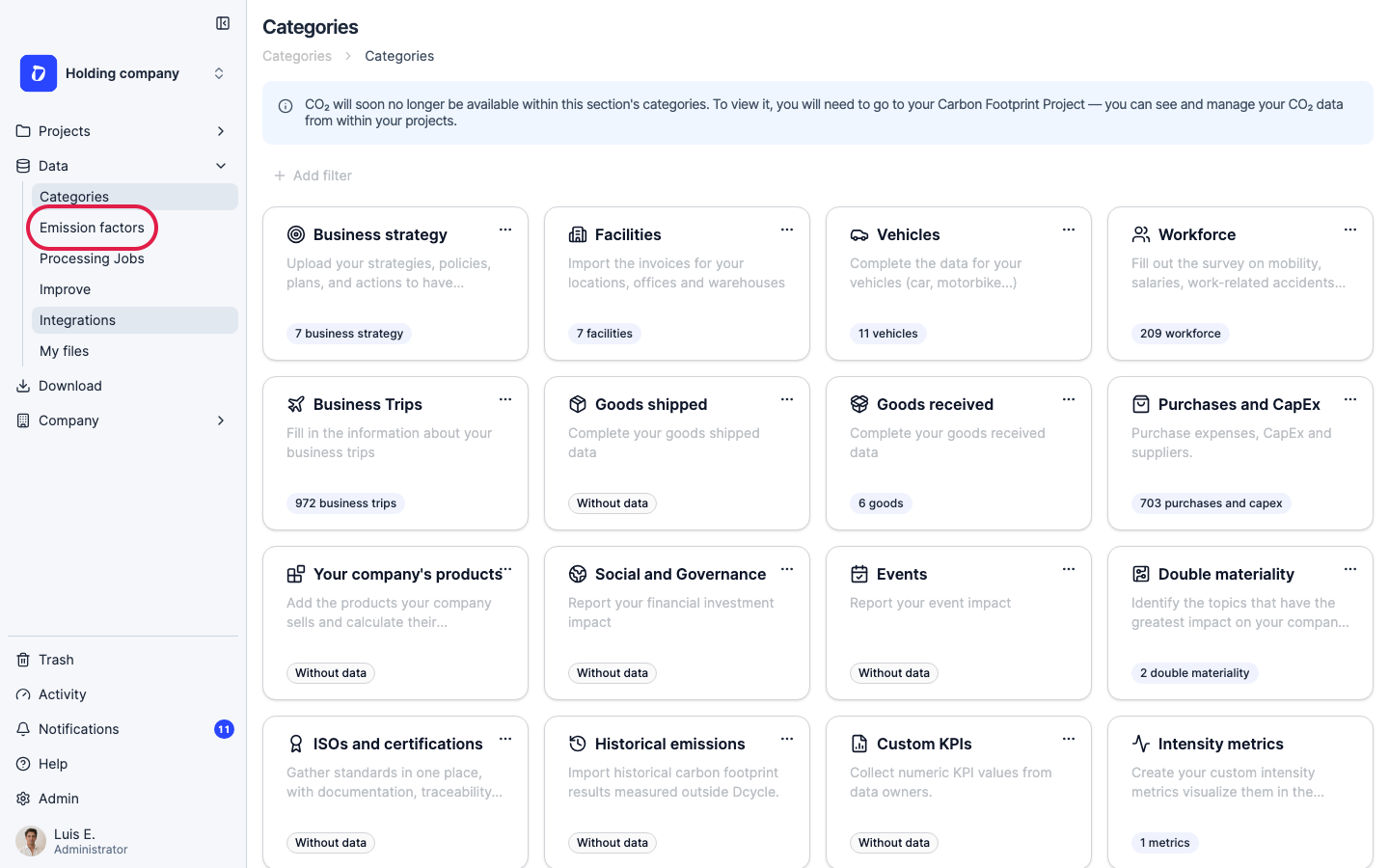
Click “Emission factors” in the Data sub-navigation.
Step 3
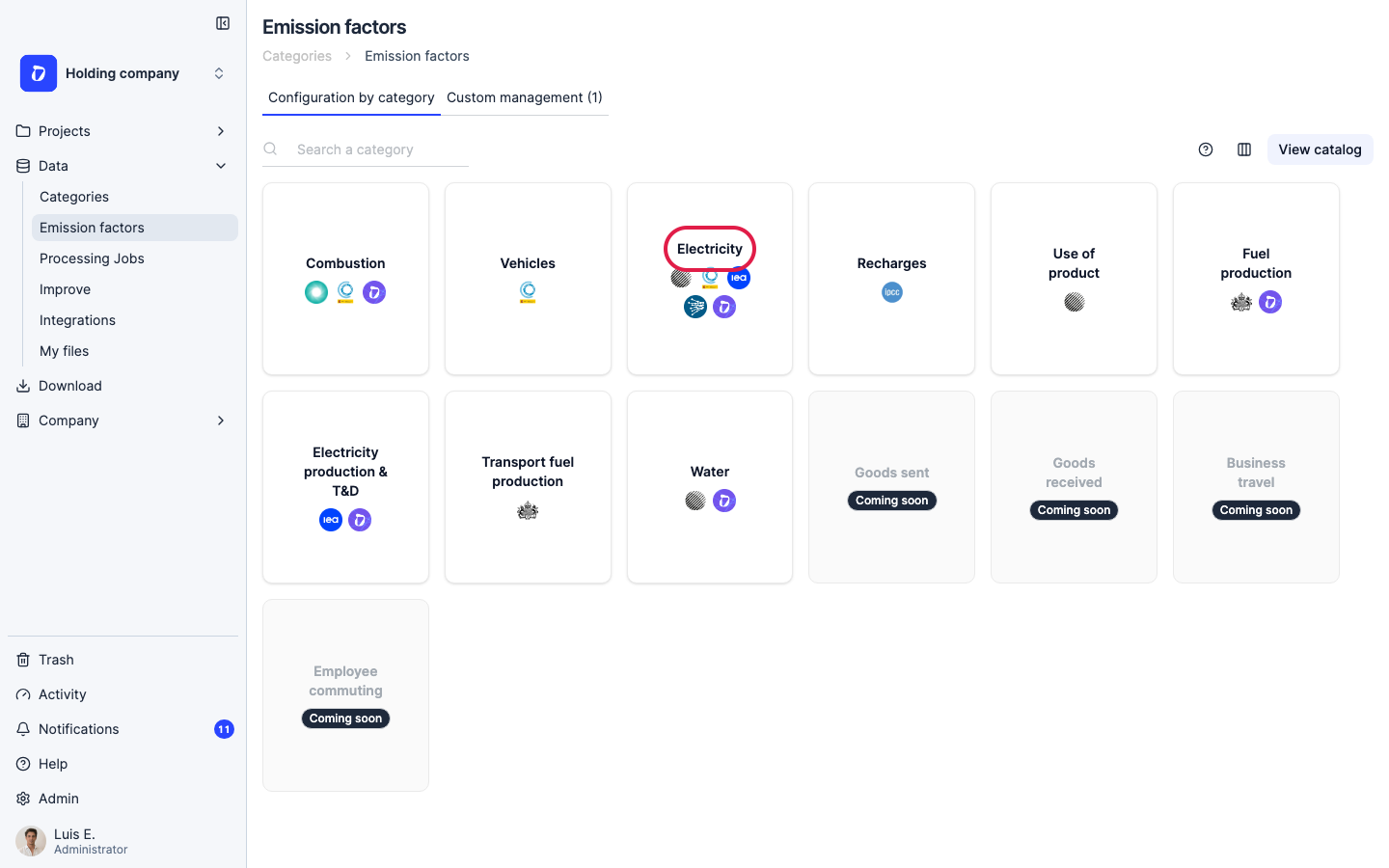
The Emission factors page opens on the “Configuration by category” tab, with one card per category. (The “Custom management” tab is where your own custom factors live.)
Step 4
Click the “Electricity” category card.
Step 5
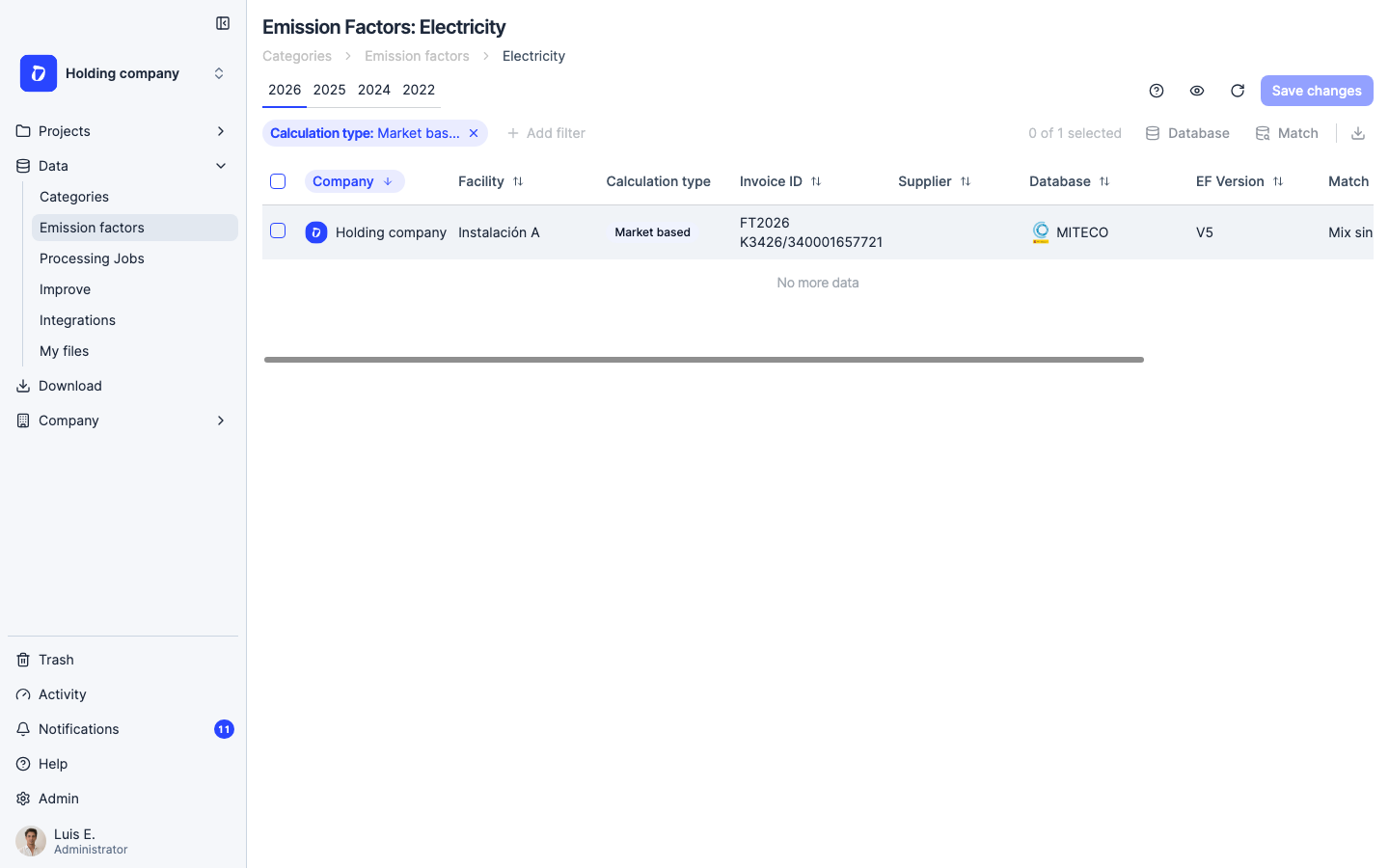
The Electricity screen lists your electricity records by year. The “Calculation type: Market based” filter shows the market-based factor applied to each invoice — here MITECO with a grid mix (no GdO). Tick the record(s) you want to change, then use “Match” (or “Database”) to switch the applied factor to your renewable / Guarantee-of-Origin option, which carries 0 kg CO2e.
Step 6
Click “Save changes”. Dcycle recalculates the selected electricity records in the background and your market-based Scope 2 drops to zero once it finishes — usually under a minute. The kWh consumption stays the same; only the emission factor changes, so there’s no need to re-upload or delete any invoices.
Step 7
Keep your GdO certificate for the audit trail. If your renewable factor isn’t already in the catalog, create it as a custom factor and attach the certificate as the source document (see “Create a custom emission factor”). Note that location-based Scope 2 (the grid average) is unaffected — GdOs only change the market-based figure.
Was this helpful?
What was missing or unclear? (optional)
Sent. Thank you for helping us improve.