Product Guides
Recalculate combustion and electricity emissions
Dcycle has upgraded the calculation methodology for combustion, recharges, and electricity: higher-precision emission factors, a choice of official databases (MITECO, GHG Protocol, DEFRA, EPA, IEA, AIB, REE), and full step-by-step traceability. Uploads from now on are calculated automatically with the new method — 2026 data has already been recalculated. This guide shows how to trigger a recalculation for earlier periods or specific invoices.
Before you start
You need an Editor role in your Dcycle organization.
Steps
Step 1
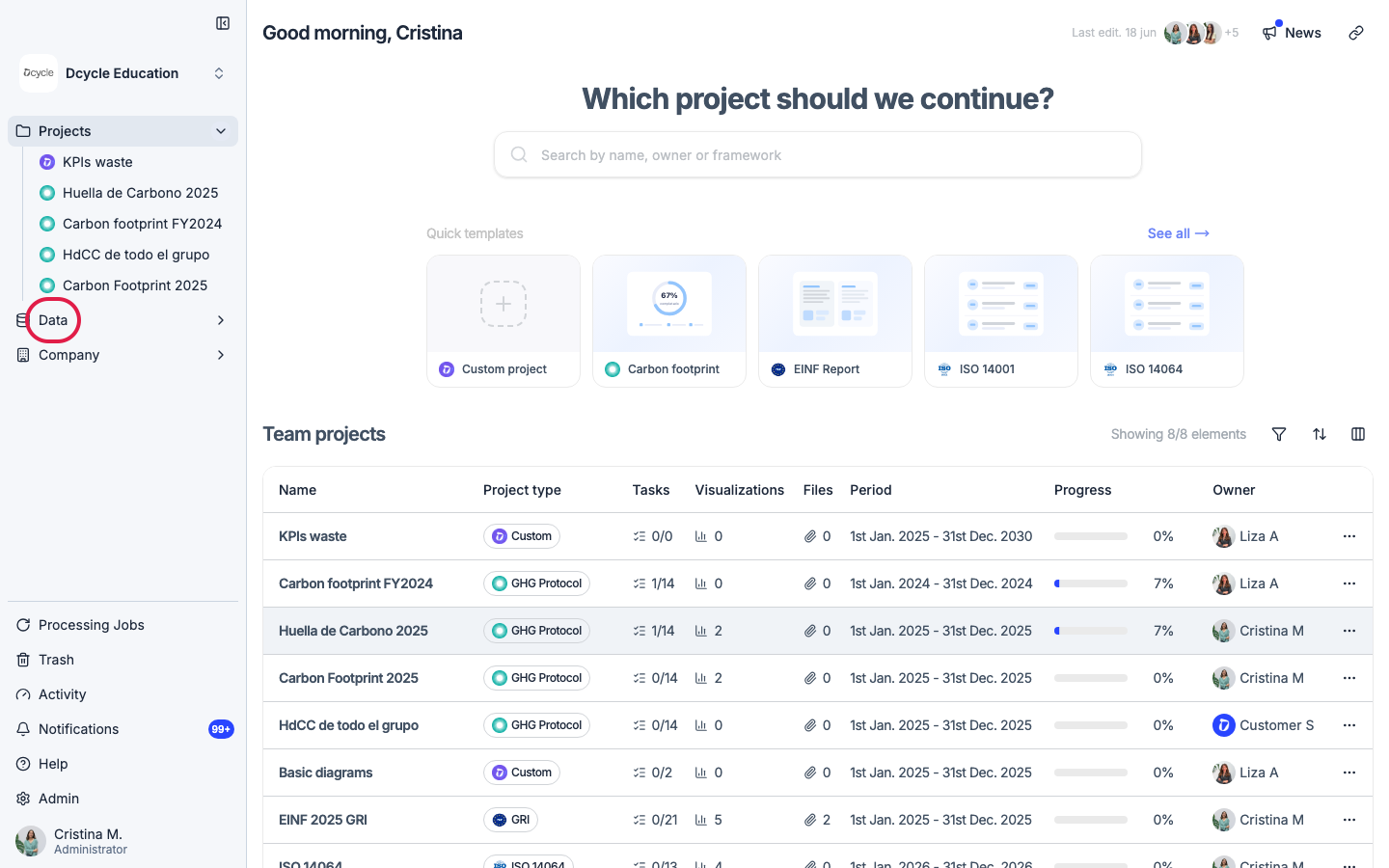
Click “Data” in the left navigation.
Step 2
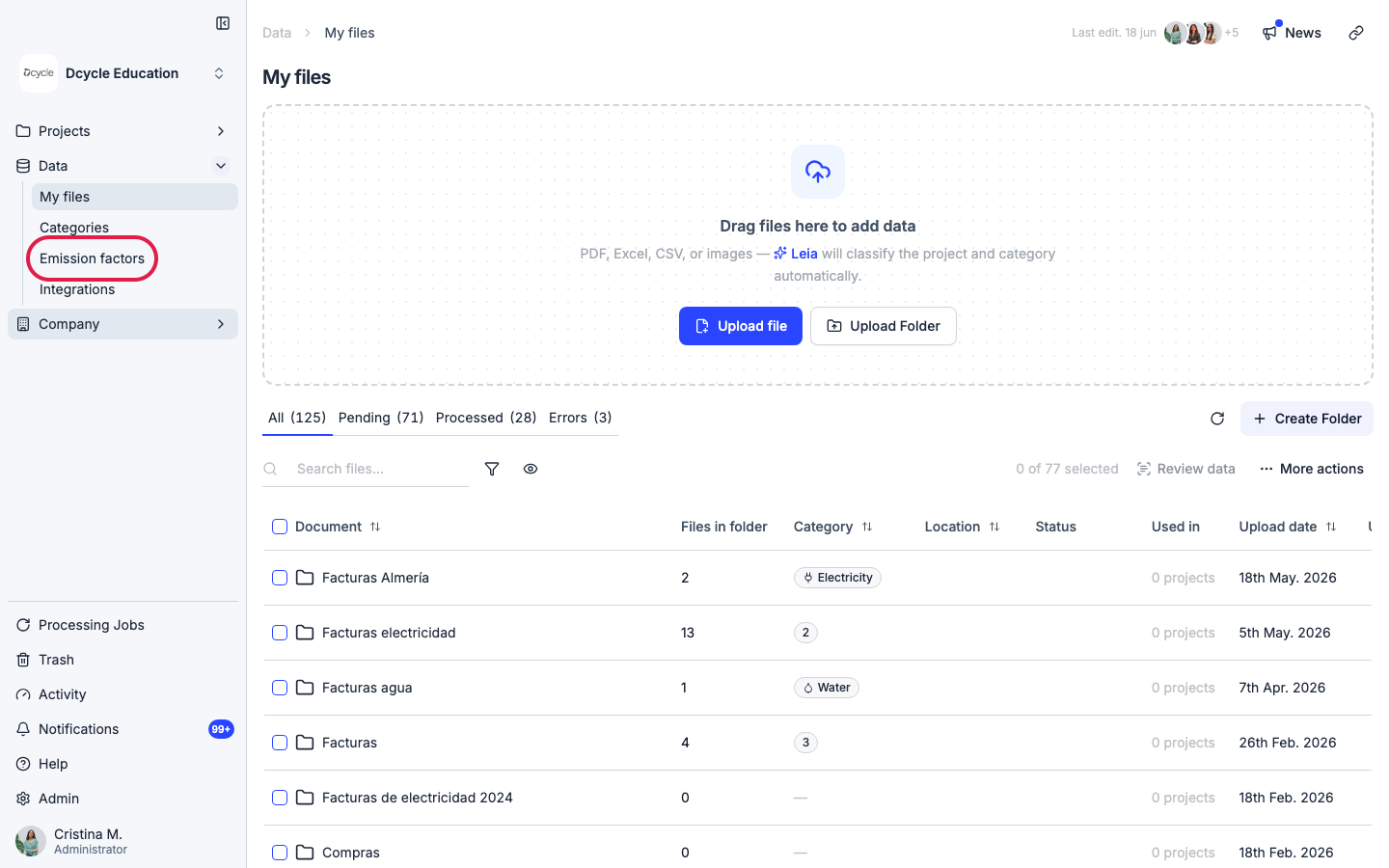
Click “Emission factors” in the Data sub-navigation.
Step 3
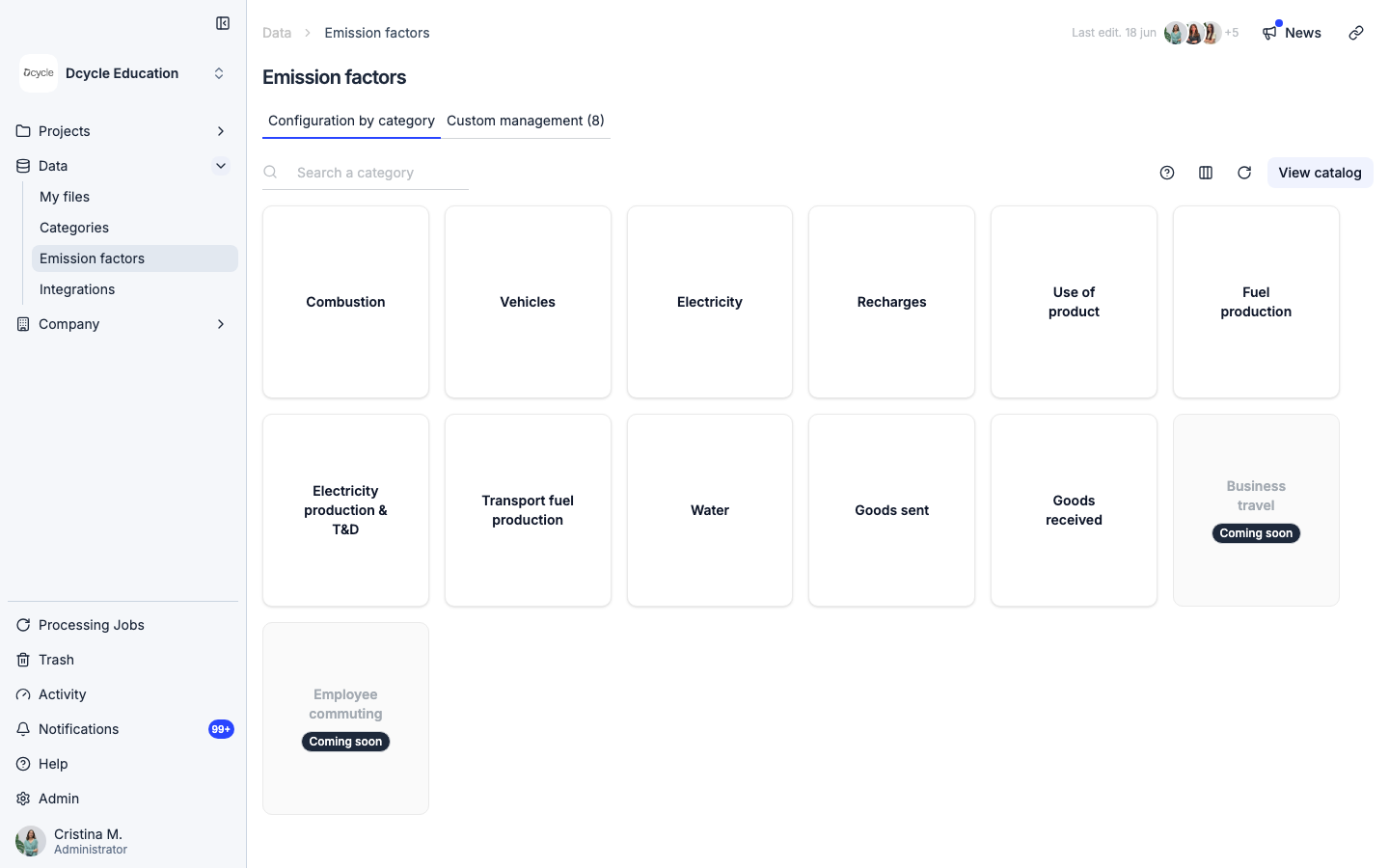
The “Configuration by category” tab shows one card per emission category. Click the category you want to recalculate — Combustion for Scope 1, Electricity for Scope 2, or Recharges for refrigerant recharges.
Step 4
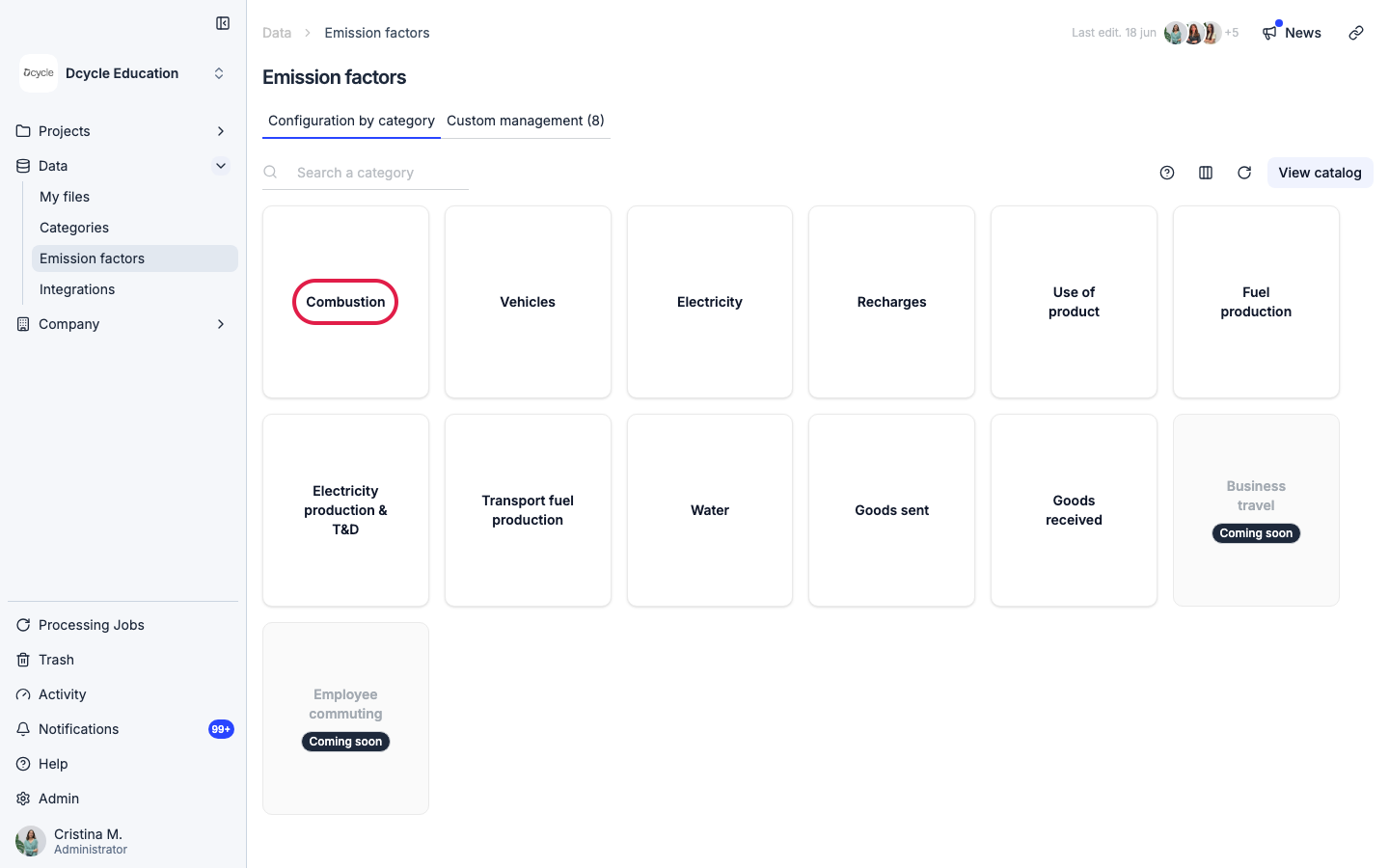
Click the “Combustion” card to open the per-record management view.
Step 5
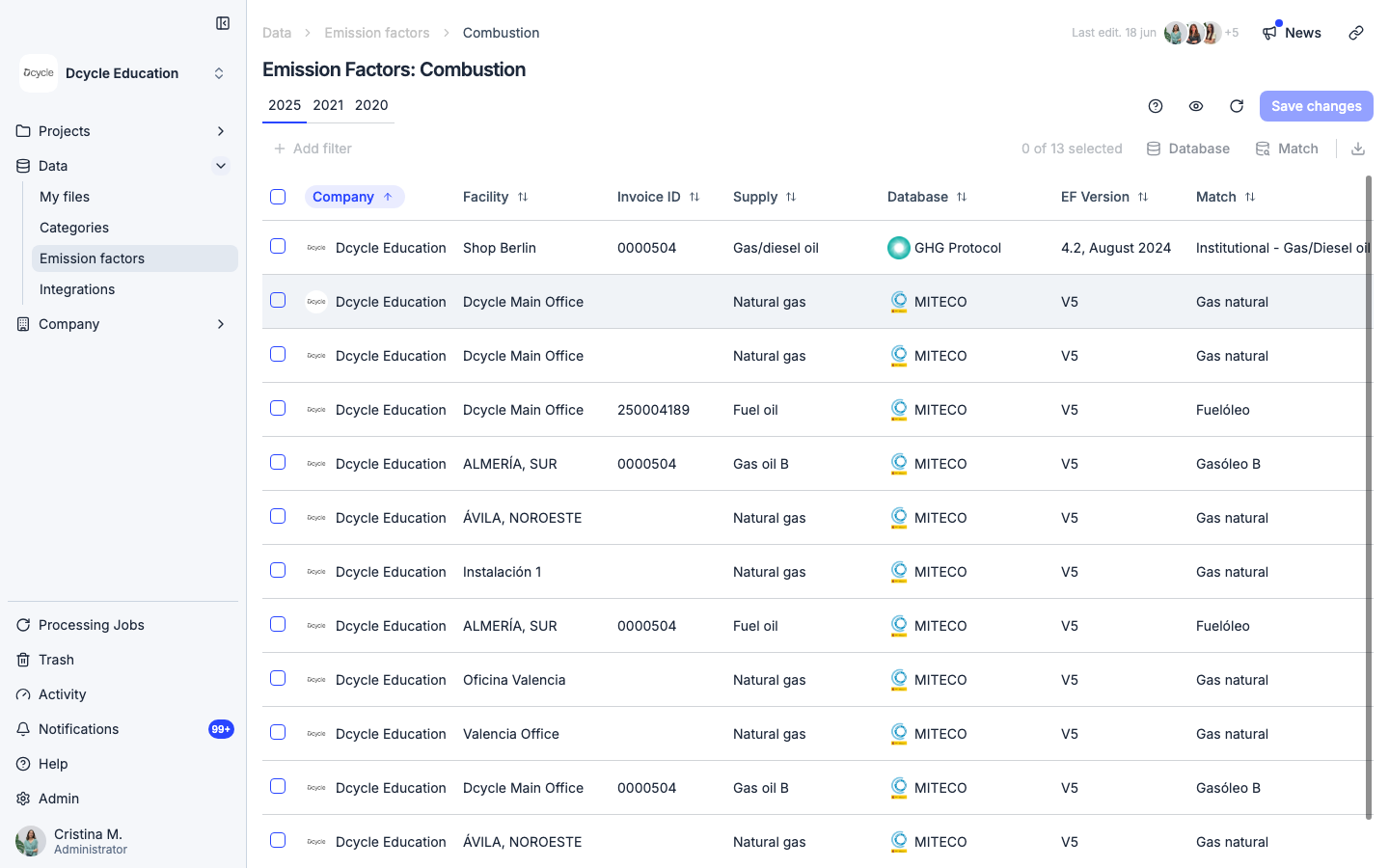
The Combustion screen lists your records by year. Use the year filter to navigate to the period you want to recalculate (e.g., 2024 or 2025). Select the records you want to update — or select all — then click “Database” to choose the emission factor source: MITECO, GHG Protocol, DEFRA, or EPA. Dcycle now applies all the decimal places published by official sources for maximum precision.
Step 6
Click “Save changes” to confirm. Dcycle recalculates the selected records in the background and the dashboard totals update once it finishes — usually within a minute. The original consumption values (liters, m³, kg, etc.) stay unchanged; only the emission factor precision improves.
Step 7
For electricity (Scope 2), go back to the category list and click “Electricity”. The new methodology separates market-based and location-based approaches for the first time, as required by GHG Protocol. Available sources include MITECO, AIB (Association of Issuing Bodies), IEA, REE, Ecoinvent, DEFRA, and EPA. If you have invoices backed by a Guarantee of Origin, you can reclassify them as renewable energy directly from this view. For Scope 3 Category 3 (electricity), upstream emissions and transmission and distribution losses are now assigned by country according to IEA data.
Step 8
After recalculating, open any record’s detail view to see the full step-by-step breakdown: the emission factor applied, the source database, the exact value with all decimals, and how the final CO₂e figure was derived. This audit trail is ready for external verification bodies — no additional documentation needed.
Was this helpful?
What was missing or unclear? (optional)
Sent. Thank you for helping us improve.