Verifications
Verifier's guide: where to validate everything in Dcycle
For every point you audit in a carbon footprint verification, the exact location in Dcycle and what to expect to see. Designed for the verifier with reader-mode access.
You access Dcycle in reader mode: you can review the entire inventory, the traceability and the evidence, without being able to modify or create data. This guide takes you, for each point you need to validate, straight to where to find it.
Everything is linked
Every activity data point is linked to its source document and to its calculation (data × factor = emission). You don't need to request files by email: they are on the platform.
Quick map: Projects (the year’s inventory) · Categories (entries and their calculation) · Emission factors (sources and versions) · My Files (evidence for sampling) · Reports (S1·S2·S3 export).
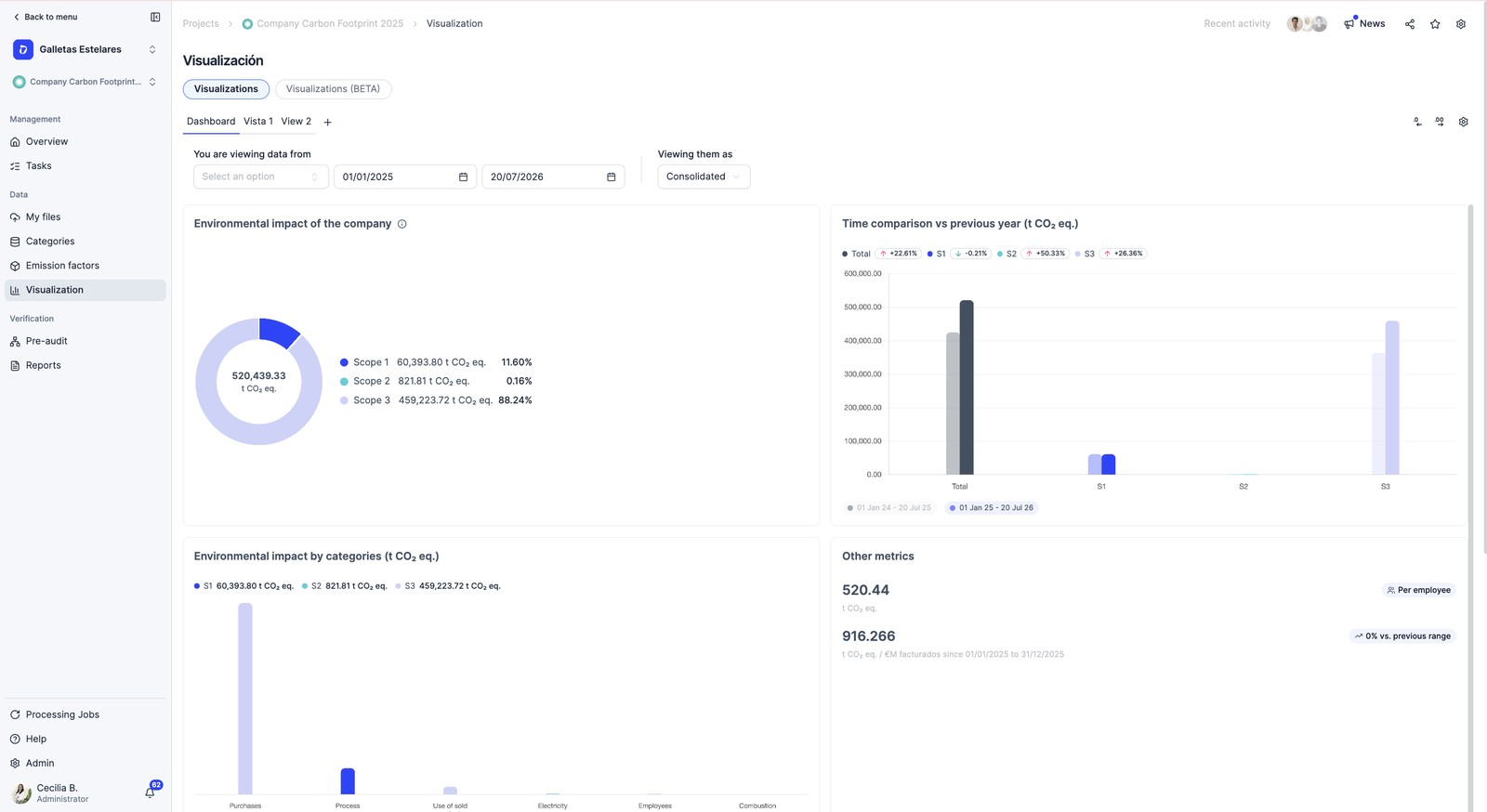
Credentials and trust in the software
- Tool verified by TÜV Rheinland — TÜV Rheinland has verified and validated that Dcycle calculates the footprint in accordance with ISO 14064-1:2018 (control approach, limited assurance), following ISO 14064-3:2019; it covers CO₂e and HFC, scopes 1, 2 and 3, with base-year factors from 2015 to 2024.
- Methodology — the calculations follow the GHG Protocol and ISO 14064-1, with recognized databases (Ecoinvent, MITECO, DEFRA, IEA, EXIOBASE…); each factor keeps its source and version.
- Information security — ISO 27001 certification; documentation in the Trust Center (security.dcycle.io).
- Full audit trail — every figure is traceable: activity data → evidence → calculation → report.
Scope of the certification
The TÜV verification accredits the tool, not the specific footprint of each organization: the calculation, the results and the reports remain the responsibility of the organization and are verified by an accredited third party.
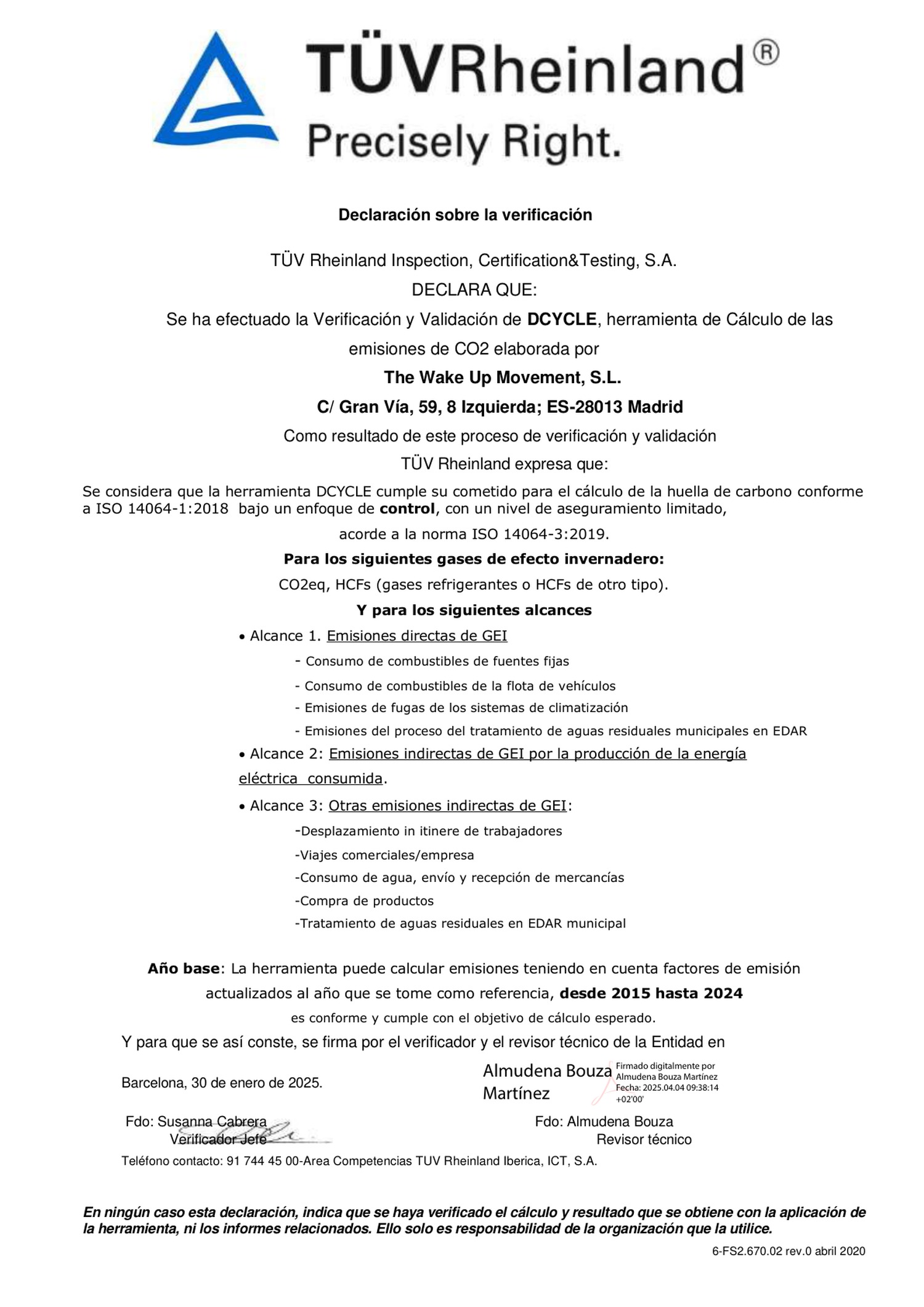
Organization boundaries
The starting point of every verification: which entities and sites are included in the inventory. The tree of parent account and its companies/facilities consolidates the totals; for the specific evidence you navigate to each company’s account.
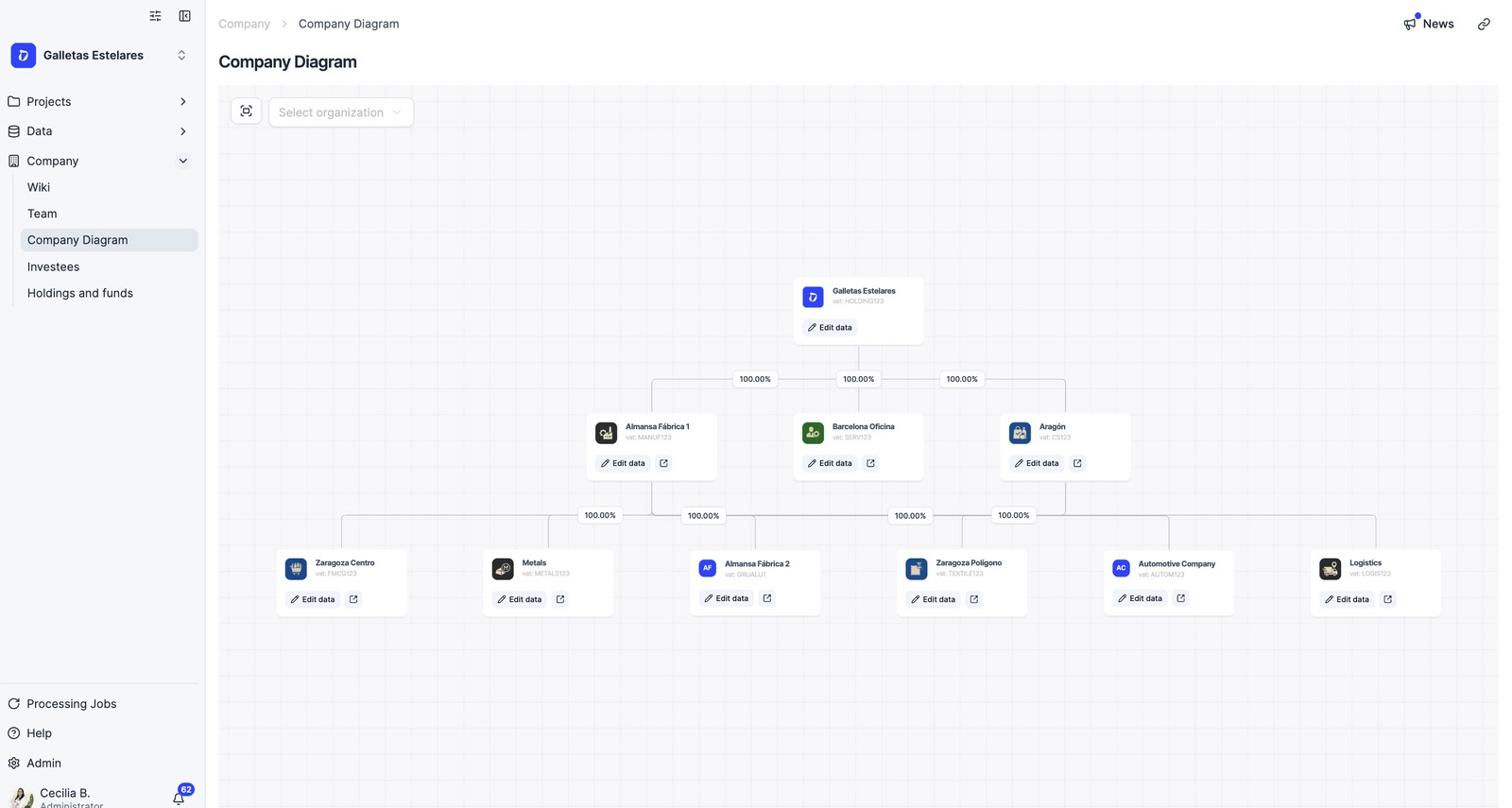
Traceability: from data to evidence
The heart of the verification: getting from the number to the document that backs it up. In each consumption or invoice, the detail shows the attached document and the calculation; “My Files” centralizes the evidence for sampling. The “See detailed impact calculation” view shows scope, data, applied factor, source and result.
Historical emissions
Emissions loaded using the historical emissions format (migrated years) do not have a line-by-line breakdown on the platform; their methodological detail —factors and sources— is documented in the GHG report.
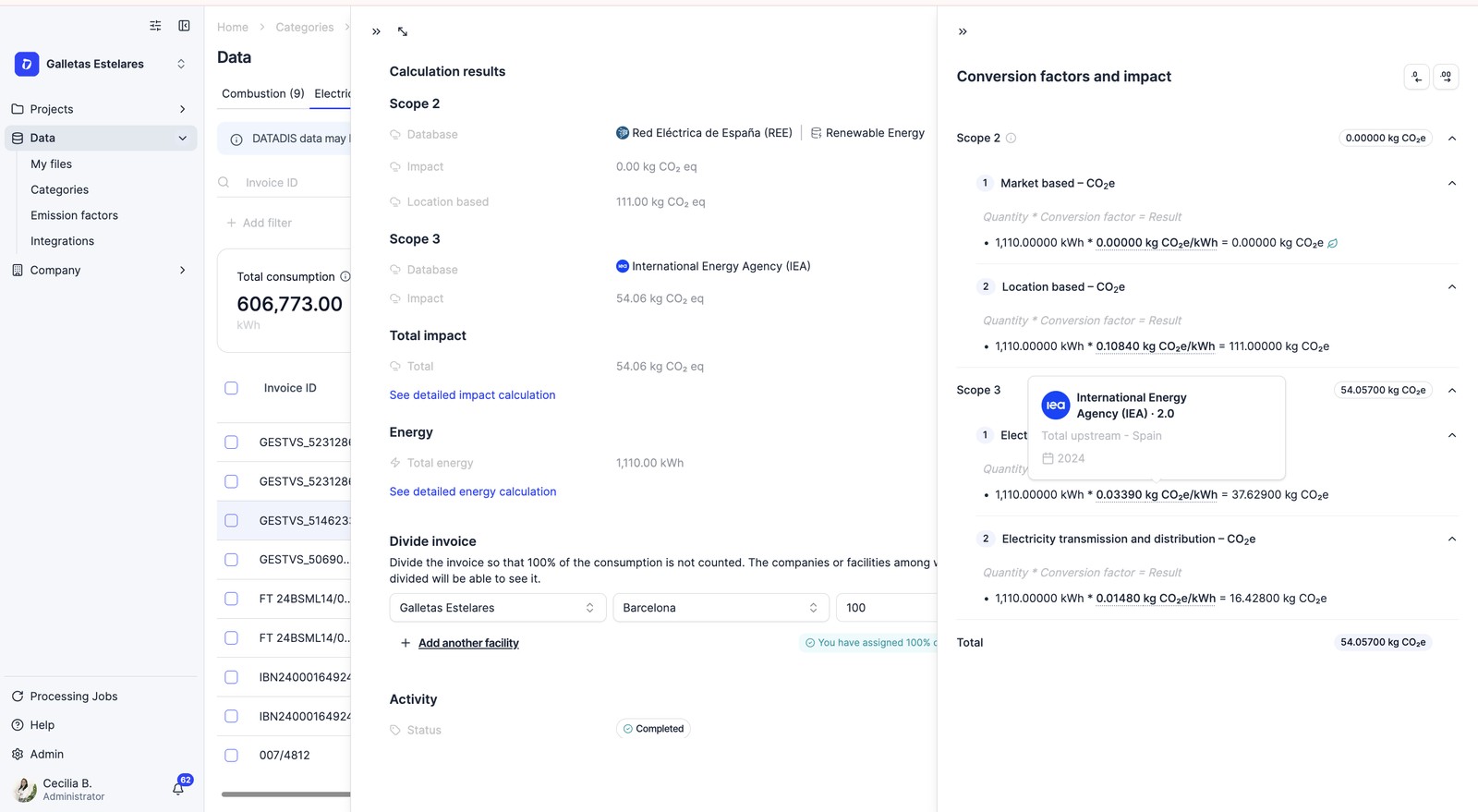
Emission factors
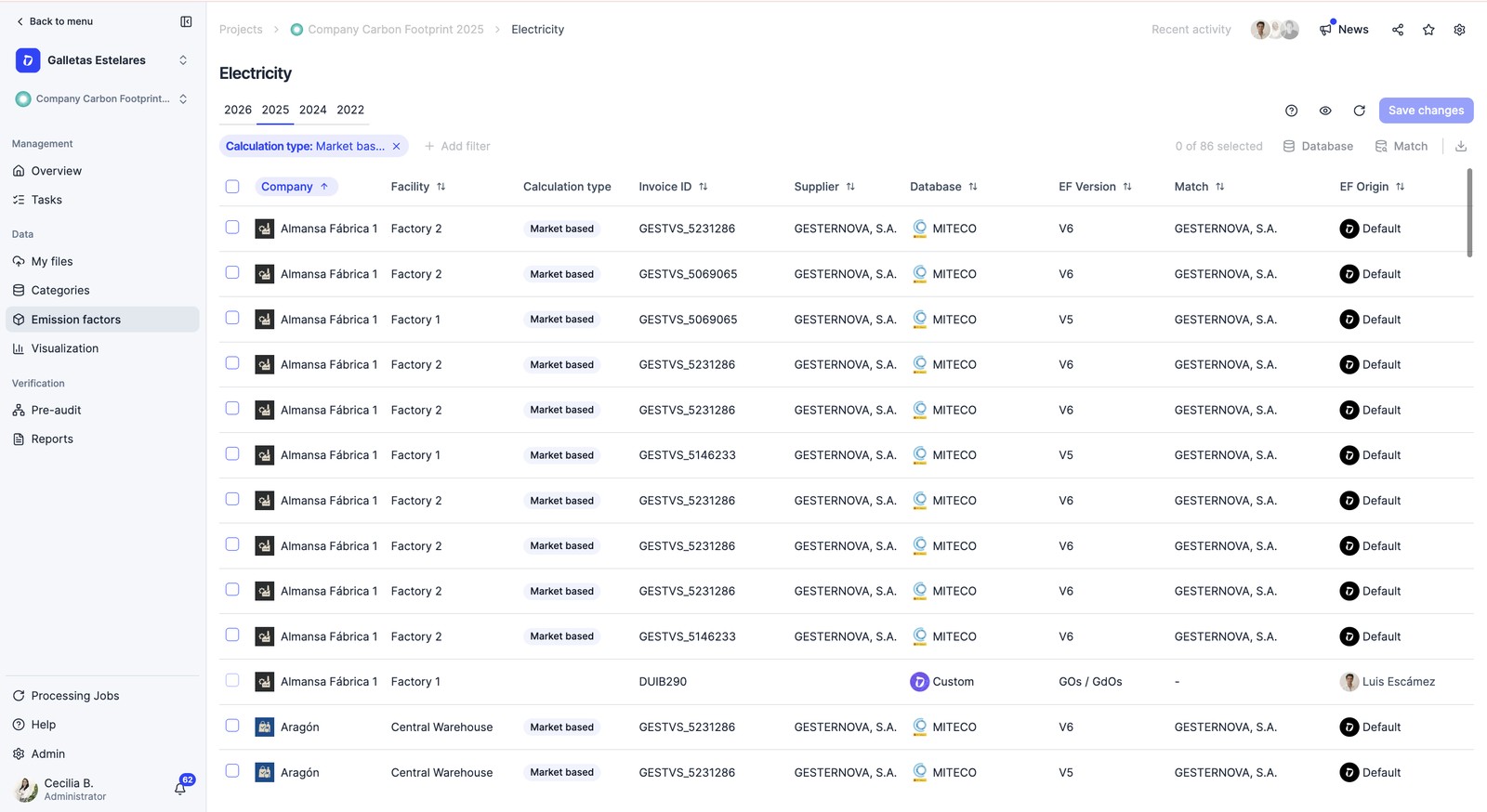
The number 1 topic in verifications. The central Emission factors library lists all the factors used, with their source and version, and lets you filter by year and provider. Each factor states its source and version; if you need the official reference, the source PDF can be provided per database.
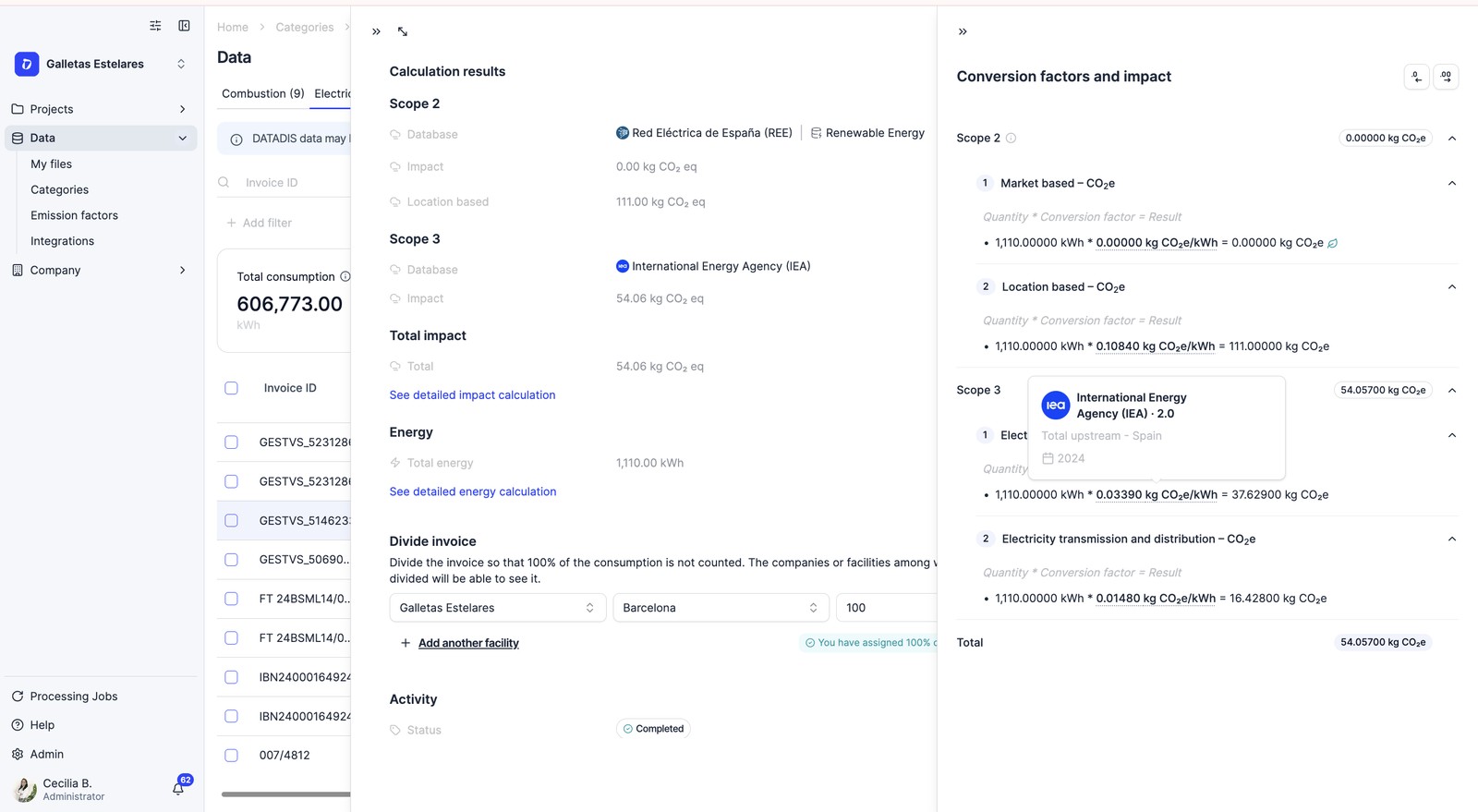
Scope 2: electricity approaches
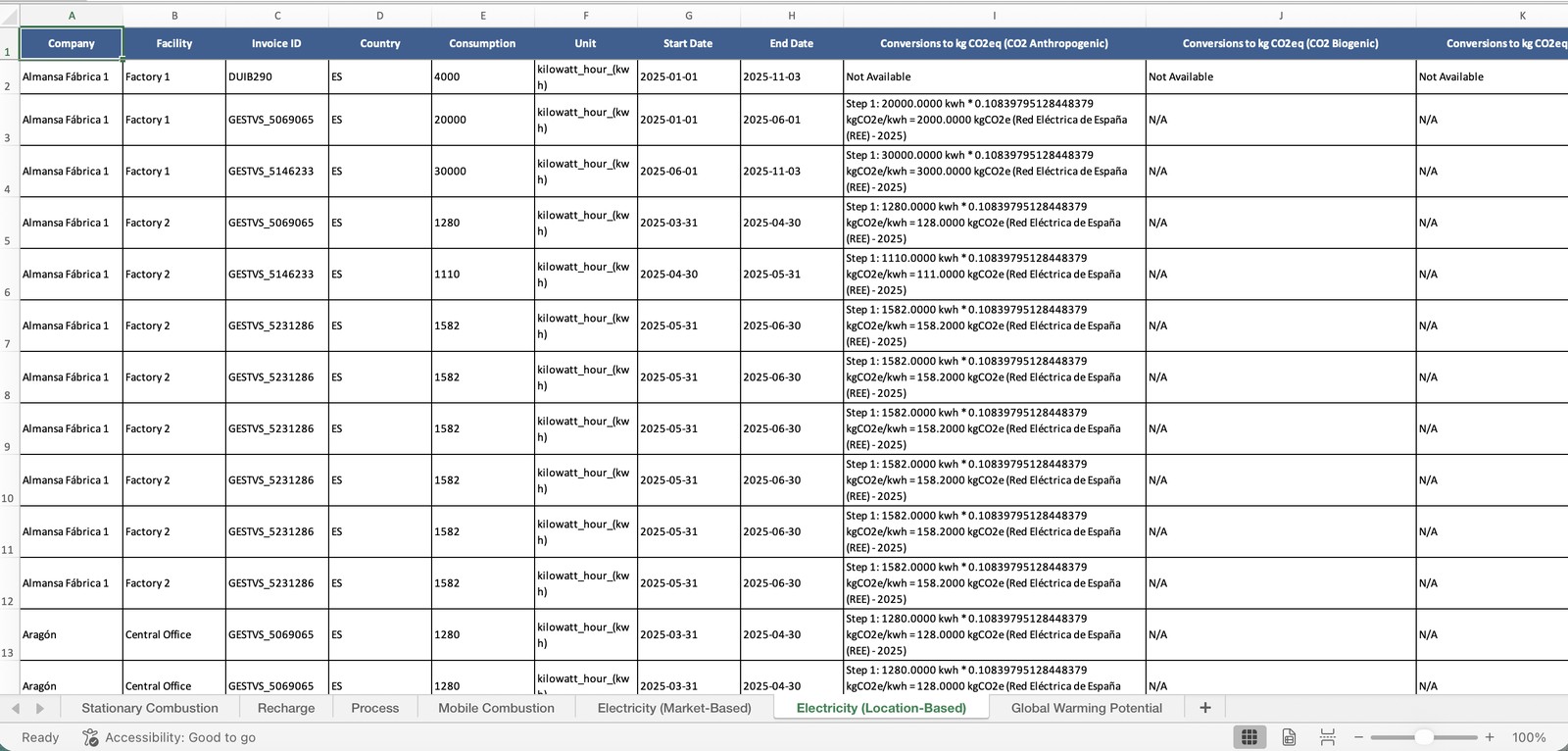
Check that the two approaches are explicitly declared: location-based and market-based. They appear separately in the report and in the download; for the market-based approach the supplier’s factor or the guarantees of origin are applied (traceability via CNMC registry). A common mixed approach: market-based in Spain, location-based in the international subsidiaries.
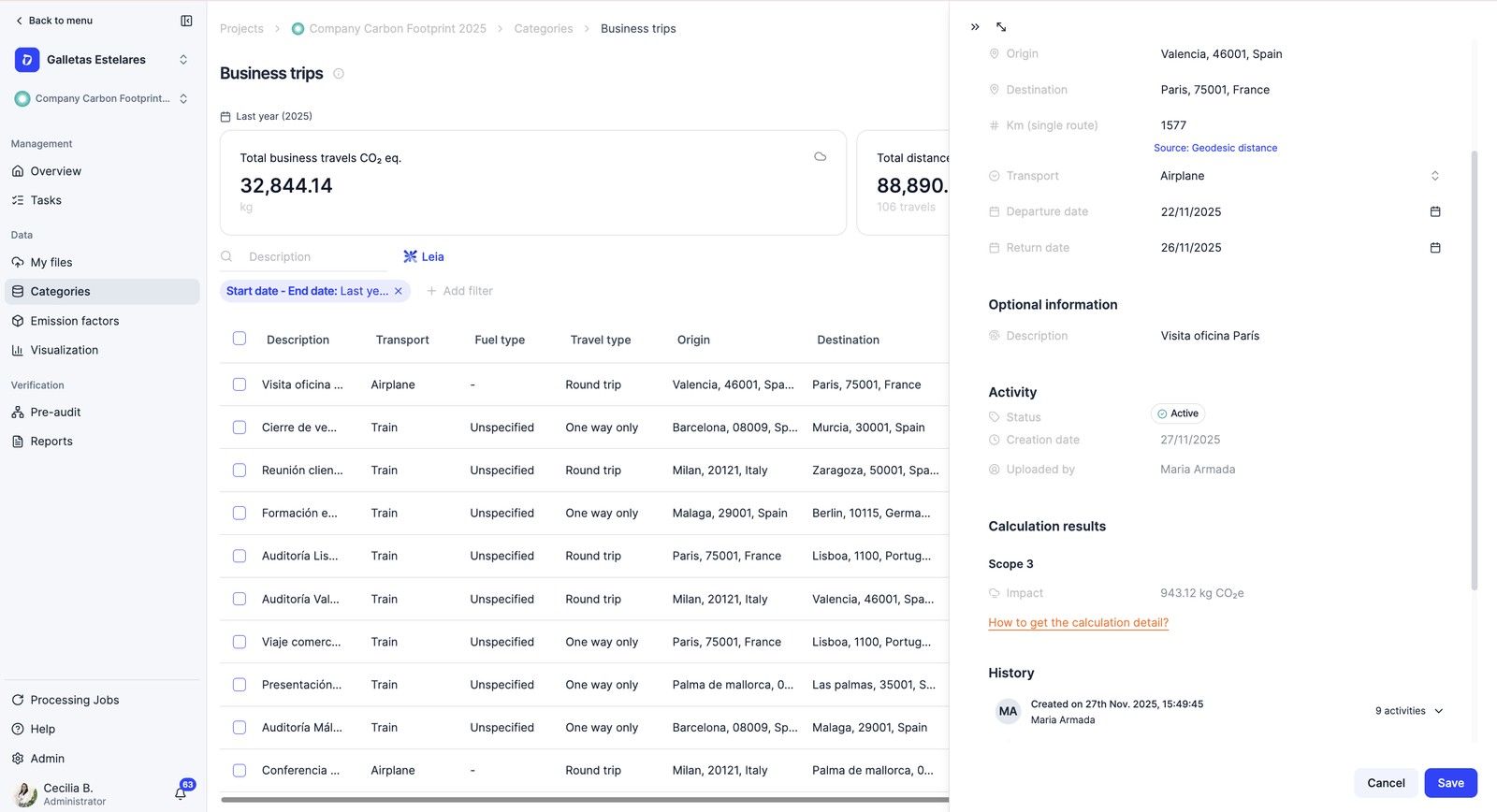
Scope 3 and value chain
Where most of the sampling is concentrated. Check which categories are included and with what method (primary data vs spend-based), the documented extrapolations (e.g. % of employees who don’t answer the survey) and, in transport, km, mode and load conversion. Dcycle follows the 15 GHG Protocol categories; check that the non-relevance of the excluded ones is justified (CDP and ESRS penalize it).
Base year, uncertainty and gases
- Base year and evolution: in the report, the base-year section and the multi-year table; GHG Protocol recalculation rule.
- Biogenic emissions and CO₂e by gas: declared separately from fossil ones.
- In ISO 14064-1, uncertainty analysis is mandatory (based on data quality and factor recency).
Reports and export
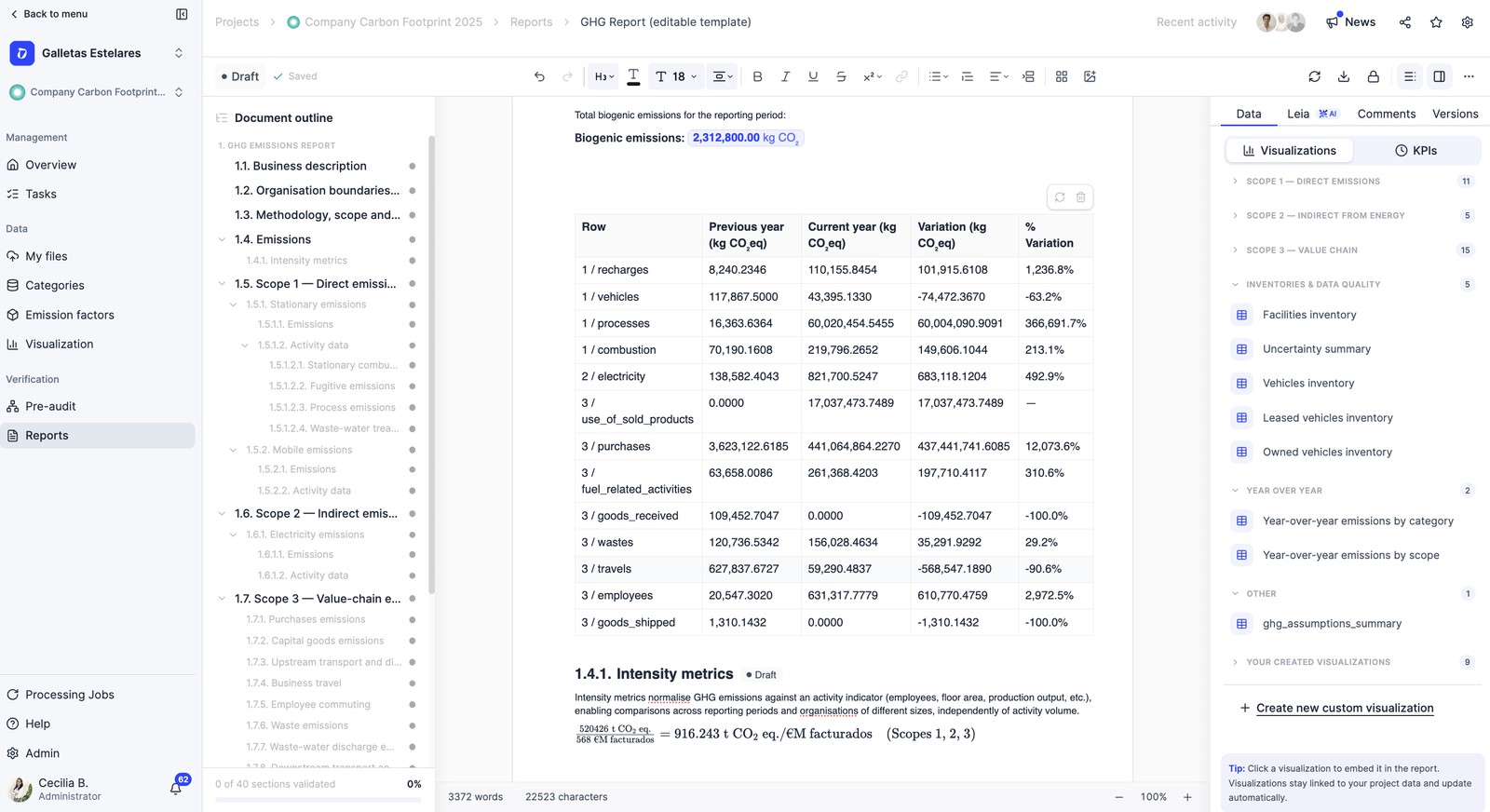
The reports you receive are auto-generated by the platform from the organization’s data and edited by it. You can cross-check each figure against its source. Review the consistency of versions (e.g. MITECO) across the Emission factors page, the company settings and the downloads.
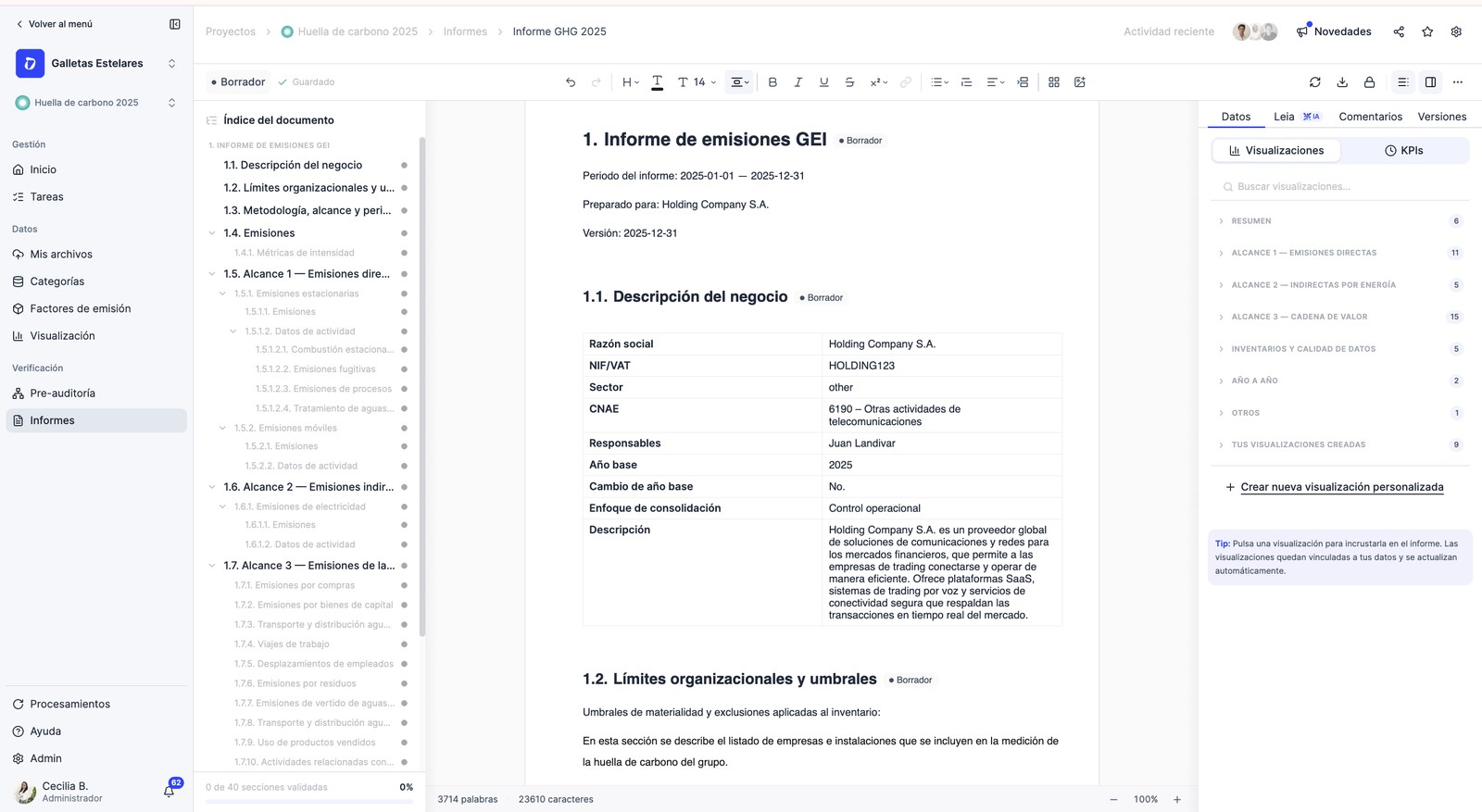
To sample without requesting files one by one, there is a consolidated Scope 3 export (company, facility, invoice, consumption, unit, CO₂e, factor and direct link) and the download of invoices by facility/category. In process categories (e.g. wastewater) the detail exposes the method (IPCC formulas) and the origin of the data.
Methodology and references
Every category follows the same scheme: activity data × emission factor = emission, with source and version. The full methodological detail is documented in the Learning Hub:
- See the detail of an emission factor
- Catalog of databases and versions
- Scope 2: Guarantee of Origin
- Recalculate emissions and base year
Review autonomously
All the methodology is documented so you can verify on your own. If a specific question comes up, check Dcycle's open documentation at code.dcycle.io — methodology by category, emission factors and API.
Was this helpful?
What was missing or unclear? (optional)
Sent. Thank you for helping us improve.