Product Guides
Import data via CSV
How to prepare and upload CSV files to bulk import environmental data into Dcycle.
Before you start
Make sure you have:
- An Editor or Admin role in your Dcycle organization
- Your data in a spreadsheet (Excel or Google Sheets) that you can export as CSV
- A clear understanding of which data type you’re importing (facilities, vehicles, employees, etc.)
Download the template
Each Dcycle category has its own template. We use Own personnel as the example — the same pattern applies to vehicles, electricity invoices, goods, and other categories.
-
Open Data in the left navigation and pick the category you want to import.
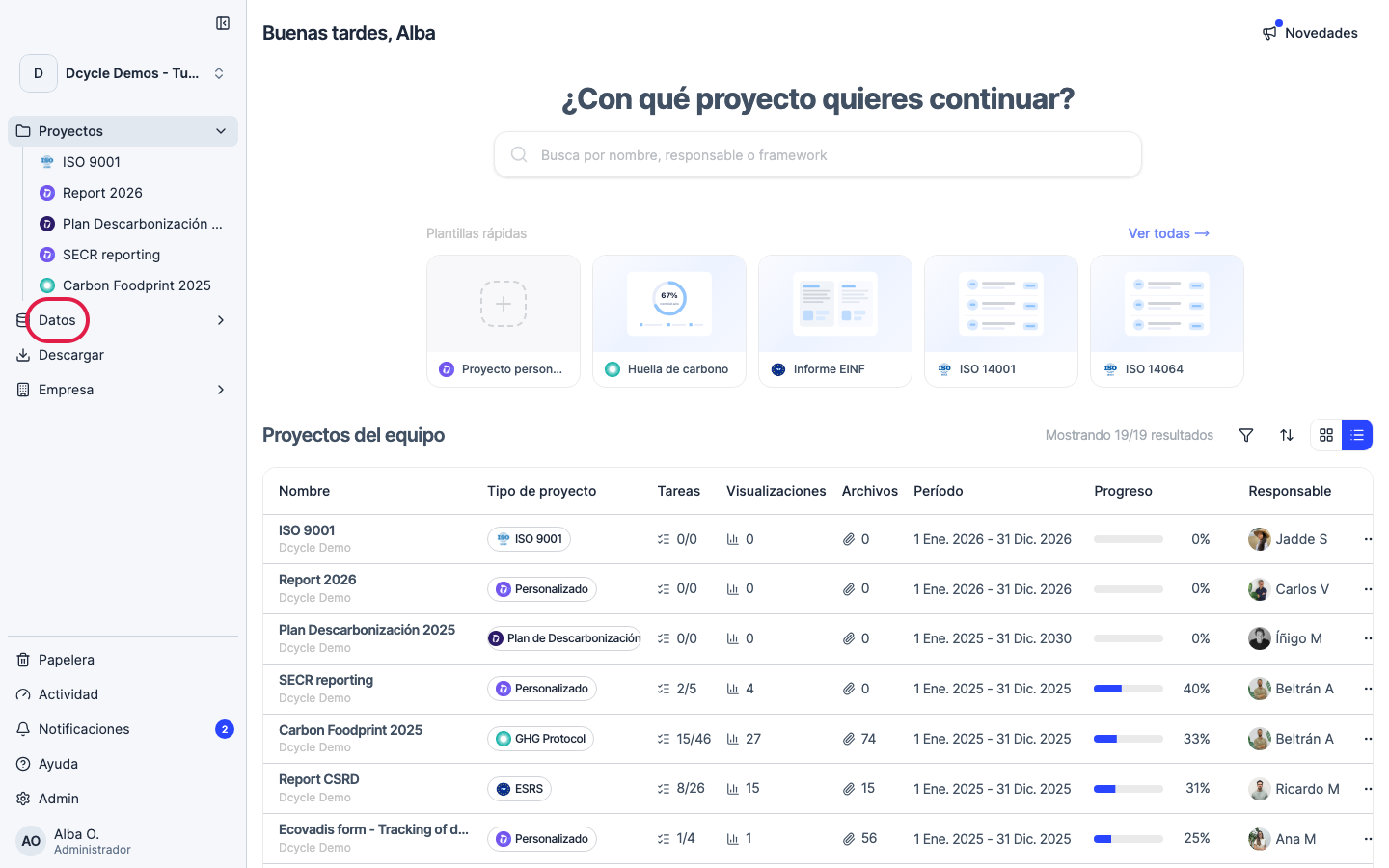
-
Enter the category (in the example, Own personnel / “Personal propio”).
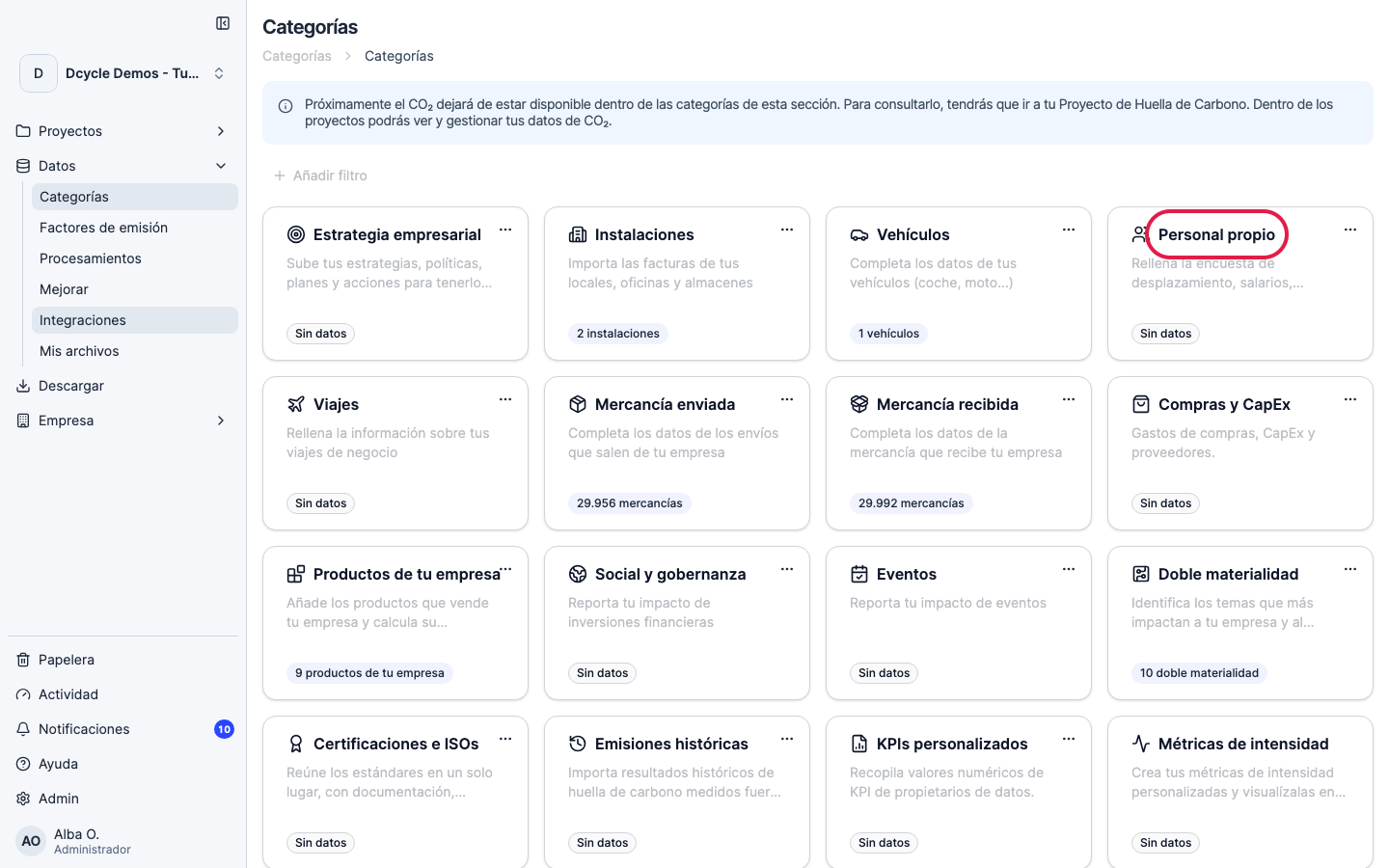
-
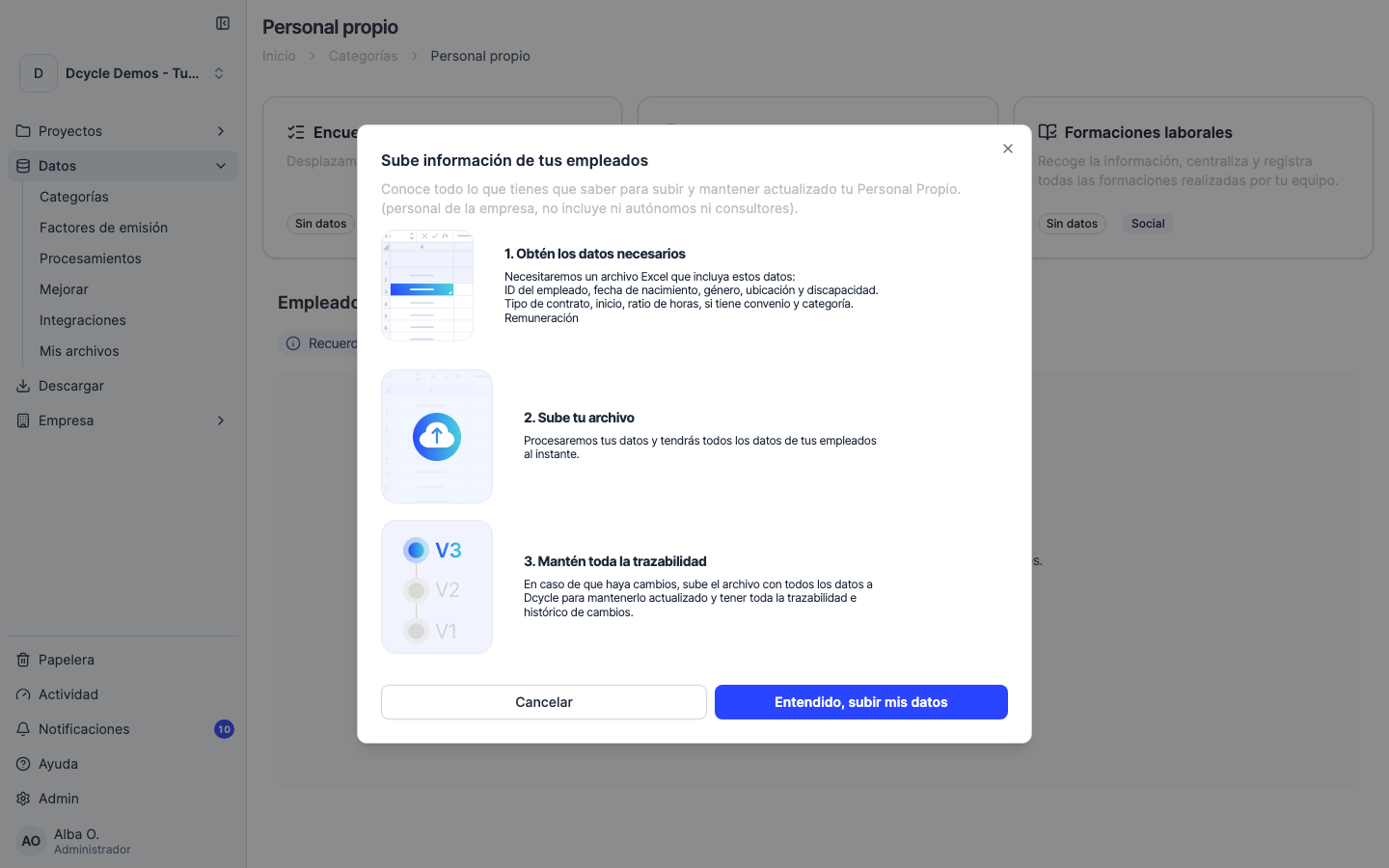
Click the upload button (its label varies by category: “Upload employees”, “Upload vehicles”, “Upload invoice”…).
-
The modal walks you through the flow and offers the template download in step 1.
Prepare your file
- Use UTF-8 encoding to ensure special characters (ñ, ü, etc.) are preserved
- Dates should be in YYYY-MM-DD format
- Numbers should use dots as decimal separators (1234.56, not 1234,56)
- Don’t modify the column headers — they must match exactly
Upload and validate
- From the same category modal, click Got it, upload my data (“Entendido, subir mis datos”).
- Drag and drop your CSV file (or click to select it).
- Dcycle parses the file and shows a validation step. Rows with missing or invalid values are flagged in red.
- Fix the errors in the source file and re-upload — Dcycle won’t import duplicates.
- When everything is green, click Confirm import.
Common issues
| Issue | Solution |
|---|---|
| ”Invalid date format” | Use YYYY-MM-DD (e.g., 2026-01-15) |
| “Unknown facility” | Create the facility in Dcycle first, or check the spelling |
| ”Duplicate entries” | Remove duplicate rows from your CSV |
| Encoding errors | Re-save your file as UTF-8 |
After importing
Your data will be processed and emissions calculated automatically. You can verify the results in the Dashboard or the relevant data section.
Was this helpful?
What was missing or unclear? (optional)
Sent. Thank you for helping us improve.