Product Guides
Add wastewater treatment data
If a site treats its own wastewater (a treatment plant, a septic tank or a leachate pond), that treatment emits methane (CH₄) and nitrous oxide (N₂O). Set up the plant once, then add its data for each period, and Dcycle calculates the emissions with the IPCC 2019 method.
What goes in Treatments and what doesn’t
Treatments only covers the water treatment itself. The rest of the site goes in its usual tab:
| Data | Where it goes |
|---|---|
| Electricity used by the treatment plant | Electricity, with the rest of the site’s invoices |
| Methane escaping from a landfill without being captured | Process |
| Biogas that is captured and burned (flare, boiler or engine) | Combustion, as biogas |
| Sludge collected by an external waste contractor | Wastes |
| Water bought from the mains | Water |
| Water discharged to the sewer without treatment | Nothing to add: those emissions belong to the municipal plant |
This is how the emissions calculated in Treatments are split:
| Part of the calculation | Gases | Scope |
|---|---|---|
| Water treatment | CH₄ and N₂O | Scope 1 |
| Sludge | CH₄ | Scope 1 |
| Water discharge | CH₄ and N₂O | Scope 3 (0 when discharged to the municipal sewer) |
Before you start
You need an Editor role in your Dcycle organization.
Steps
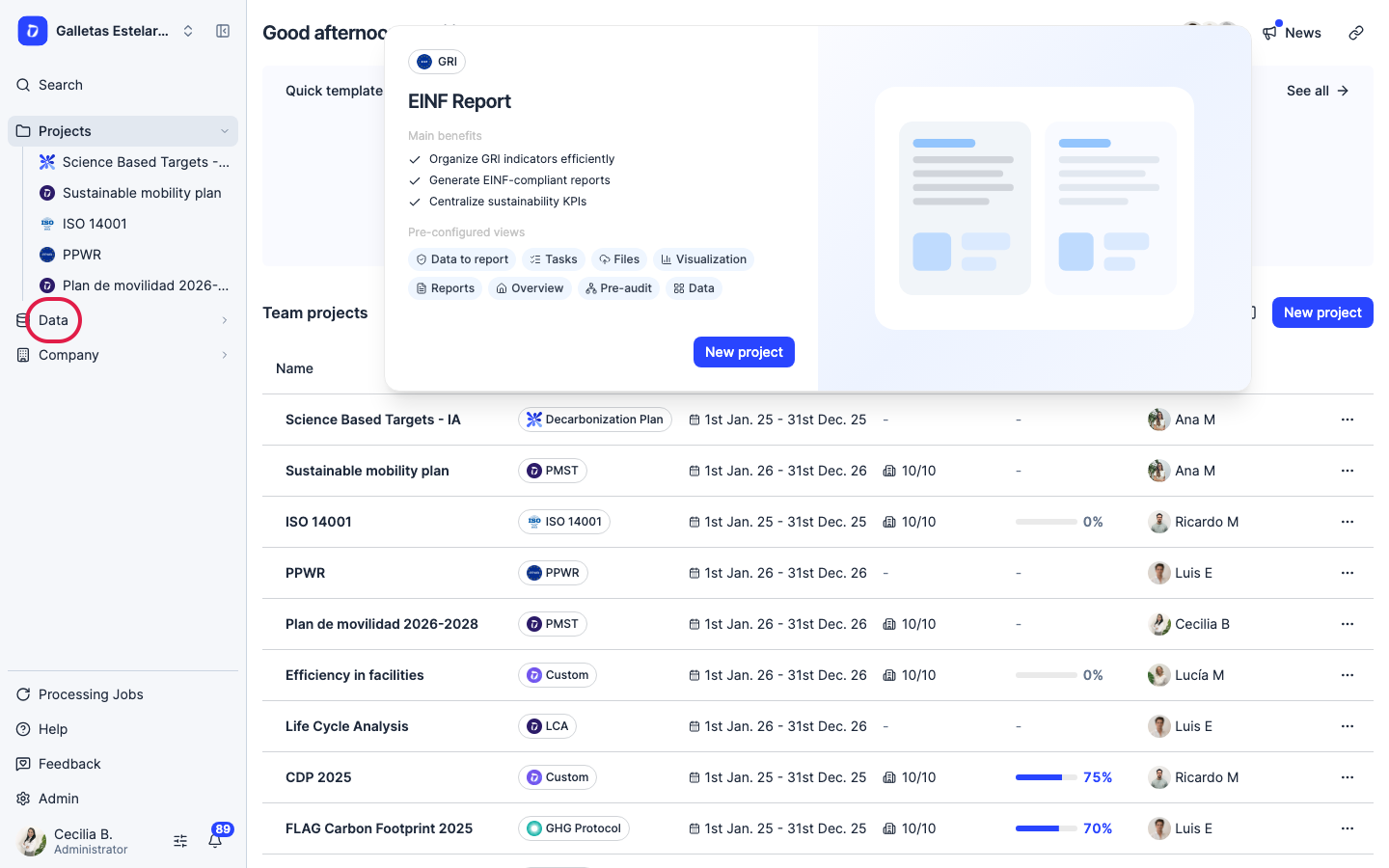
Step 1
Click “Data” in the left navigation.
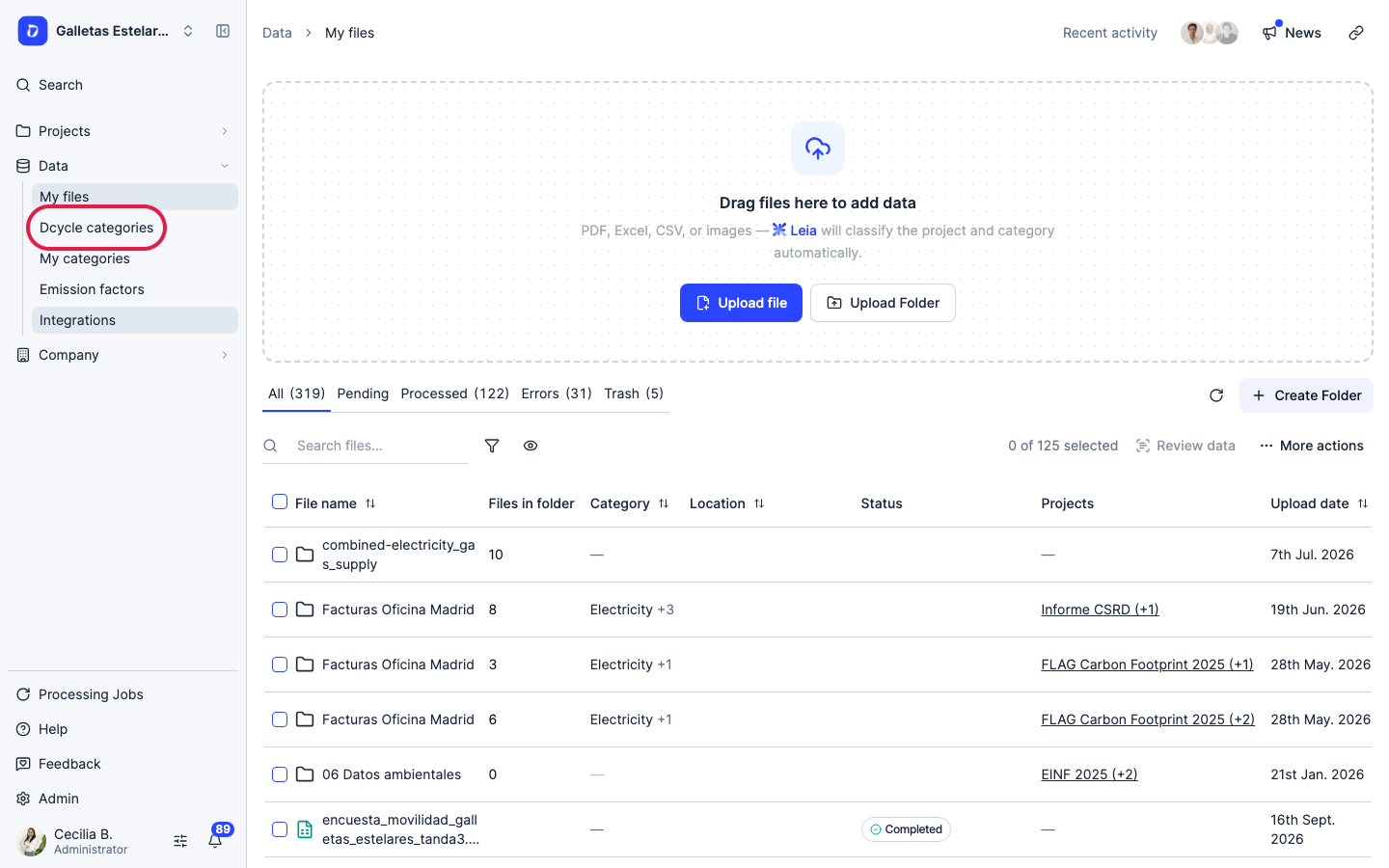
Step 2
Click “Dcycle categories”.
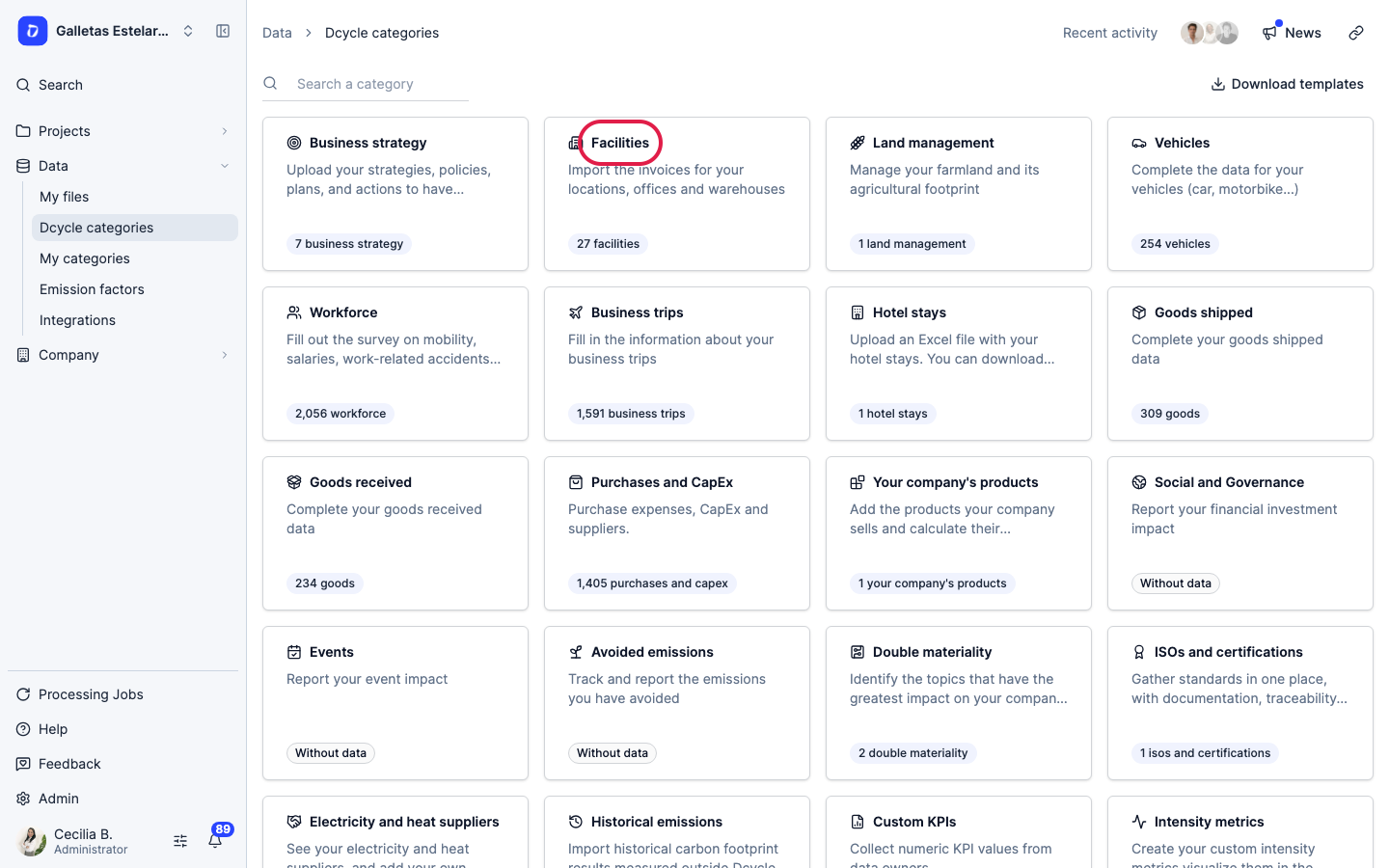
Step 3
Open the “Facilities” category.
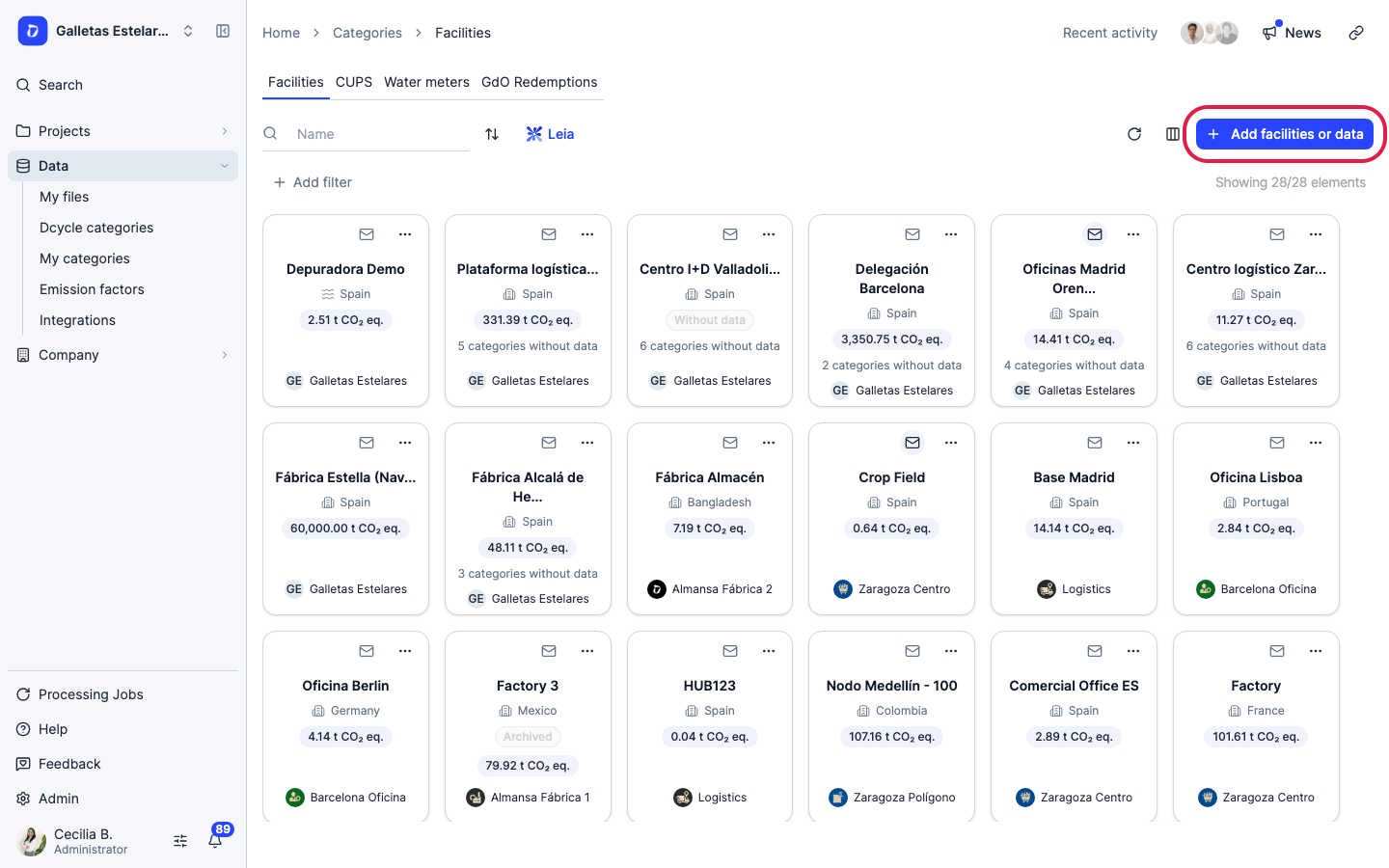
Step 4
Click “Add facilities or data”.
Step 5
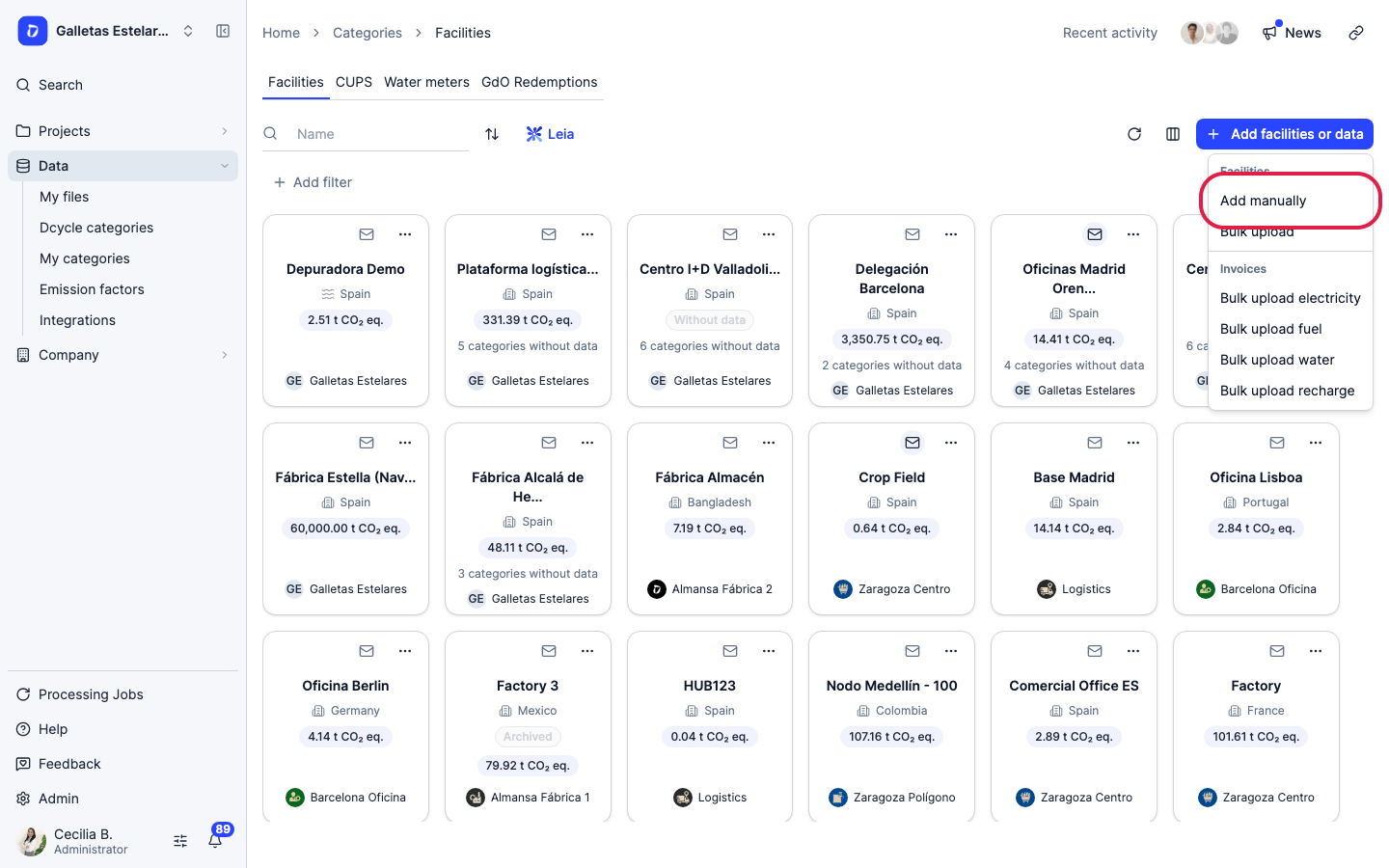
Choose “Add manually”. Treatment plants are created one by one: the bulk upload only creates offices and warehouses.
Step 6
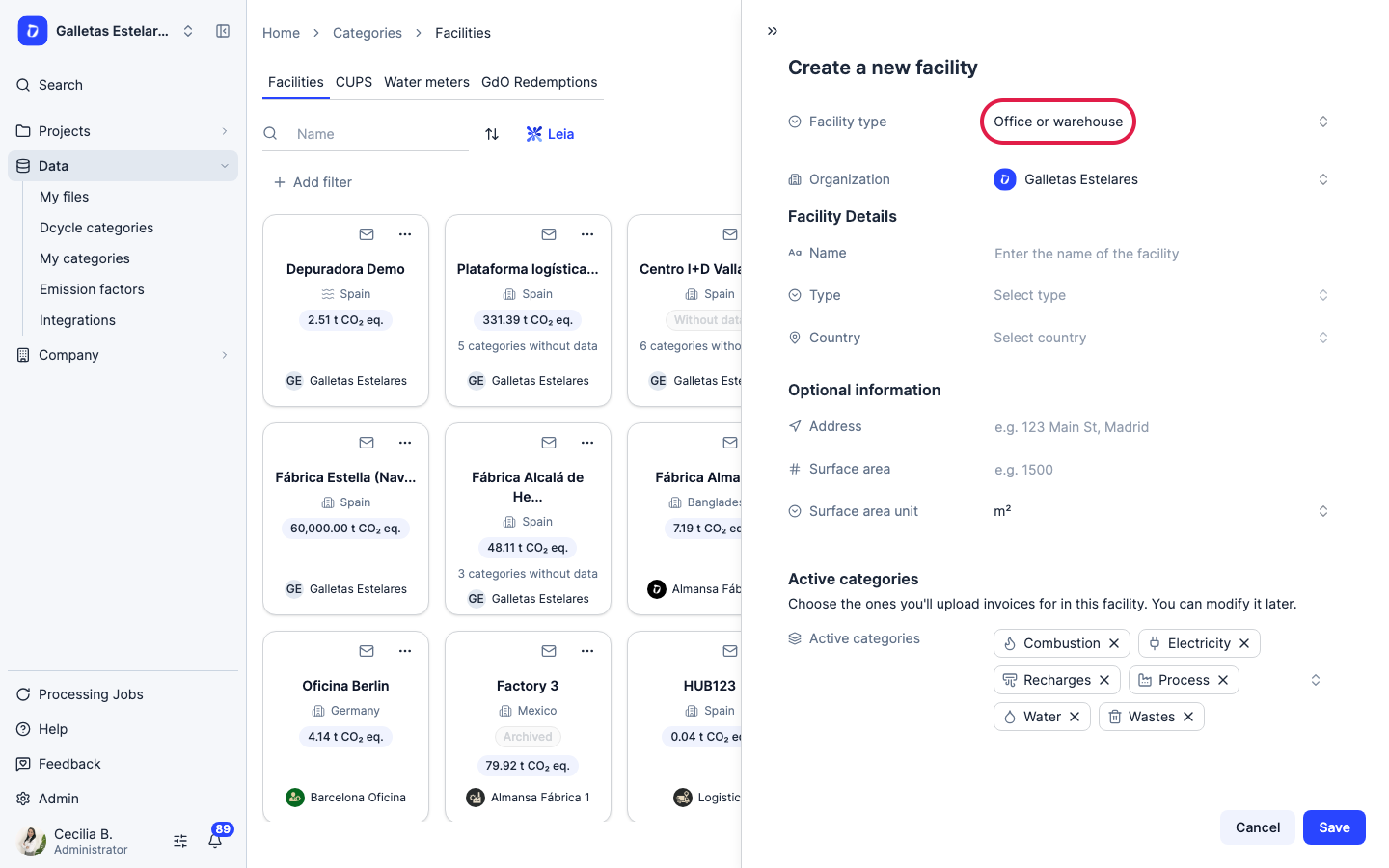
Open “Facility type”.
Step 7
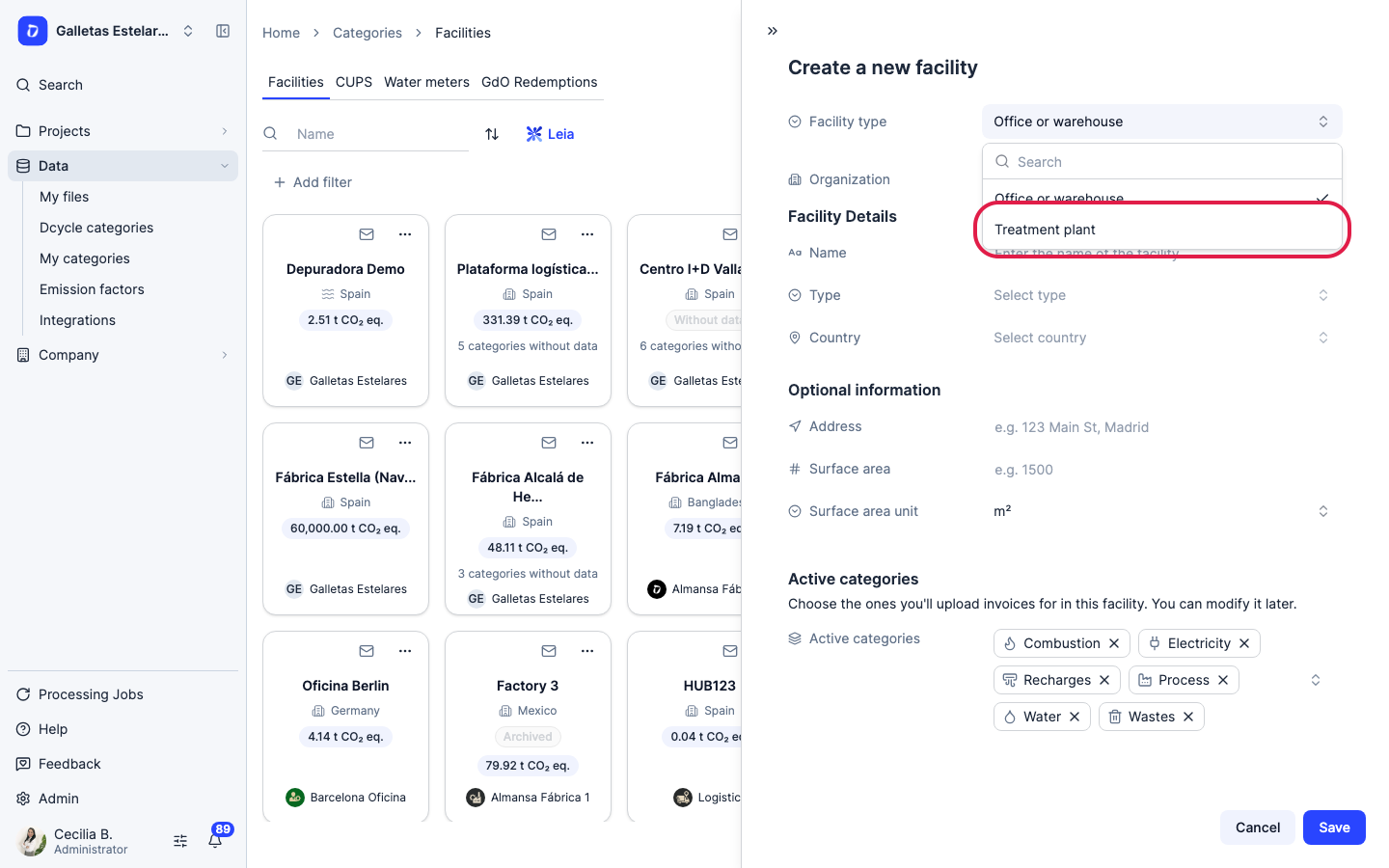
Select “Treatment plant”. The form stops showing the “Organization” field, so the plant is created in the company selected at the top left. Check it before you continue.
Step 8
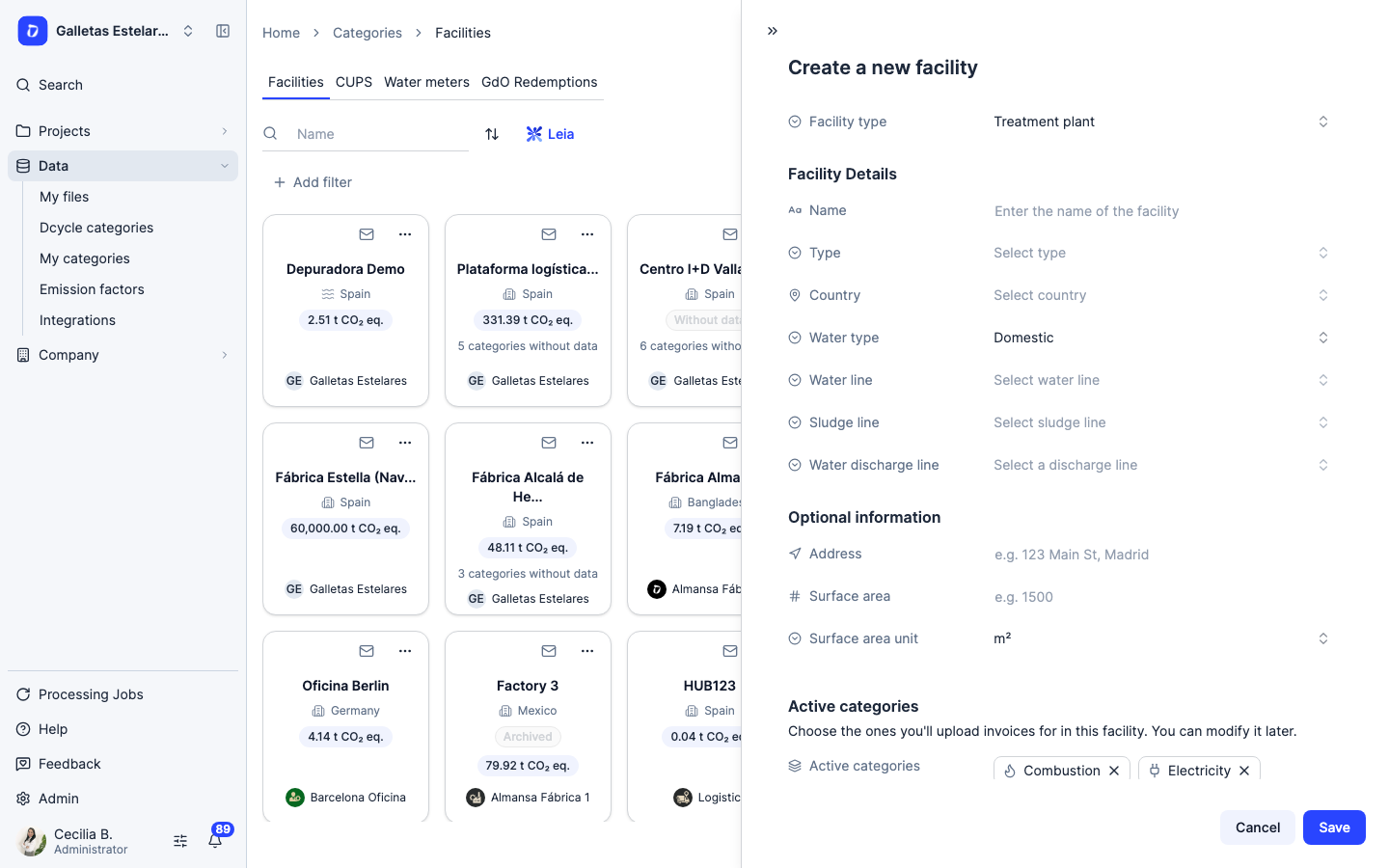
Fill in “Name”, “Type” (Owned or Rented) and “Country”. Then pick the “Water type” first: changing it clears the three lines. Choose “Domestic” for sanitary wastewater or when the lab reports BOD, and “Industrial” for leachate or process water reported as COD.
Step 9
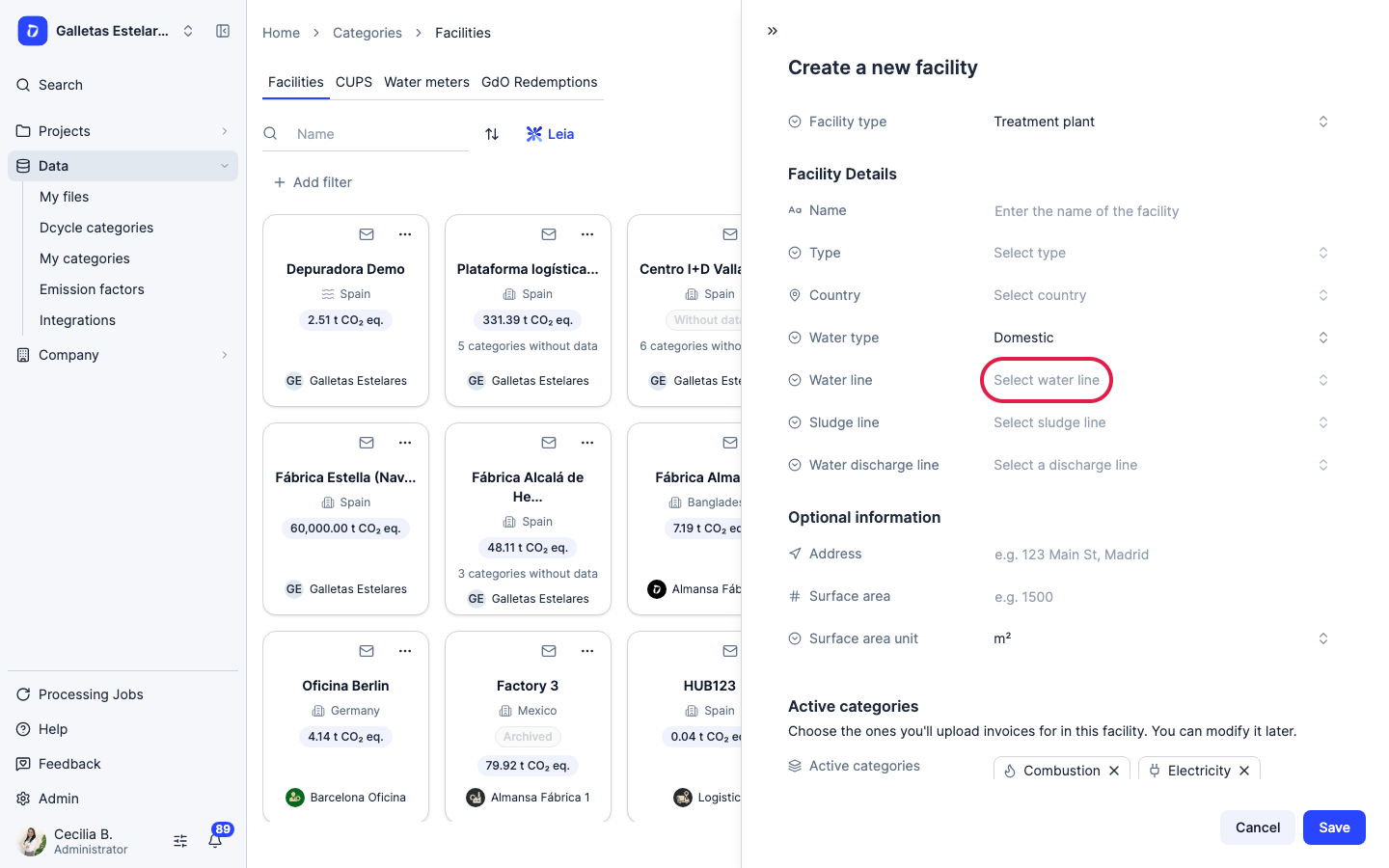
Open “Water line” and choose how the water is treated (see the table below).
Step 10
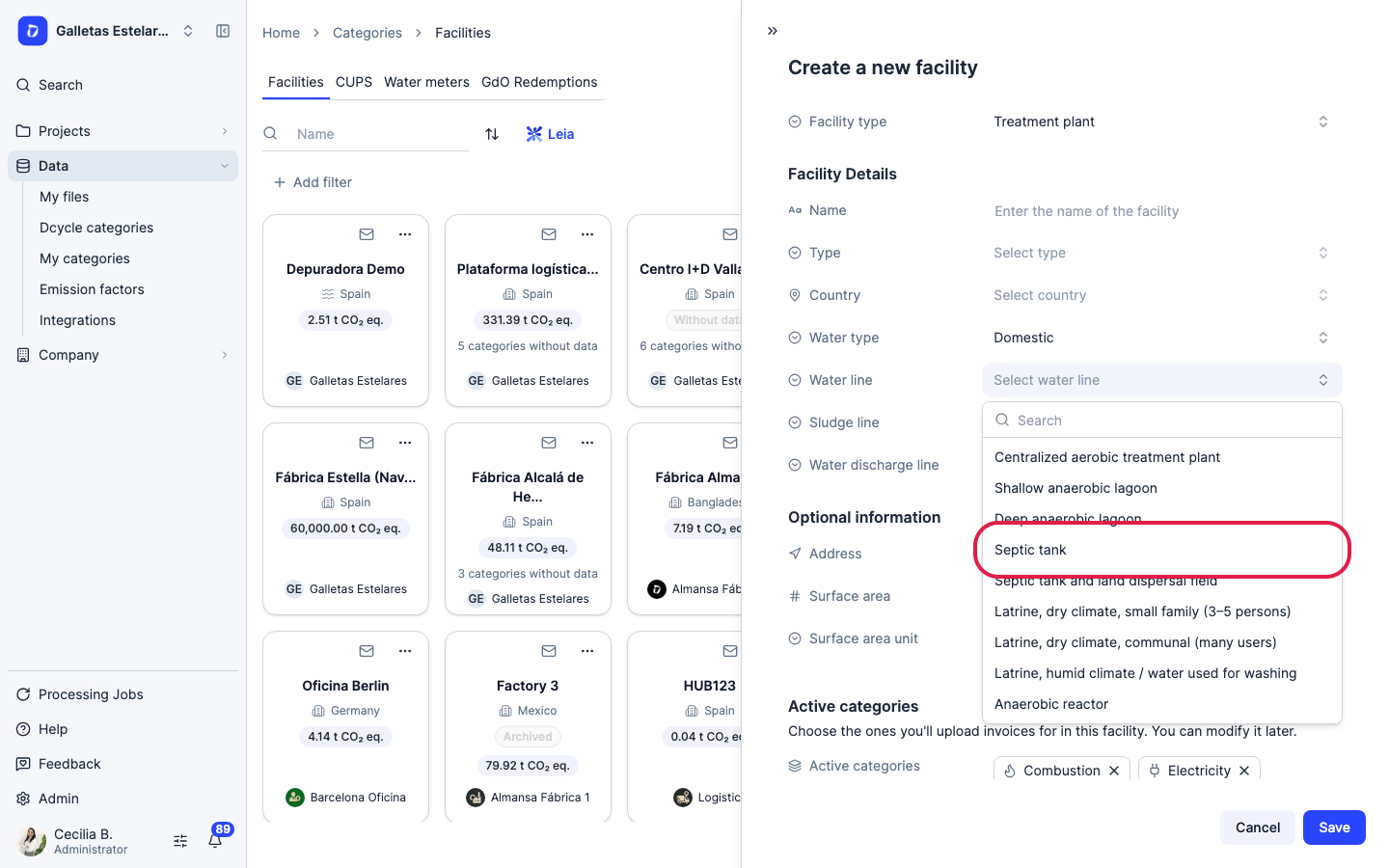
In this example, a septic tank.
Step 11
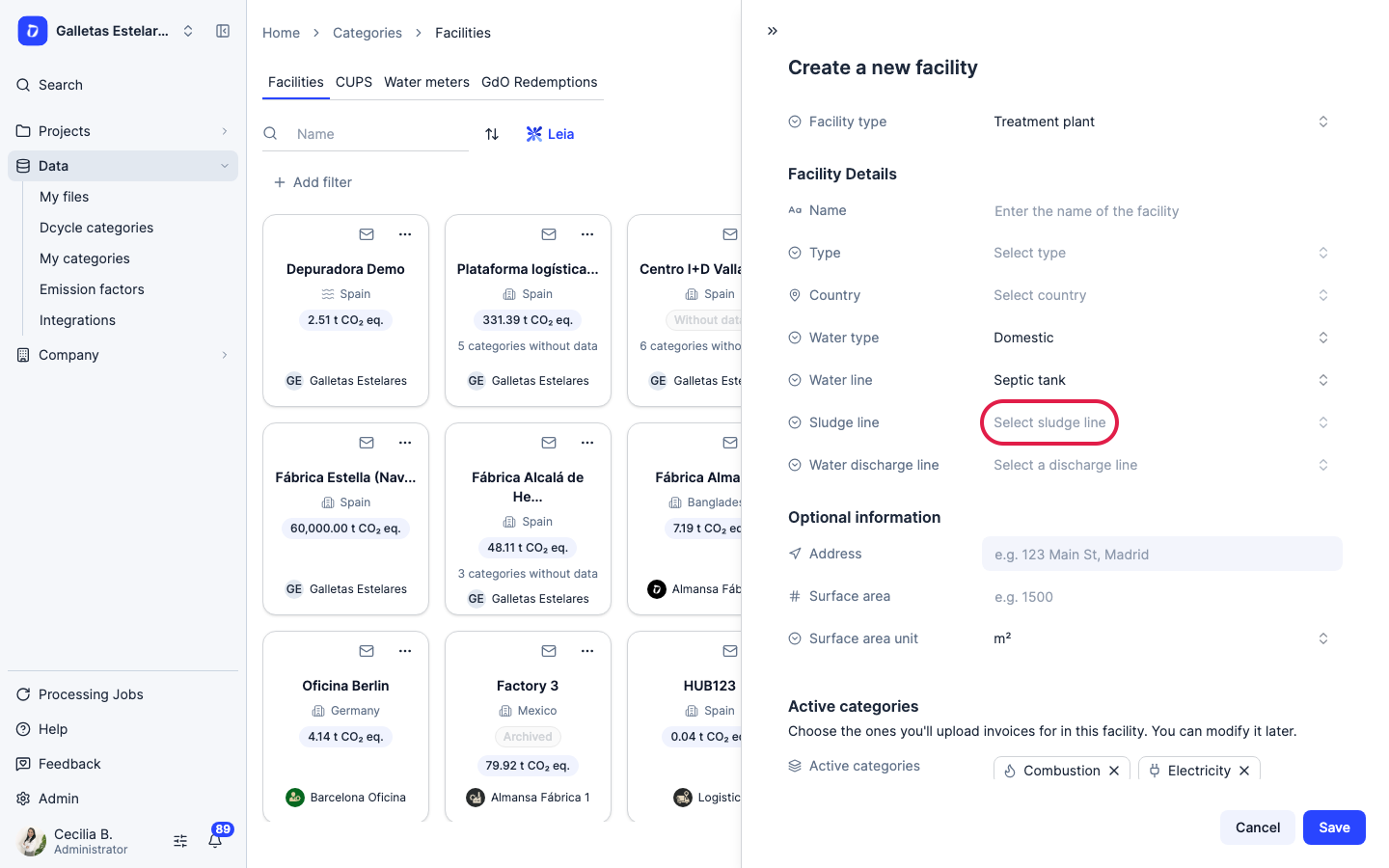
Open “Sludge line” and choose what happens to the sludge.
Step 12
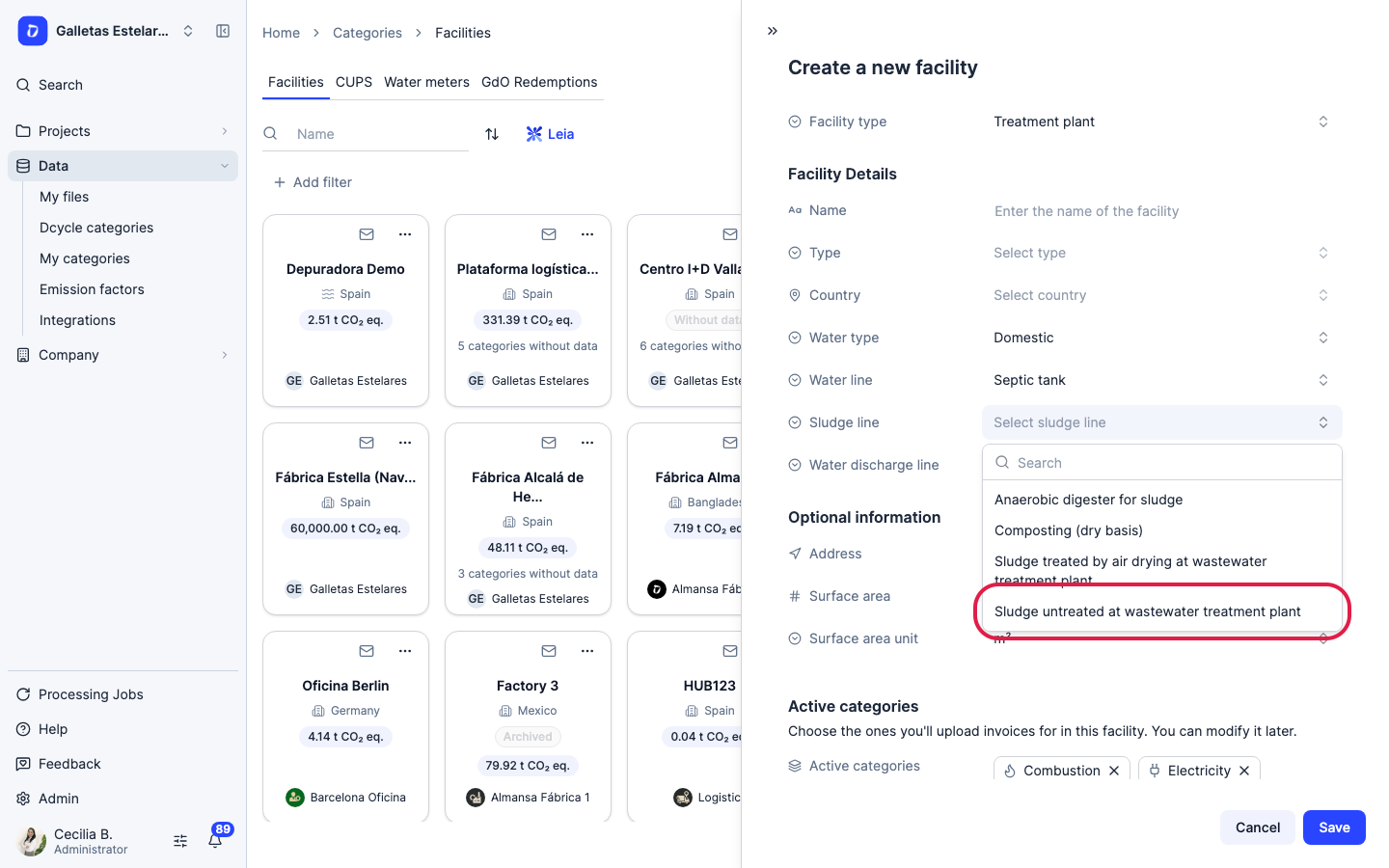
Here the sludge is removed untreated by a waste contractor.
Step 13
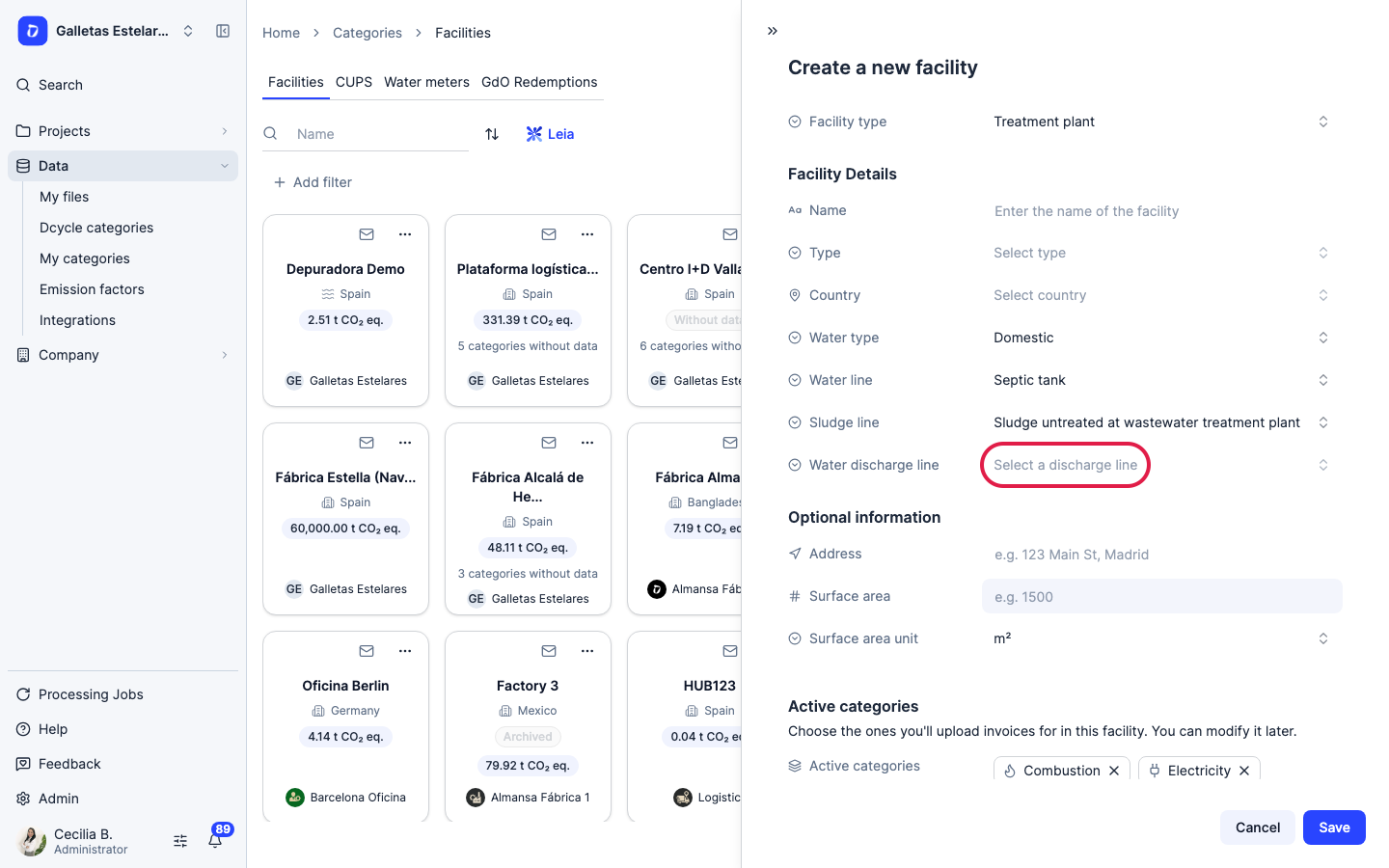
Open “Water discharge line” and choose where the treated water goes.
Step 14
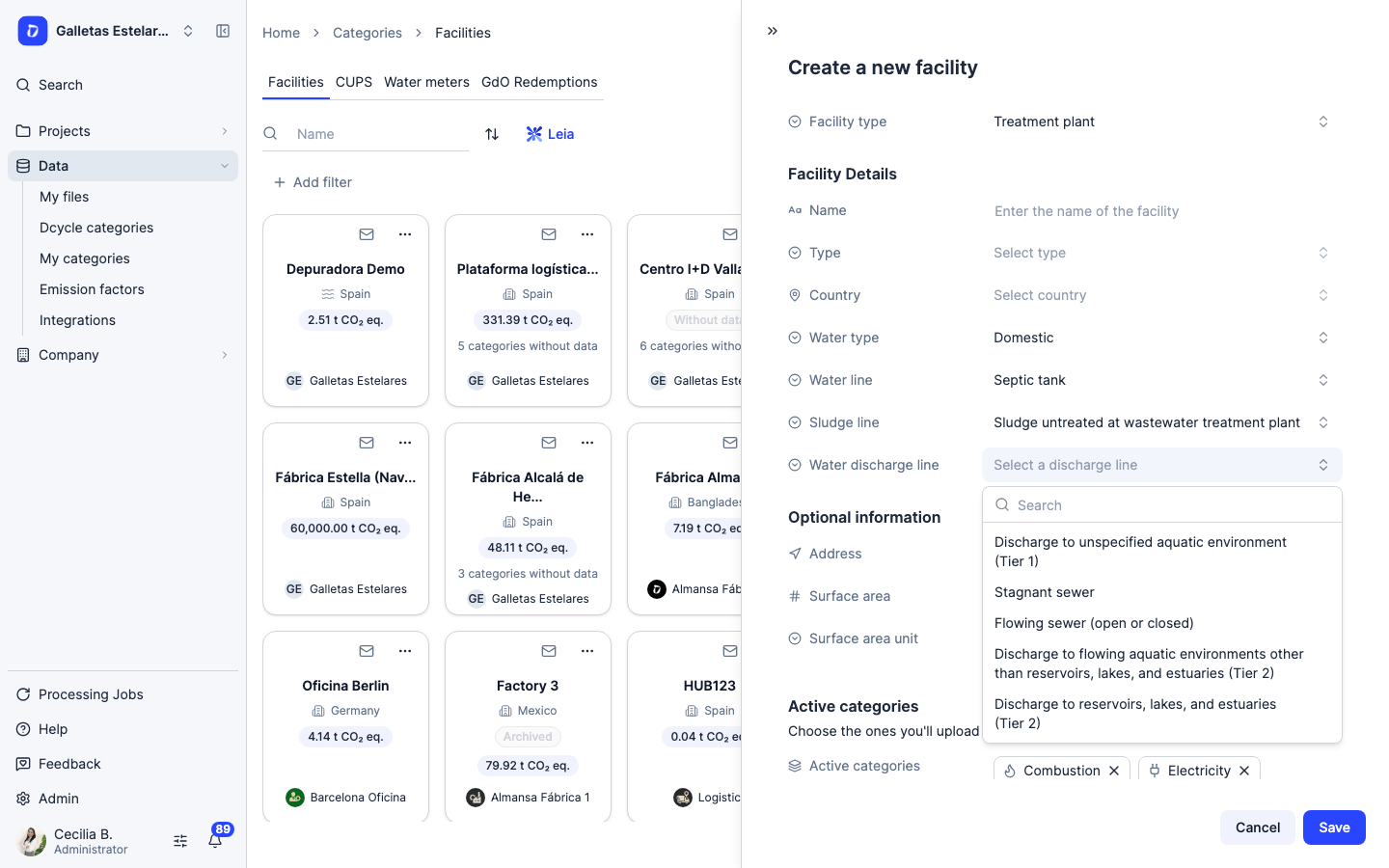
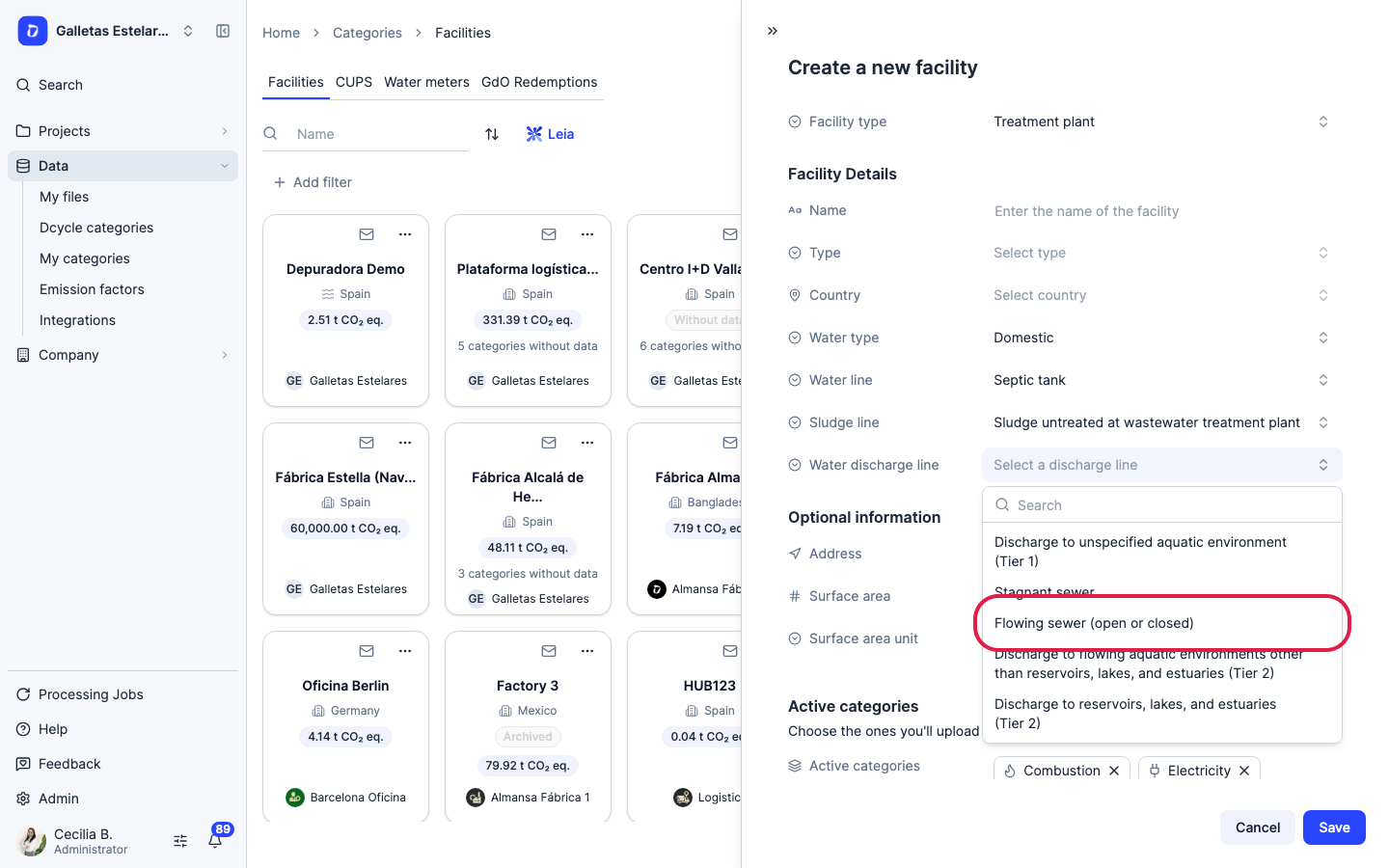
If the water goes to the municipal sewer, choose “Flowing sewer (open or closed)”: discharge emissions are 0 because the municipal plant accounts for them. “Stagnant sewer” is not the normal sewer and carries a high factor.
Step 15
Select “Flowing sewer (open or closed)”.
Step 16
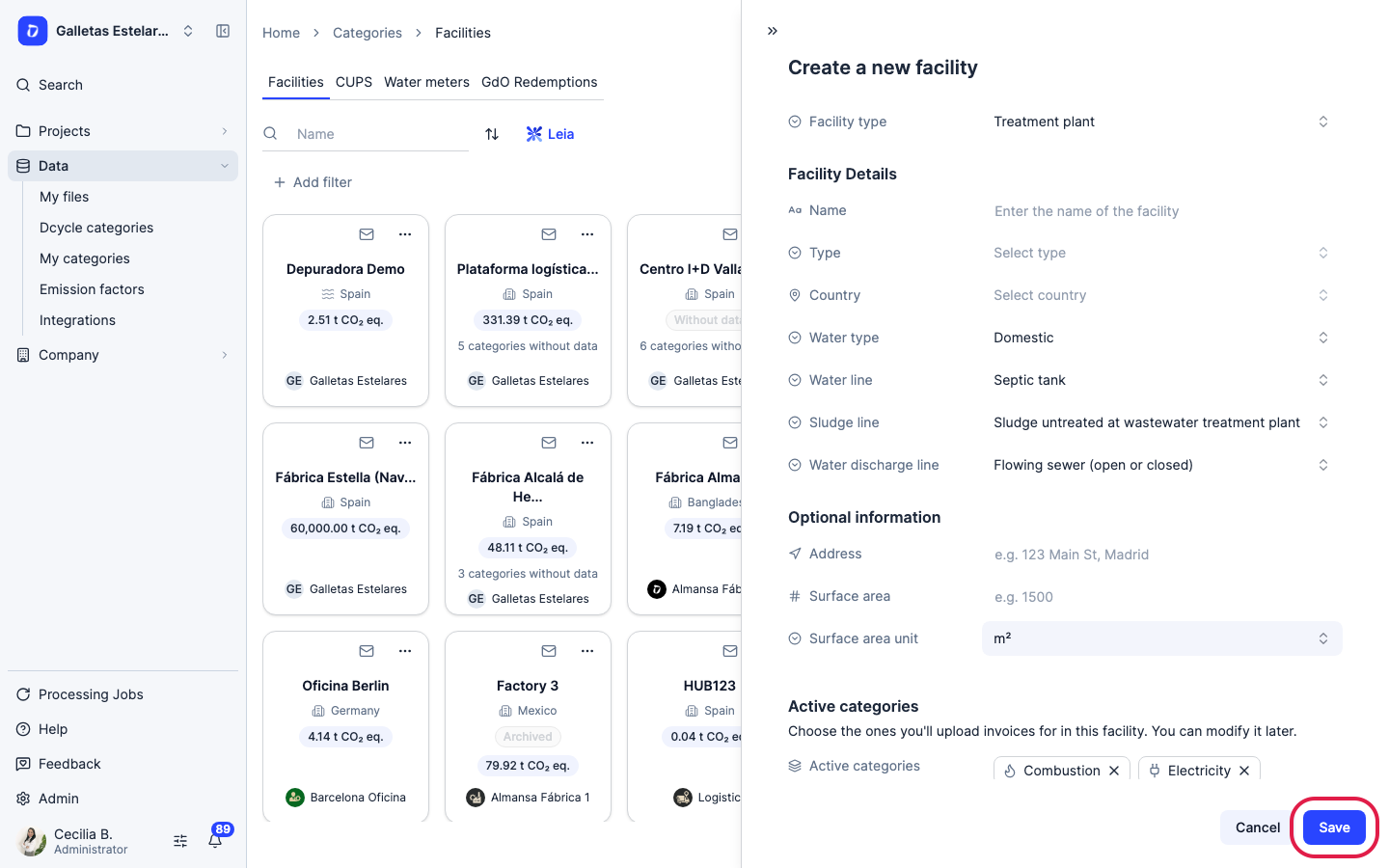
Under “Active categories”, make sure “Treatments” is listed (add it if it isn’t) and remove any you won’t use for this plant. Then click “Save”.
Step 17
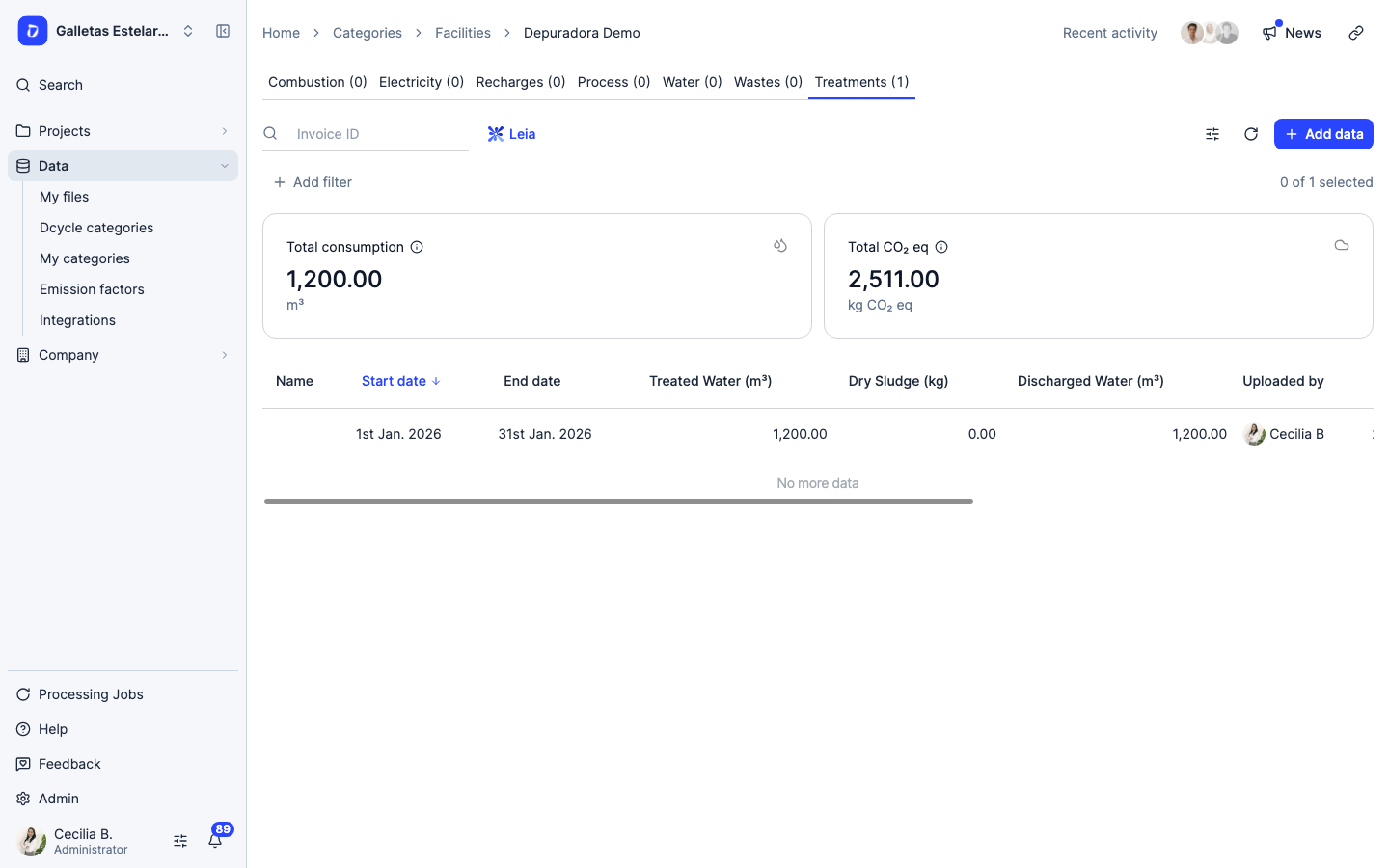
Open the plant from “Facilities” and go to its “Treatments” tab. Each row is one period, and the total appears at the top.
Step 18
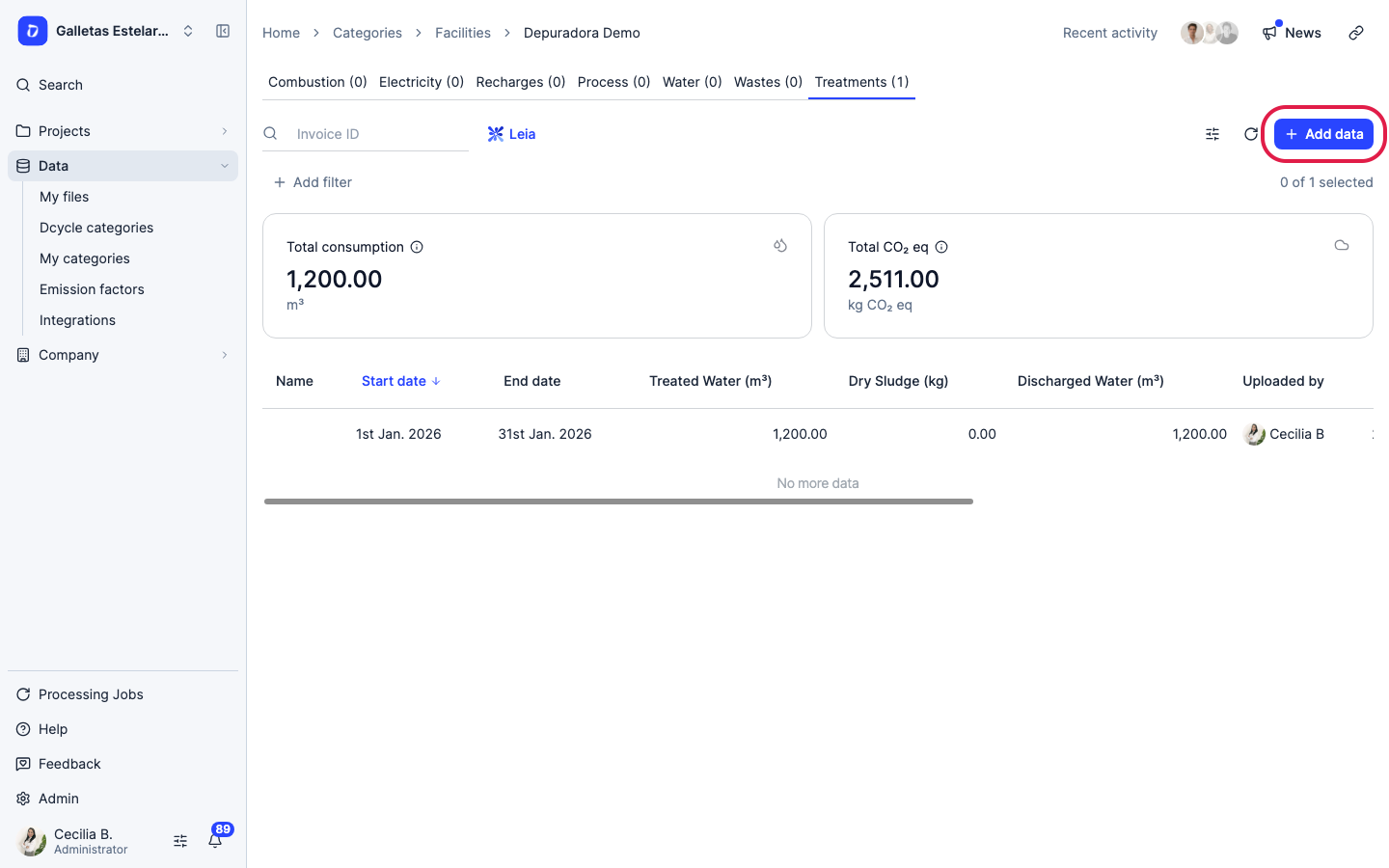
Click “Add data”. Data is entered manually; there is no PDF or Excel template for this category.
Step 19
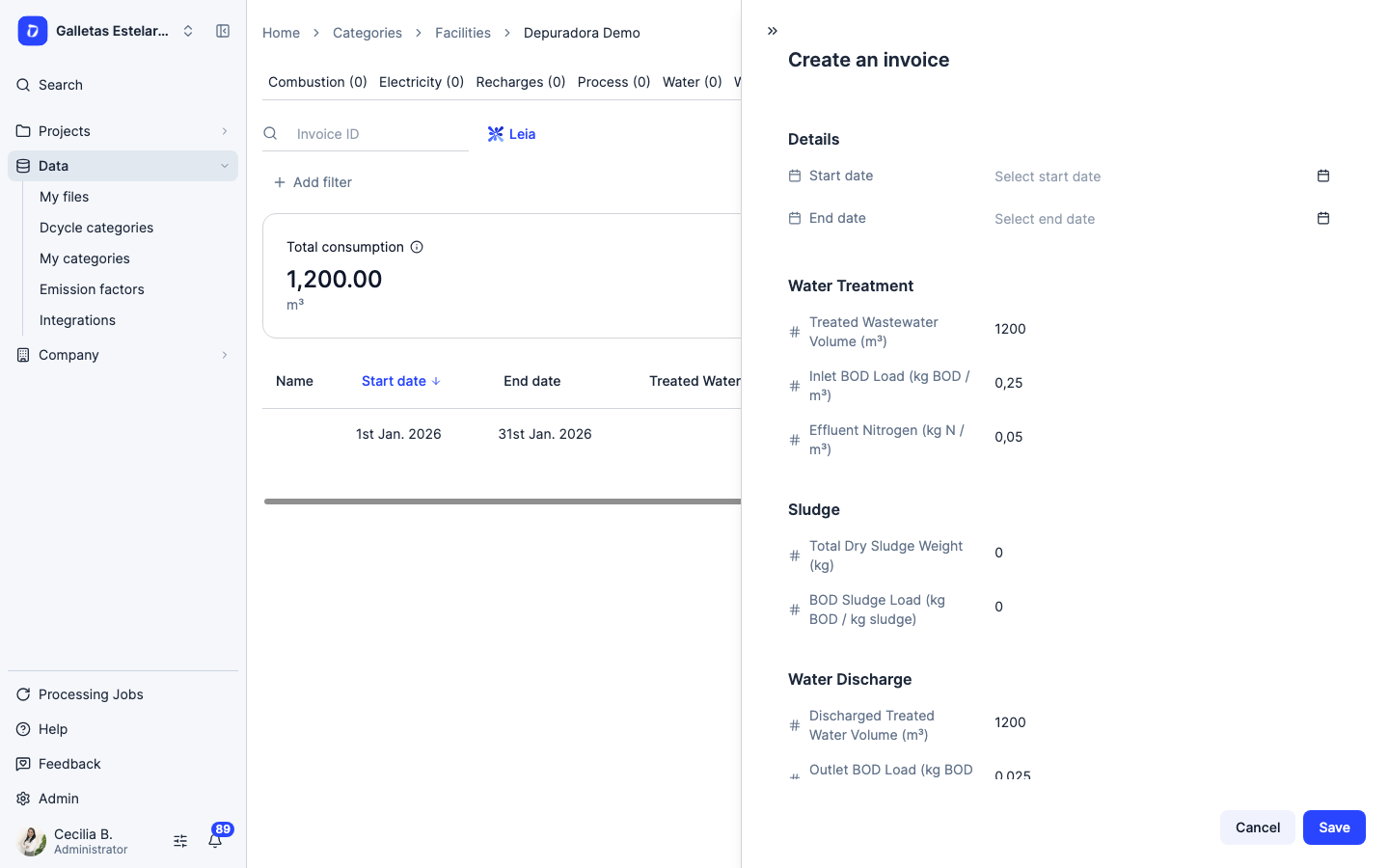
Enter “Start date” and “End date” and fill in the three blocks (field by field below). Example month: 1,200 m³, inlet BOD 250 mg/L = 0.25 kg/m³ and nitrogen 50 mg/L = 0.05 kg/m³. The tank was not emptied that month, so sludge is 0.
Step 20
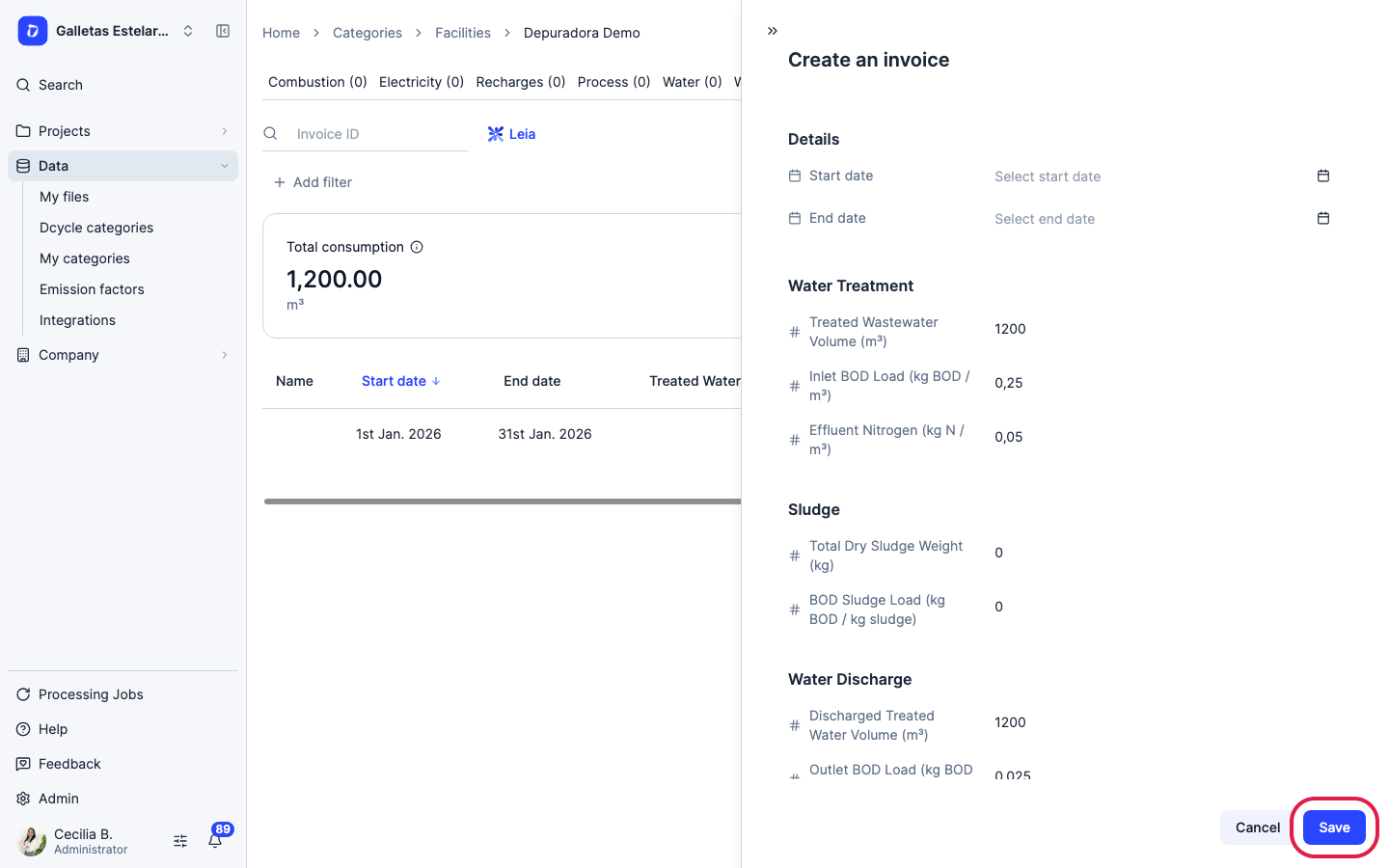
Click “Save”. The record appears in the table and its emissions are added to the total.
Which line to choose
Water line
| If the plant has… | Choose |
|---|---|
| Aerobic biological treatment (activated sludge, SBR, MBR, trickling filter) | Centralized aerobic treatment plant |
| Septic tank or holding tank emptied by tanker | Septic tank |
| Septic tank with infiltration trenches | Septic tank and land dispersal field |
| Anaerobic pond less than 2 m deep | Shallow anaerobic lagoon |
| Anaerobic pond more than 2 m deep | Deep anaerobic lagoon |
| Anaerobic reactor (UASB or similar) | Anaerobic reactor |
Sludge line
| If the sludge… | Choose |
|---|---|
| Is removed untreated (a contractor takes it) | Sludge untreated at wastewater treatment plant |
| Goes through an anaerobic digester | Anaerobic digester for sludge |
| Is composted on site | Composting (dry basis) |
| Is dried in open-air beds | Sludge treated by air drying at wastewater treatment plant |
Water discharge line
| Treated water goes to… | Choose | Discharge emissions |
|---|---|---|
| Municipal sewer | Flowing sewer (open or closed) | 0 |
| River or stream | Discharge to flowing aquatic environments other than reservoirs, lakes, and estuaries (Tier 2) | Low |
| Reservoir, lake or estuary | Discharge to reservoirs, lakes, and estuaries (Tier 2) | Medium |
| The sea, or you’re not sure | Discharge to unspecified aquatic environment (Tier 1) | Medium |
"Stagnant sewer" is not the normal sewer
Use "Stagnant sewer" only if water sits still in the network: it carries a high factor. For a normal municipal sewer, choose "Flowing sewer (open or closed)".
With the Industrial water type there are fewer line options. If your case doesn’t fit, contact your Customer Success manager before adding data.
Field by field
Every field is required except the name and the two recovered-methane fields. If a value is zero (for example, no sludge was removed that month), enter 0; don’t leave it empty.
| Block | Field | What to enter |
|---|---|---|
| Water Treatment | Treated Wastewater Volume (m³) | m³ entering treatment in the period |
| Water Treatment | Inlet BOD Load (kg BOD / m³) | Concentration of the incoming water (COD for the Industrial water type) |
| Water Treatment | Effluent Nitrogen (kg N / m³) | Total nitrogen of the incoming water. The label says “effluent”, but this block takes the inlet value |
| Sludge | Total Dry Sludge Weight (kg) | kg of sludge on a dry-matter basis removed in the period |
| Sludge | BOD Sludge Load (kg BOD / kg sludge) | Organic load leaving with the sludge. If you don’t have it, ask your Customer Success manager. If no sludge was removed, 0 |
| Water Discharge | Discharged Treated Water Volume (m³) | m³ leaving the plant |
| Water Discharge | Outlet BOD Load (kg BOD / m³) | Concentration of the discharged water (discharge control analysis) |
| Water Discharge | Nitrogen / m³ in Water Discharge Line (kg N / m³) | Total nitrogen of the discharged water |
| Optional | Methane Recovered at Plant (kg) | CH₄ captured in the water line and flared or used |
| Optional | Methane Recovered from Sludge Treatment (kg) | CH₄ from the digester captured and flared or used |
The key unit: mg/L → kg/m³
Labs report BOD, COD and nitrogen in mg/L. Dcycle asks for kg/m³. Divide by 1,000: 250 mg/L = 0.25 kg/m³. This is the most common mistake, and it multiplies emissions by a thousand. For reference, domestic inlet BOD is around 0.2–0.35 kg/m³, and outlet BOD after treatment 0.025 kg/m³ or less.
One record per month or one per year? Both work. With annual data, enter the year’s volume and the flow-weighted average concentration, not the simple average of the lab results. What must not happen is two records covering the same dates, because they would be counted twice.
Biogas in Nm³. Convert it to kg of CH₄ with: kg CH₄ = Nm³ of biogas × % methane × 0.717. For example, 10,000 Nm³ at 60% is 4,302 kg of CH₄.
Examples
Septic tank discharging to the municipal sewer
| Field | Value |
|---|---|
| Water type | Domestic |
| Water line | Septic tank |
| Sludge line | Sludge untreated at wastewater treatment plant |
| Water discharge line | Flowing sewer (open or closed) |
Every month: inlet and outlet m³ and lab results. In the months the contractor empties the tank, enter the kg of dry sludge; otherwise 0. The sludge the contractor takes also goes in Wastes. Discharge is 0 and all emissions come from the tank (Scope 1). This is the case in the screenshots: 1,200 m³ in one month gives about 2,511 kg CO₂e.
Biological treatment plant discharging to a river, with a digester
| Field | Value |
|---|---|
| Water type | Domestic (if the lab reports BOD) |
| Water line | Centralized aerobic treatment plant |
| Sludge line | Anaerobic digester for sludge |
| Water discharge line | Discharge to flowing aquatic environments other than reservoirs, lakes, and estuaries (Tier 2) |
Every month: all fields, plus Methane Recovered from Sludge Treatment (kg) with the digester biogas that is flared, converted to kg of CH₄. If the biogas is used in a boiler or engine, that consumption also goes in Combustion.
Site with a landfill, a treatment plant and electricity use
Typical of waste managers and treatment sites that treat their own leachate:
- Treatments: the treatment plant data, as in the examples above. Leachate is usually measured as COD, so use the Industrial water type.
- Electricity, in the same facility: all the site’s invoices, including the treatment plant’s share.
- Process: landfill methane escaping without being captured. Combustion: biogas that is captured and burned.
If the site already exists as an Office or warehouse, you can’t add Treatments to it: the facility type can’t be changed after creation. Create a separate treatment plant (for example, “Site name - Treatment plant”) with only Treatments under Active categories. Keep the electricity in the existing facility so it isn’t counted twice.
Tips
- Choose the lines before adding data. You can change them from ⋯ → Edit on the plant’s card, but records already added are not recalculated with the new lines. If you change a line on a plant that has data, contact your Customer Success manager to recalculate it.
- When editing, wait for the lines to load before changing anything; otherwise the form can end up with empty line fields.
- Methane flare: flared methane goes in the recovered-methane fields; the form has no separate flare checkbox.
Before you start adding data, have ready
Once per plant
- The company the plant belongs to
- Treatment type: septic tank, biological plant, pond or anaerobic reactor
- What happens to the sludge: contractor, digester, composting or drying
- Where the treated water goes: municipal sewer, river, lake or reservoir, sea
- Whether the lab reports BOD or COD
For each period (month or year)
- m³ of treated water (inlet) and discharged water (outlet)
- Inlet and outlet BOD or COD, in mg/L
- Inlet and outlet total nitrogen, in mg/L
- kg of sludge removed on a dry-matter basis. If you get wet tonnes, also ask for the dryness %: dry kg = wet t × dryness % × 1,000
- Organic load of the sludge (kg BOD/kg sludge), if available
- Biogas or methane captured and burned, in Nm³ with its CH₄ %
For the other tabs
- Electricity invoices for the site, treatment plant included
- Sludge contractor delivery notes (they go in Wastes)
Was this helpful?
What was missing or unclear? (optional)
Sent. Thank you for helping us improve.