Product Guides
Resend the survey to pending employees
The employee survey collects commuting data used in the Scope 3 calculation (employee commuting). When some employees haven't responded, you can resend the invitation only to those still pending — no need to send it to everyone again.
Before you start
You need the Editor role in your Dcycle organization.
Steps
Step 1
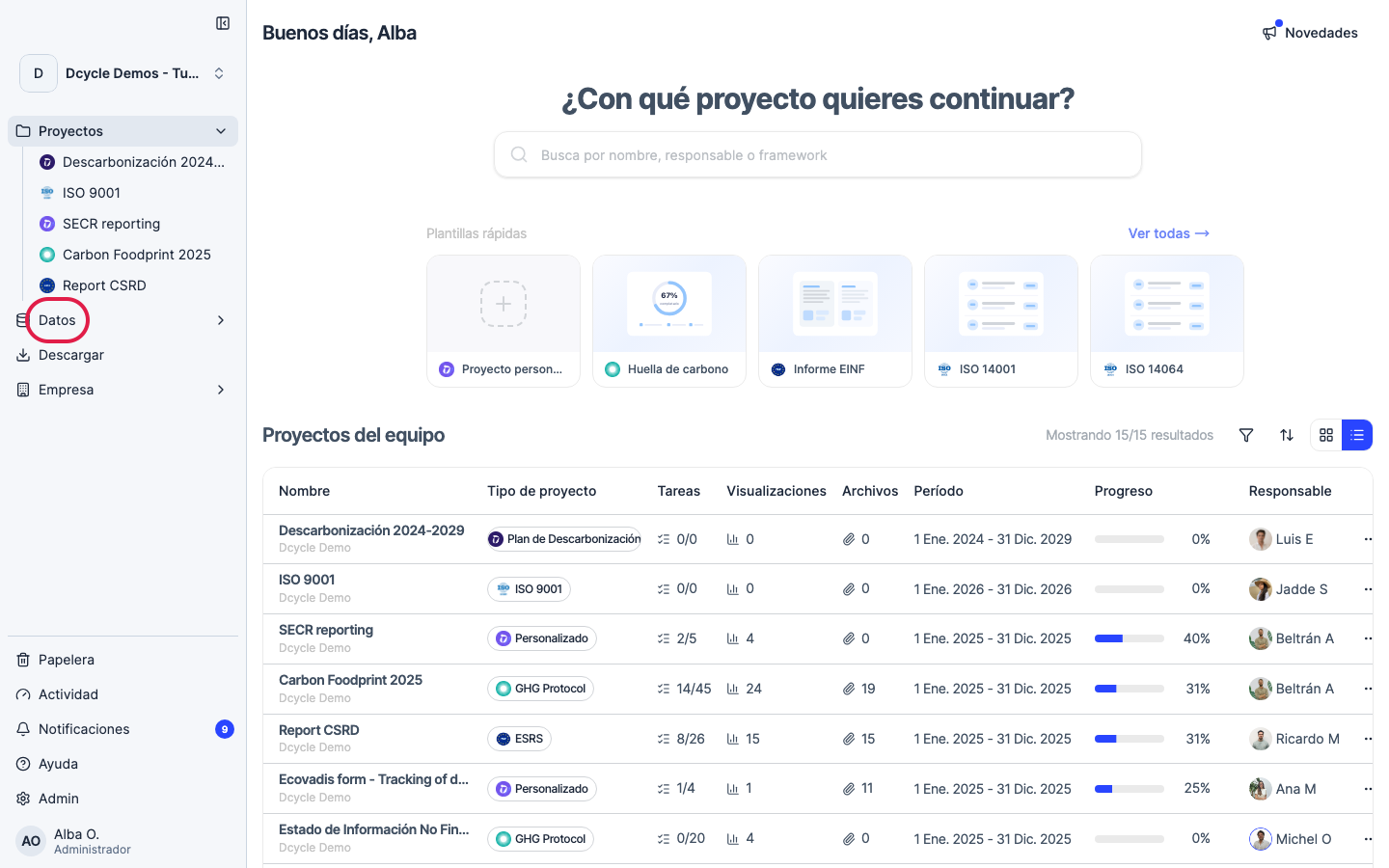
Click “Data” in the side navigation.
Step 2
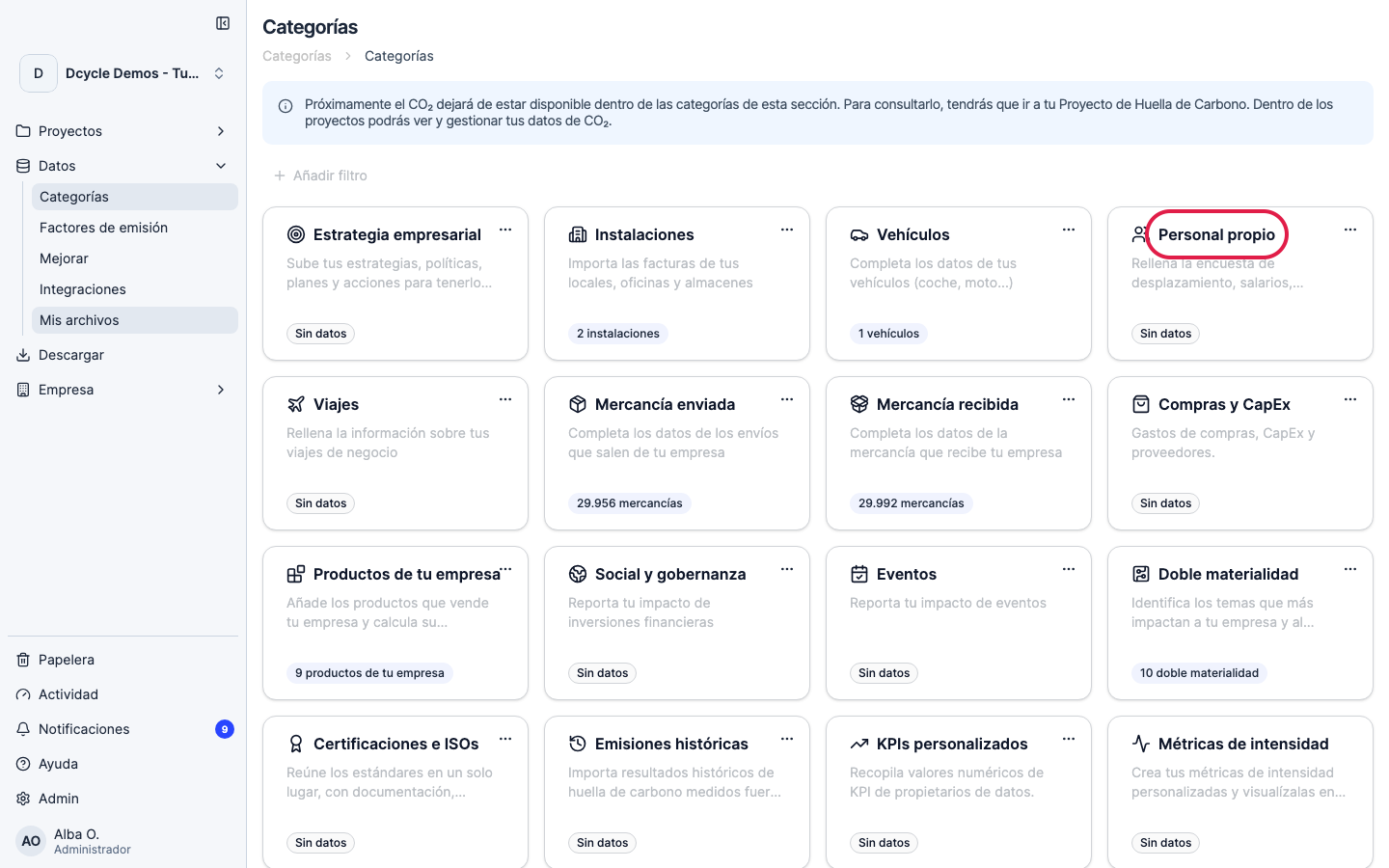
Open the “Own staff” category.
Step 3
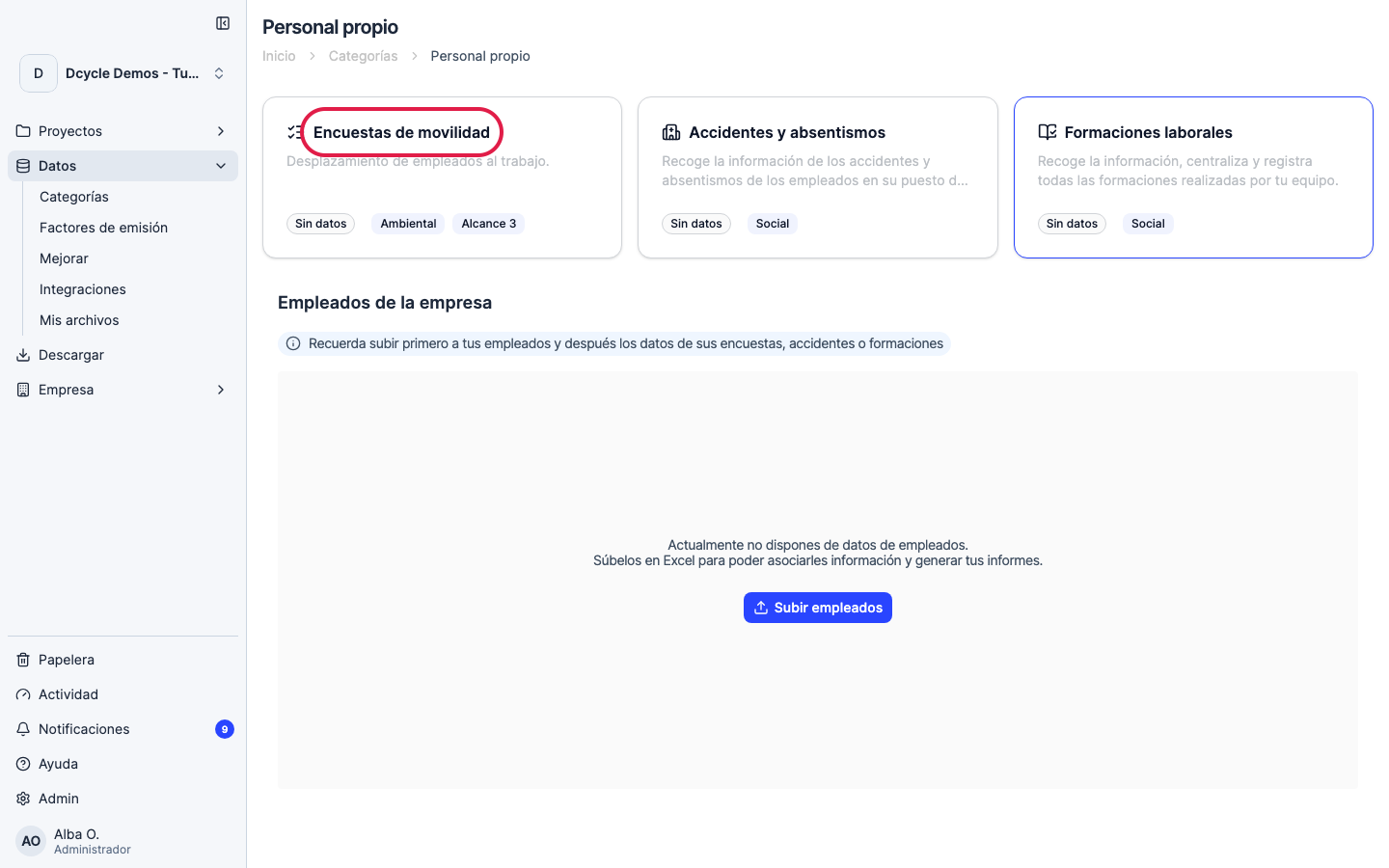
Open “Mobility surveys”.
Step 4
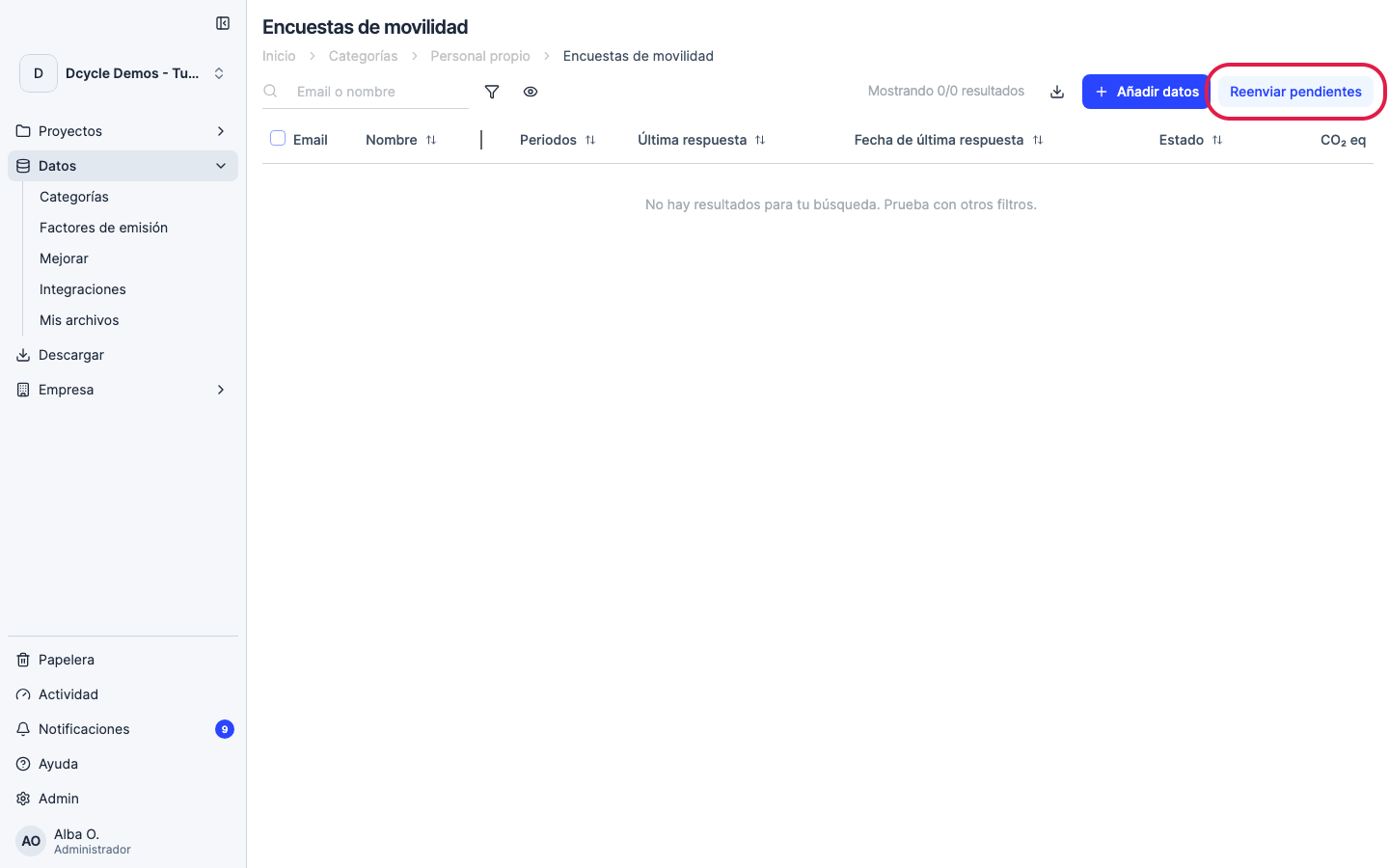
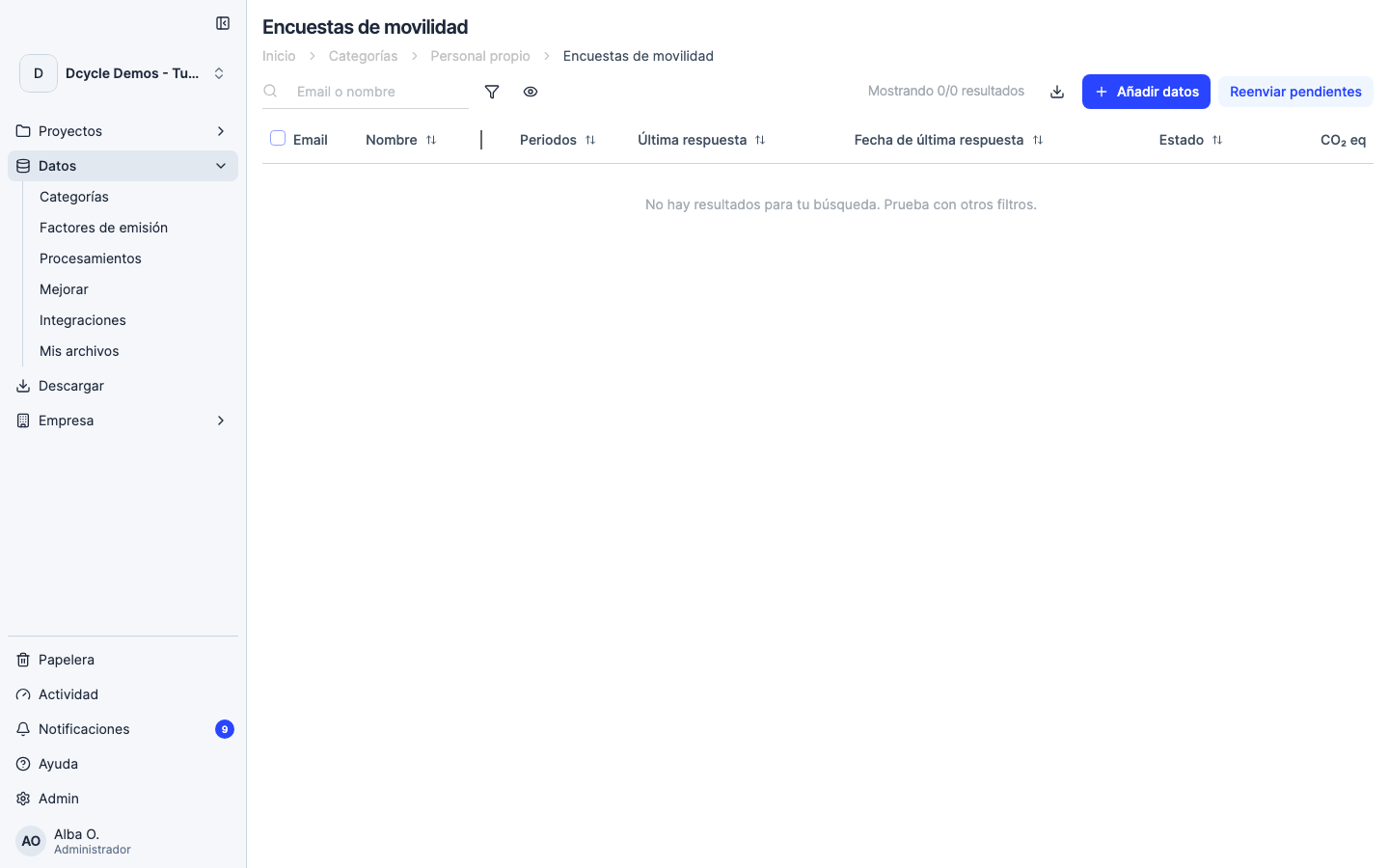
Click “Resend pending” in the top right corner. Dcycle sends the invitation only to employees whose status is still pending (not to those who already responded). The button is greyed out when there are no pending invitations.
Step 5
You can track each employee’s response in the “Status” column. The “Last response date” column tells you when each person submitted their commuting data. Filter by status with the funnel icon to see only pending ones.
Was this helpful?
What was missing or unclear? (optional)
Sent. Thank you for helping us improve.