Product Guides
Estimate emissions for employees who didn't answer the survey
Not every employee completes the mobility survey, which leaves a gap in your Scope 3 commuting data. With the estimation feature, Dcycle fills that gap using the average emissions per responding employee — either as one total for the whole group or with individual headcounts per subsidiary.
Before you start
You need an Editor role in your Dcycle organization.
Steps
Step 1
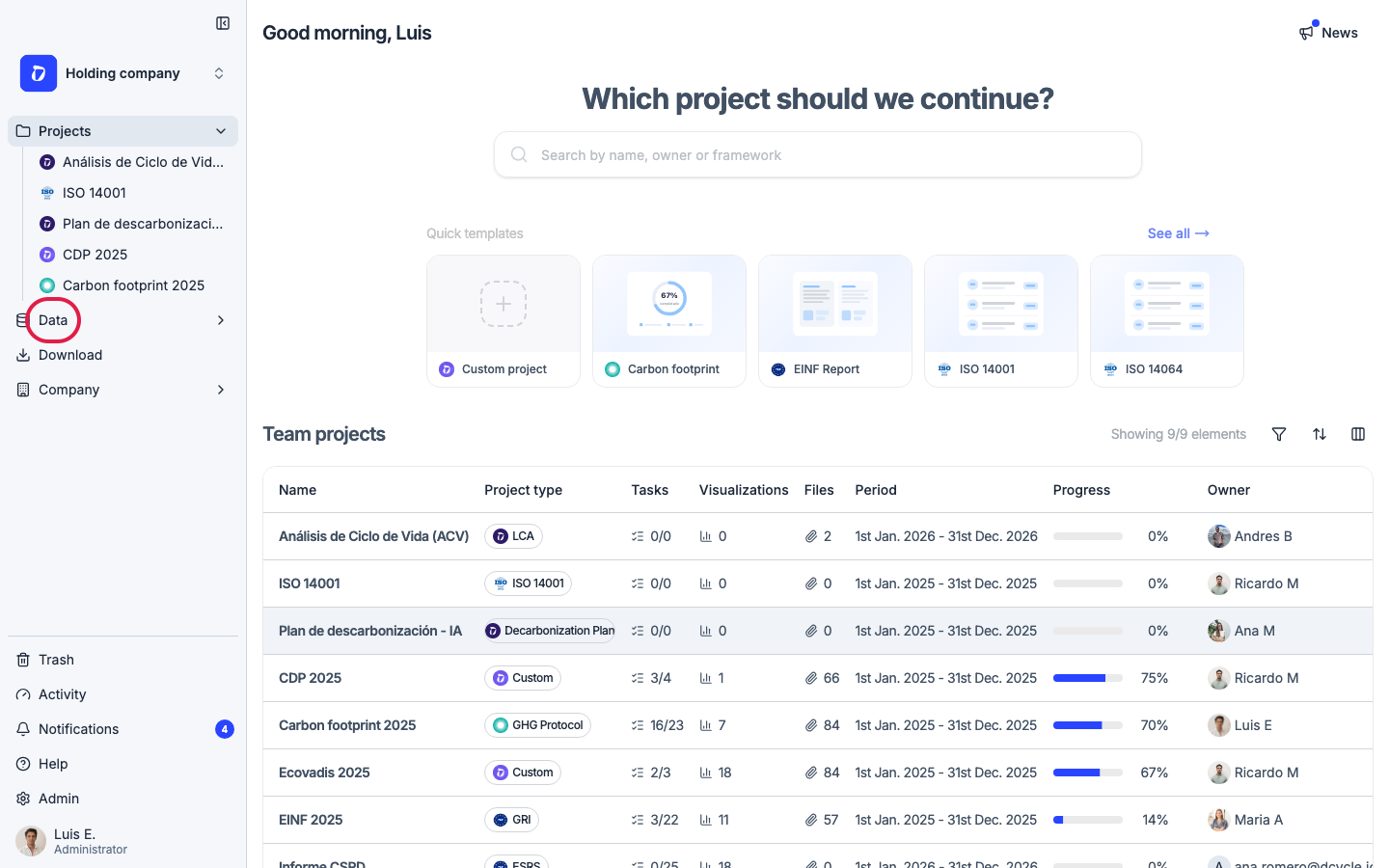
Click “Data” in the left navigation.
Step 2
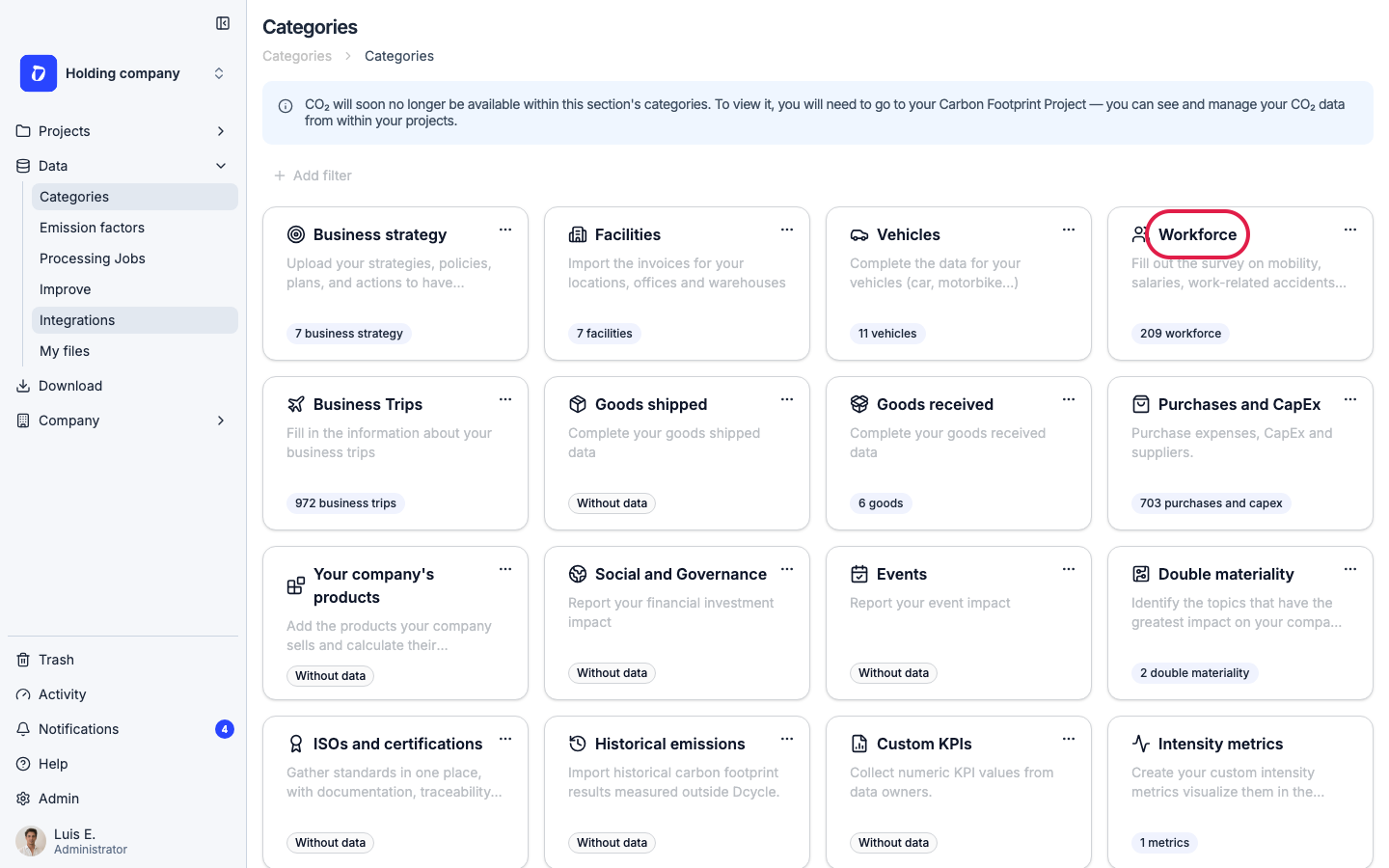
Open the “Workforce” category.
Step 3
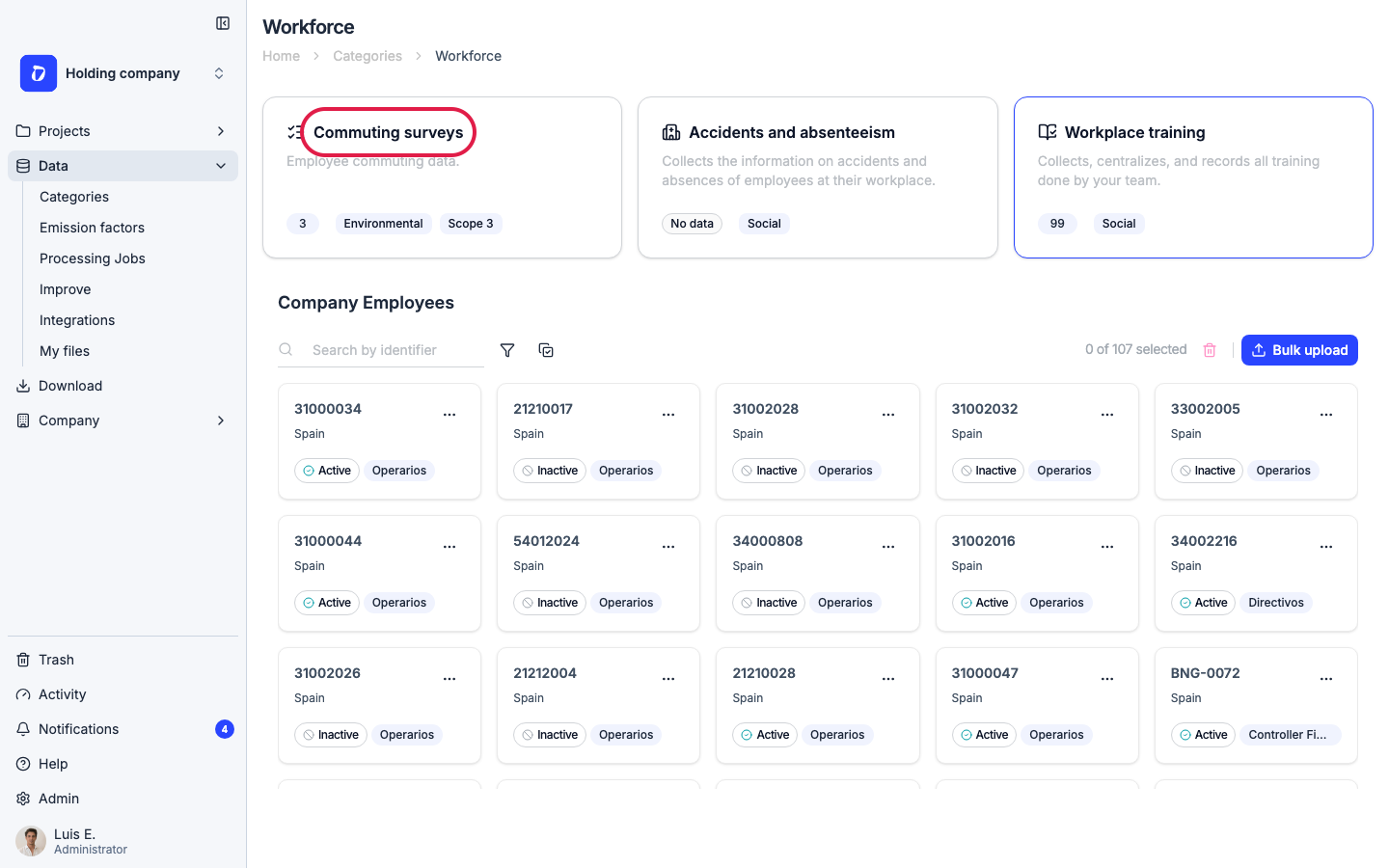
Open “Commuting surveys” to see the employee list and survey status.
Step 4
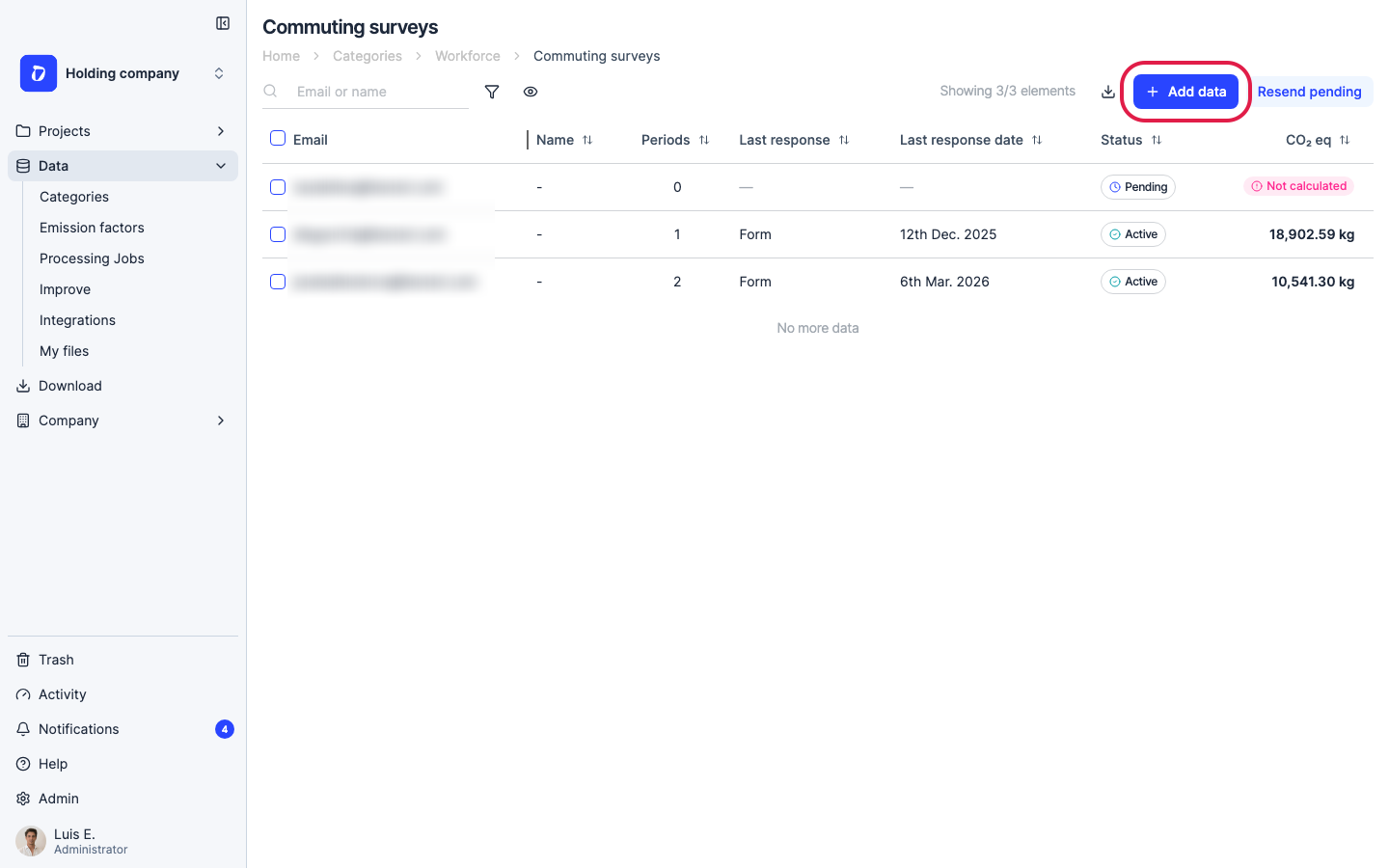
Click “Add data” in the top right.
Step 5
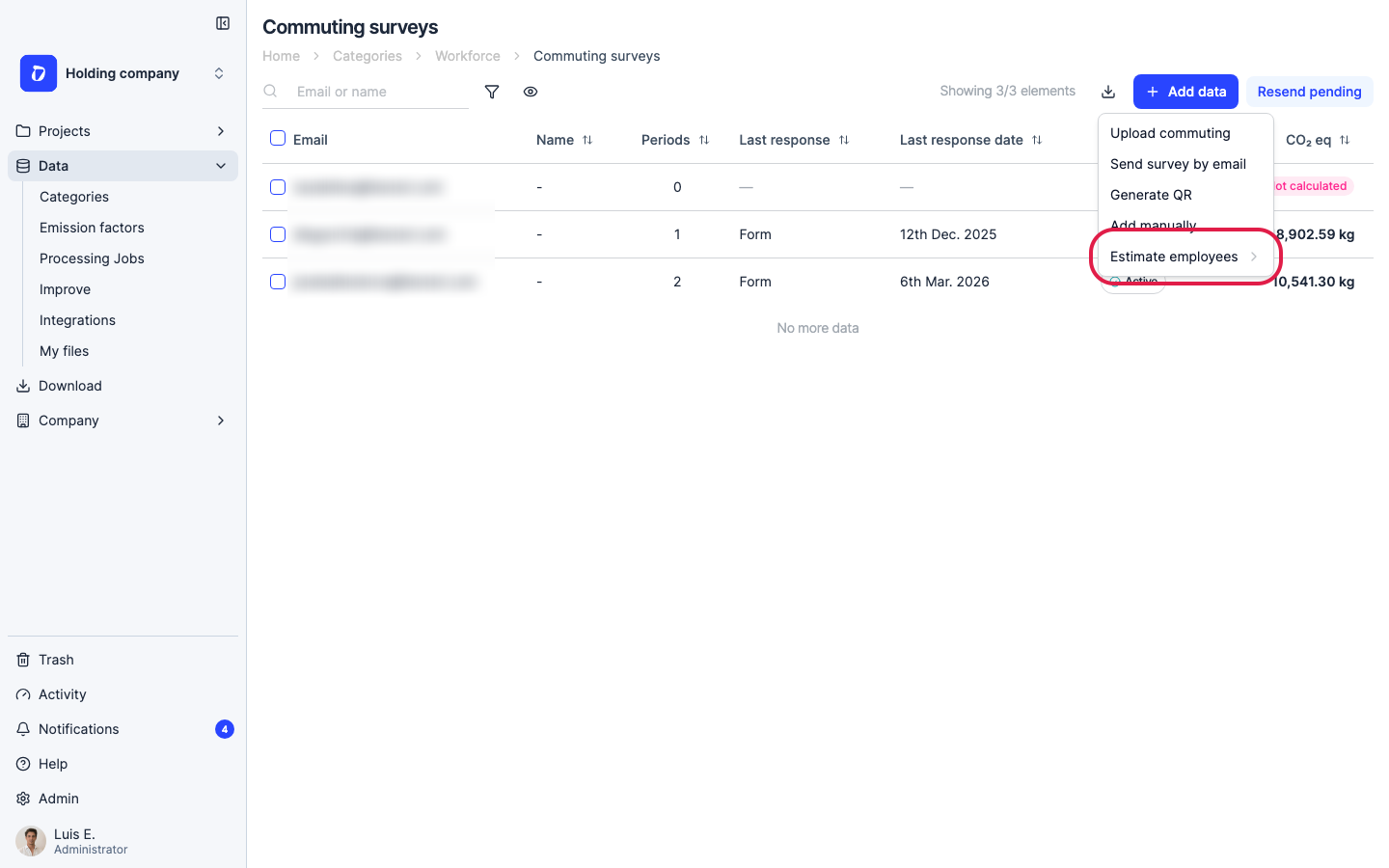
In the menu, hover over “Estimate employees” to reveal the two estimation modes.
Step 6
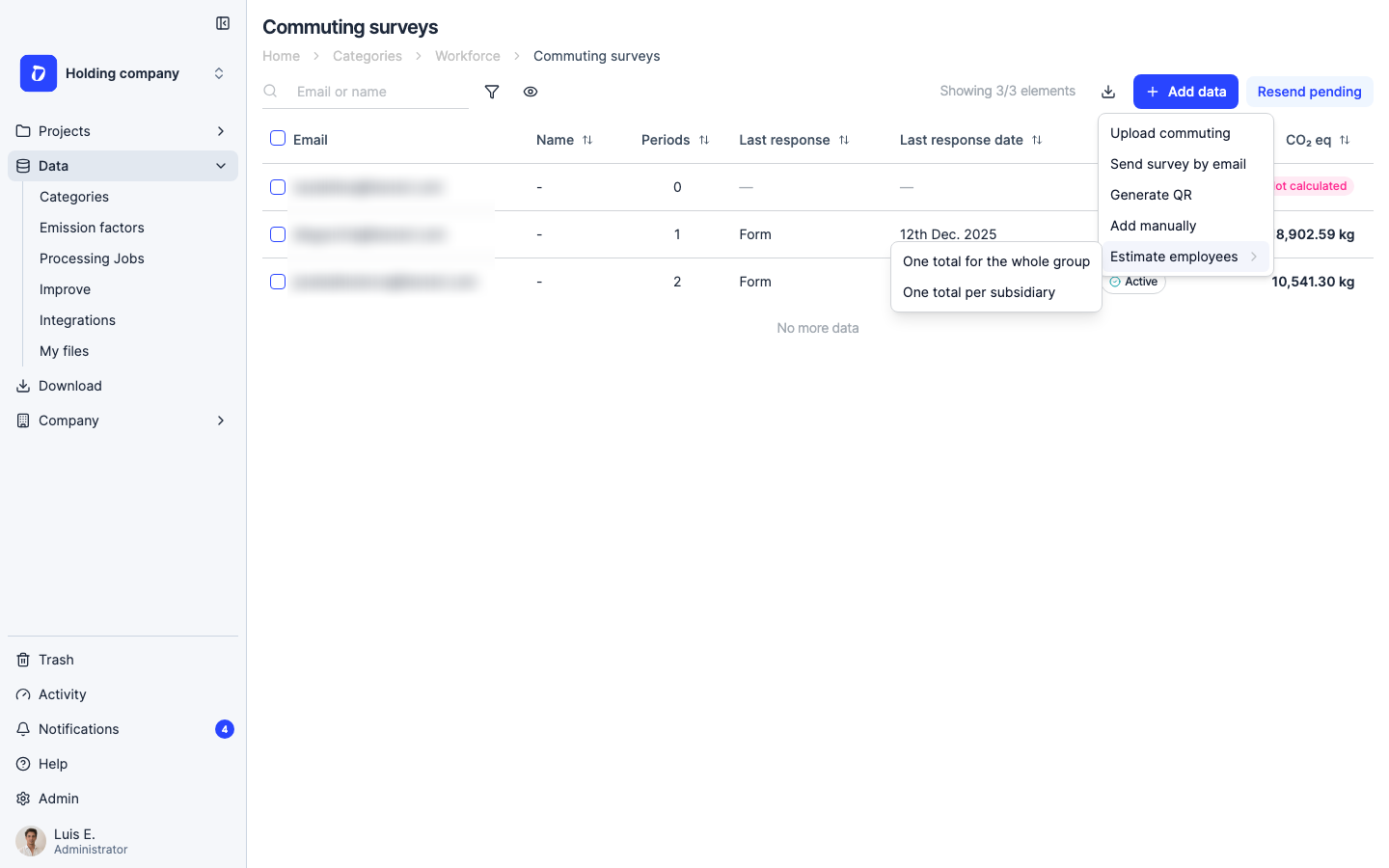
Two modes are available. “One total for the whole group” (consolidated) distributes a single group-wide headcount across subsidiaries automatically. “One total per subsidiary” lets you enter individual headcounts per subsidiary for a more granular breakdown.
Step 7
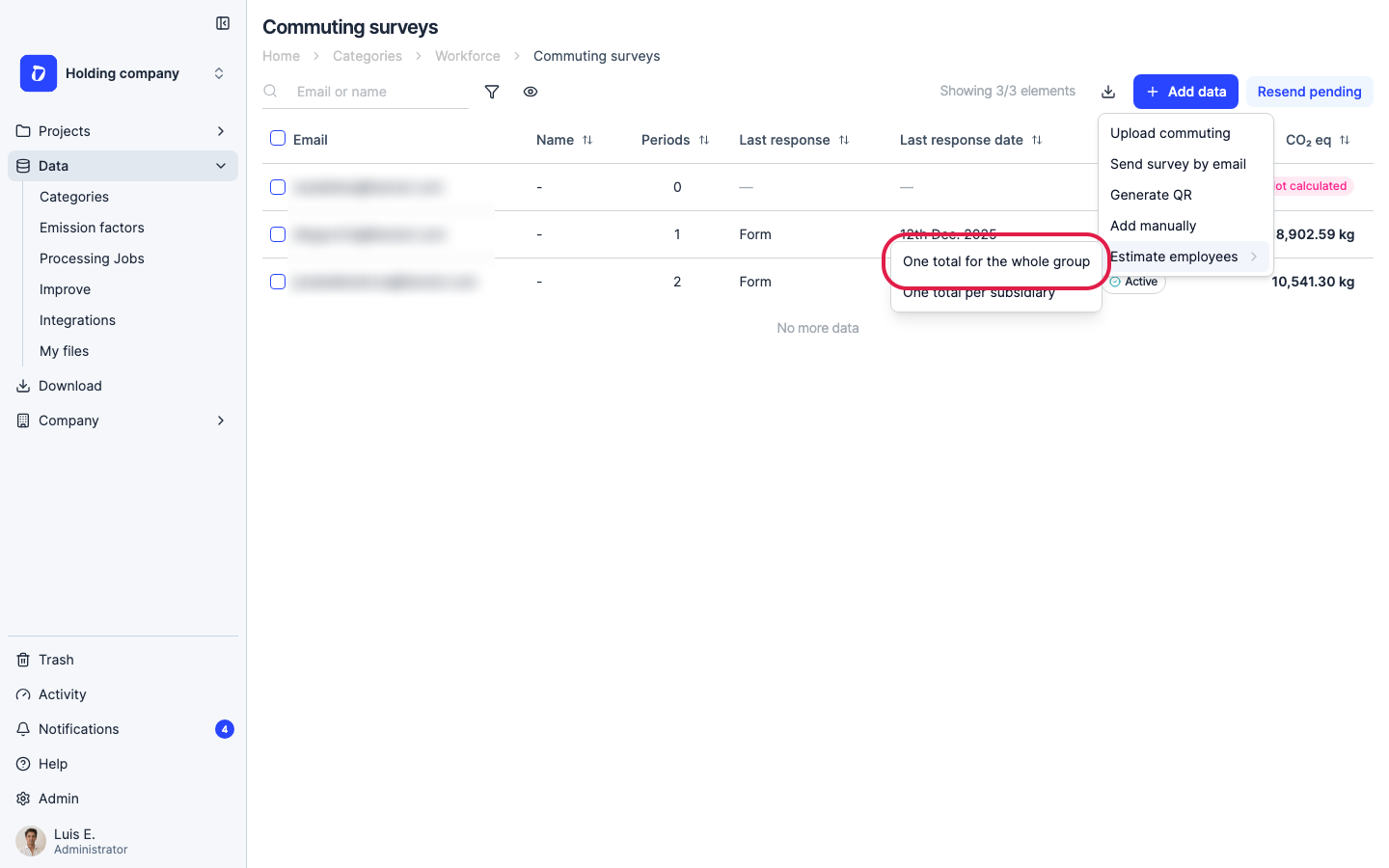
Select “One total for the whole group” to open the estimation form.
Step 8
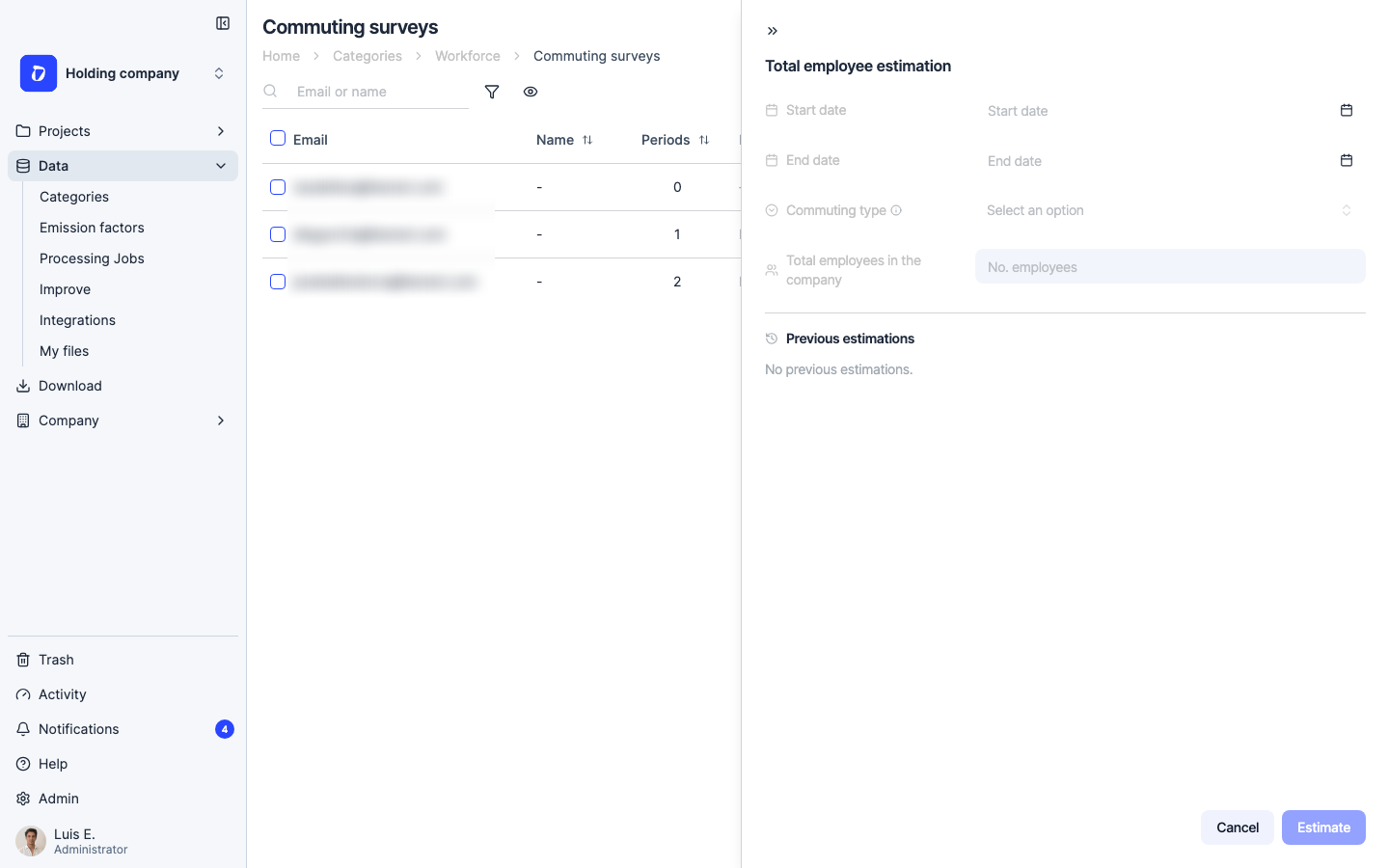
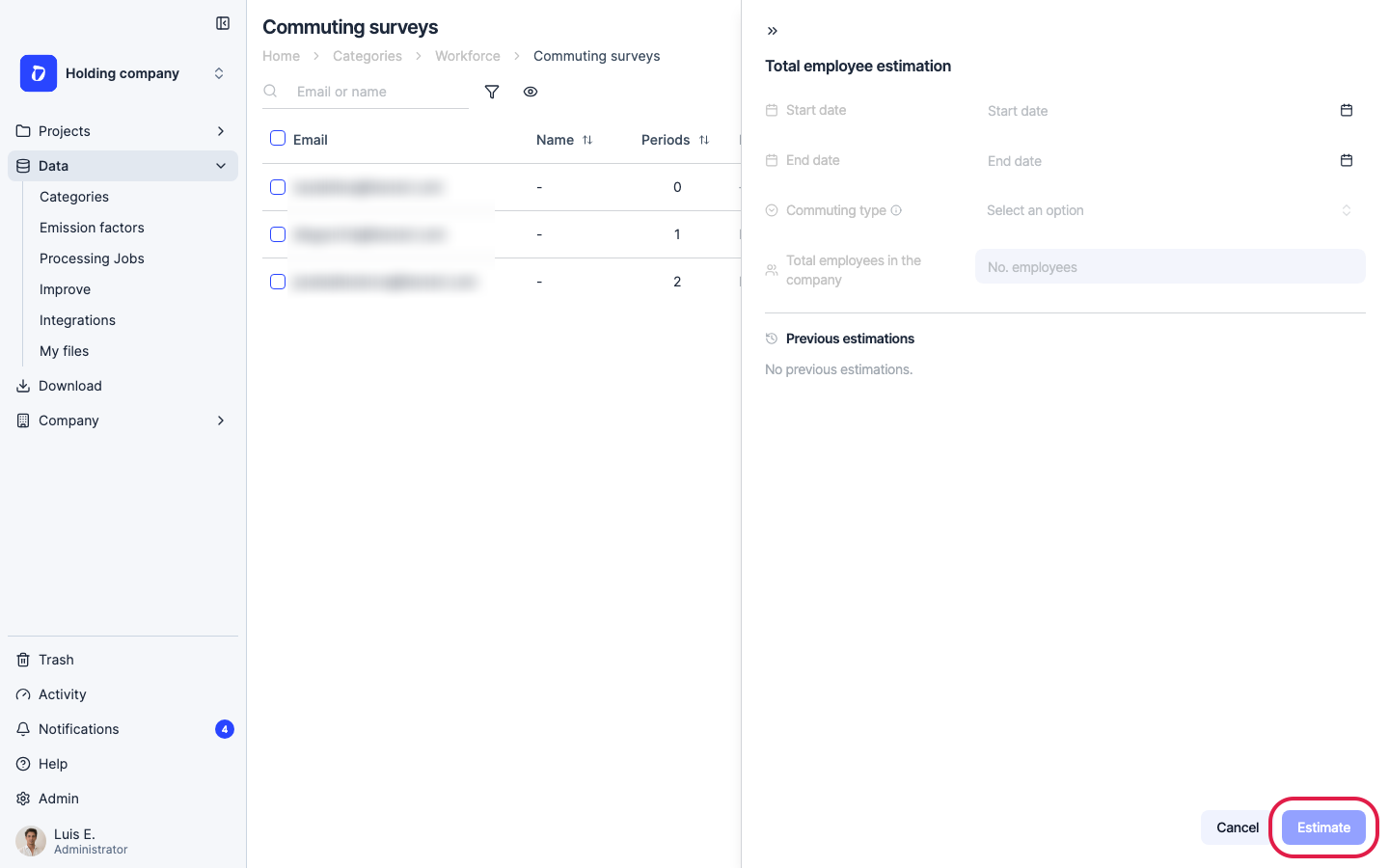
Fill in the form: the date range and commuting type the estimate is based on, plus the total number of employees in the group. Dcycle uses the completed surveys in that period to compute the average CO2e per responding employee, extrapolates it to the non-respondents, and distributes the result across subsidiaries automatically. The panel also lists your previous estimations.
Step 9
Click “Estimate” to run the calculation. A summary shows how many employees responded, how many were estimated, and the total estimated CO2e.
Step 10
Once the estimation completes, three things happen automatically: the emissions are recorded in each subsidiary’s historical emissions, a downloadable Excel file with the full calculation detail is generated as supporting evidence, and — if you have a GHG report configured — a methodology note is added to the observations field indicating that part of the data was estimated by extrapolation.
Was this helpful?
What was missing or unclear? (optional)
Sent. Thank you for helping us improve.