Product Guides
Consolidate your subsidiaries' answers into the group's
When an EINF covers a group, each subsidiary answers for itself and the parent has to write one answer for all of them. This guide shows the group view: every subsidiary's answer side by side, and a draft of the group answer written from them.
Before you start
You need an Admin role in your Dcycle organization.
Steps
Step 1
Do this from the parent company, not from a subsidiary. The group view shows a company its descendants’ answers, so from a subsidiary with nobody below it there is nothing to show and the entry point doesn’t appear. Switch organisation in the top-left picker if you are in the wrong one.
Step 2
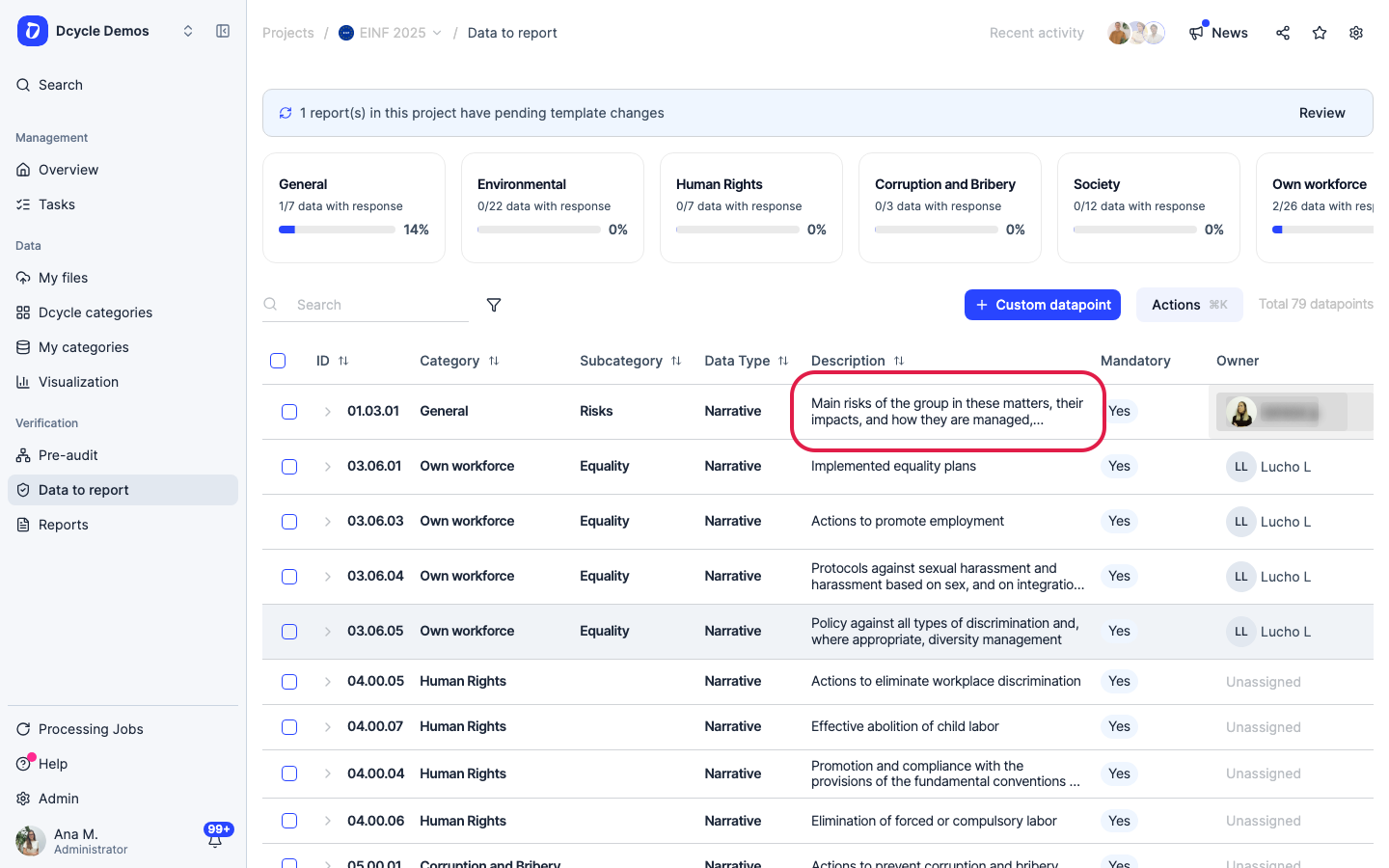
Open any item from “Data to report”.
Step 3
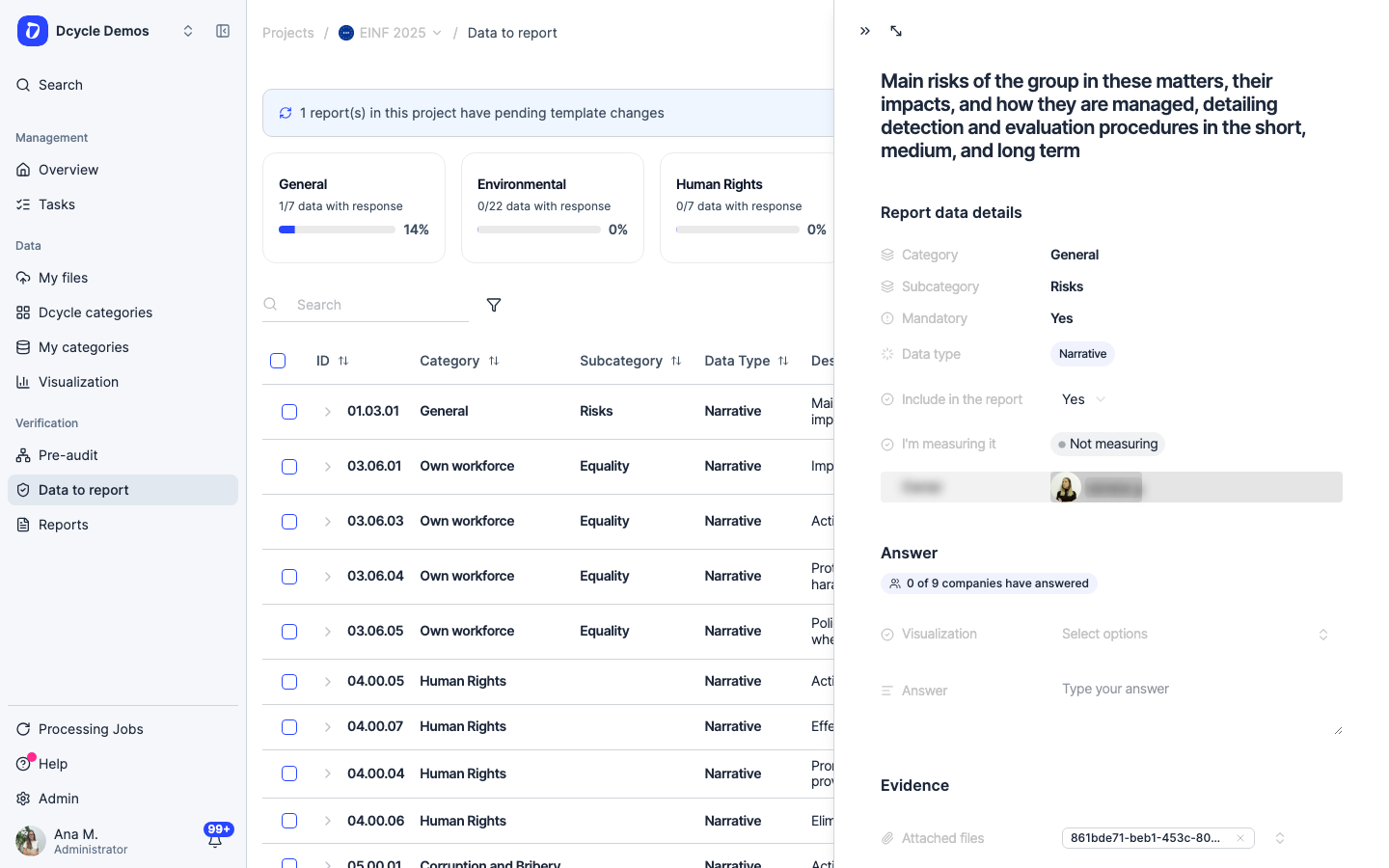
In the panel, under the item’s text, a badge counts how many companies of the group have already answered this item — “0 of 9” here. That badge is the entry point: click it.
Step 4
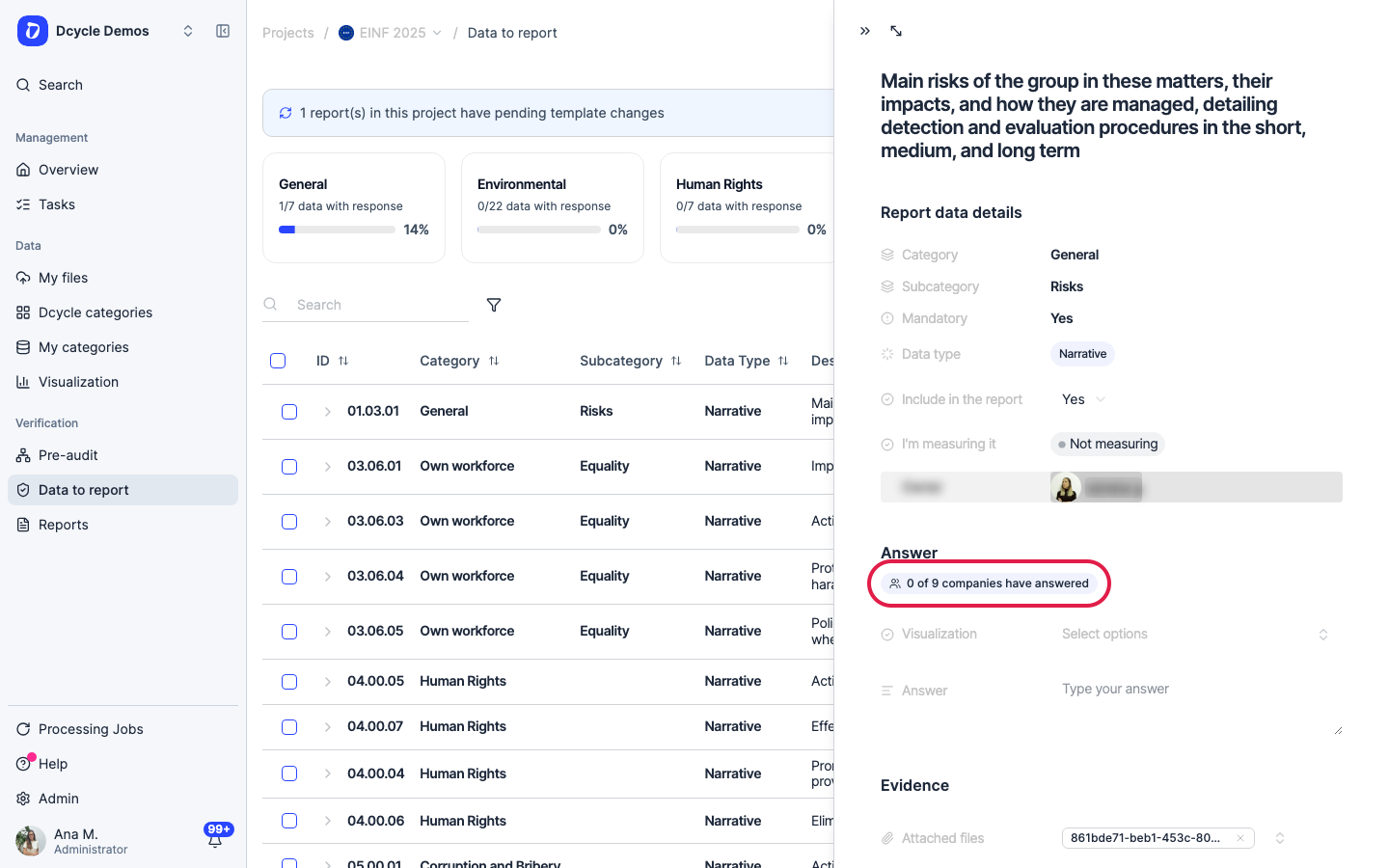
Click the badge to open the group view full screen. It is a real page with its own URL, so you can share it with whoever owns the answer.
Step 5
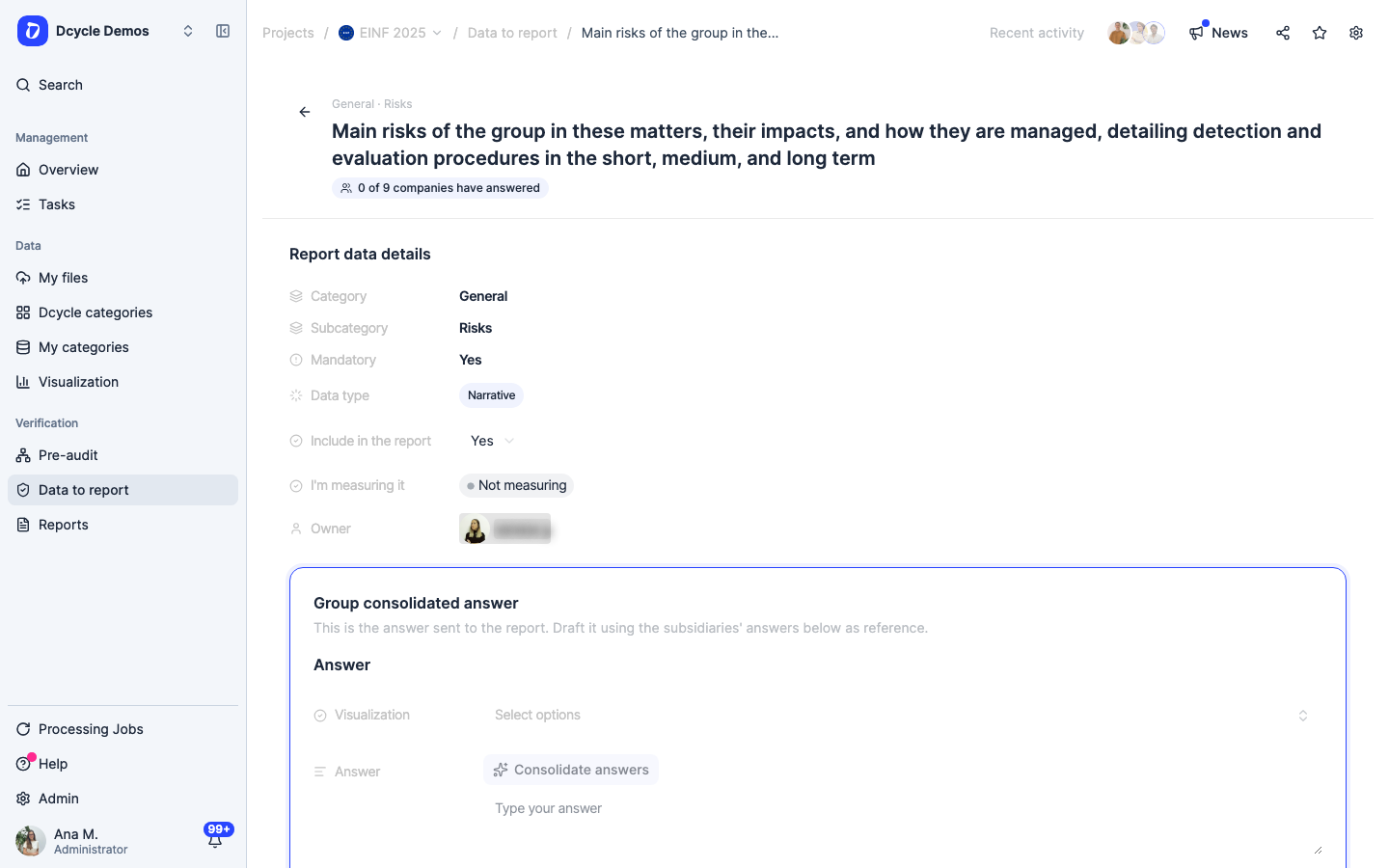
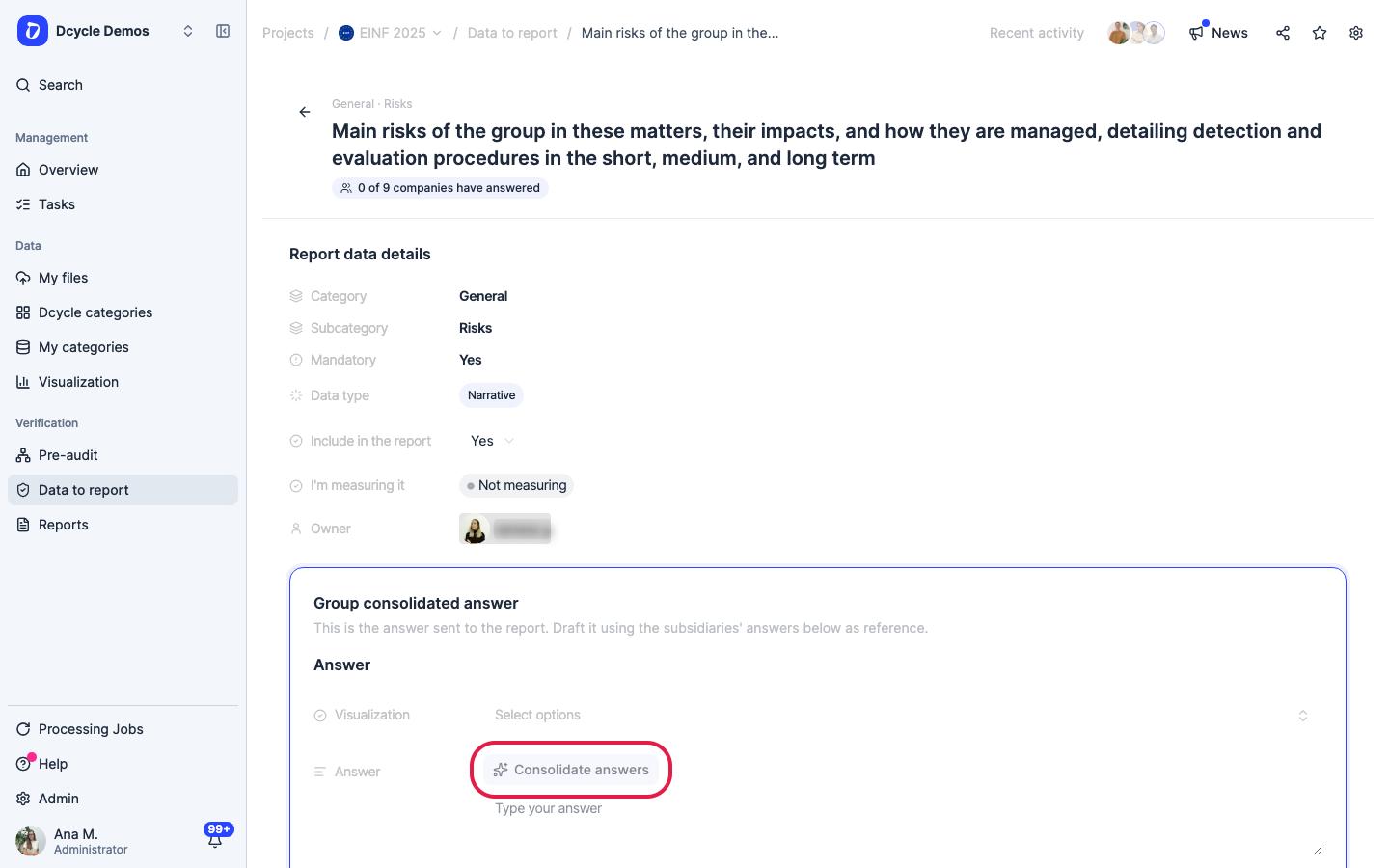
The page has the item’s details at the top and, below, the card “Group consolidated answer” — this is the answer that reaches the report. The subsidiaries’ answers underneath are reference material, not something the report picks up on its own.
Step 6
“Consolidate answers” drafts the group’s answer from every subsidiary answer in scope. (We’re only pointing at the button here.) It is disabled while no subsidiary has answered — there would be nothing to consolidate — and only the company that created the project can use it.
Step 7
What comes back is a suggestion, not a saved answer: a “Suggested answer” block telling you how many subsidiary answers it is based on and which companies they came from, with “Use this answer” and “Discard” underneath. Nothing is written until you accept it, and accepting is an ordinary edit signed by you — so read it before you take it.
Step 8
Scroll down to the subsidiaries’ table.
Step 9
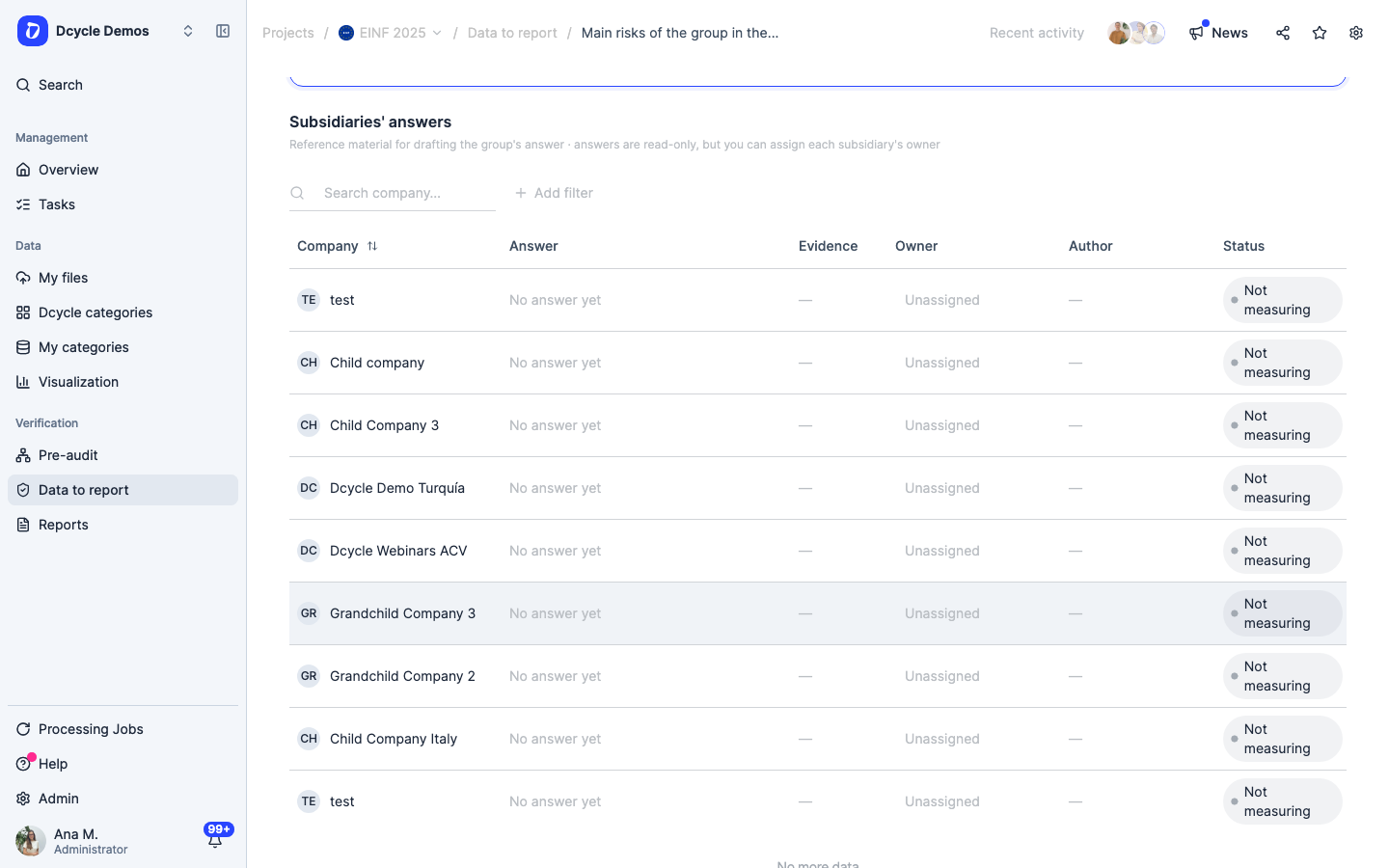
“Subsidiaries’ answers” lists every company in scope with its answer, evidence, owner, author, status and last update. The answers are read-only — they belong to each company — but the owner column is not: you can assign who answers for each subsidiary right here.
Step 10
The workflow this supports: assign an owner per subsidiary, let each one answer in its own organisation, then come back here, consolidate, review the draft and save the group’s answer. The report only ever reads the group answer, so the last step is not optional.
Step 11
If the table says no subsidiary has answered yet, that is the normal starting point, not an error: each company’s answer appears here as soon as it is written, and only then is there something to consolidate.
Was this helpful?
What was missing or unclear? (optional)
Sent. Thank you for helping us improve.