Product Guides
Fix a supplier's category (CNAE/SIC) for spend-based purchases
For spend-based purchases, Dcycle estimates emissions from each supplier's activity code (CNAE or SIC). If a supplier was auto-detected into the wrong activity — or none at all — you can correct it, and the spend-based emission factor recalculates.
Before you start
You need an Editor role in your Dcycle organization.
Steps
Step 1
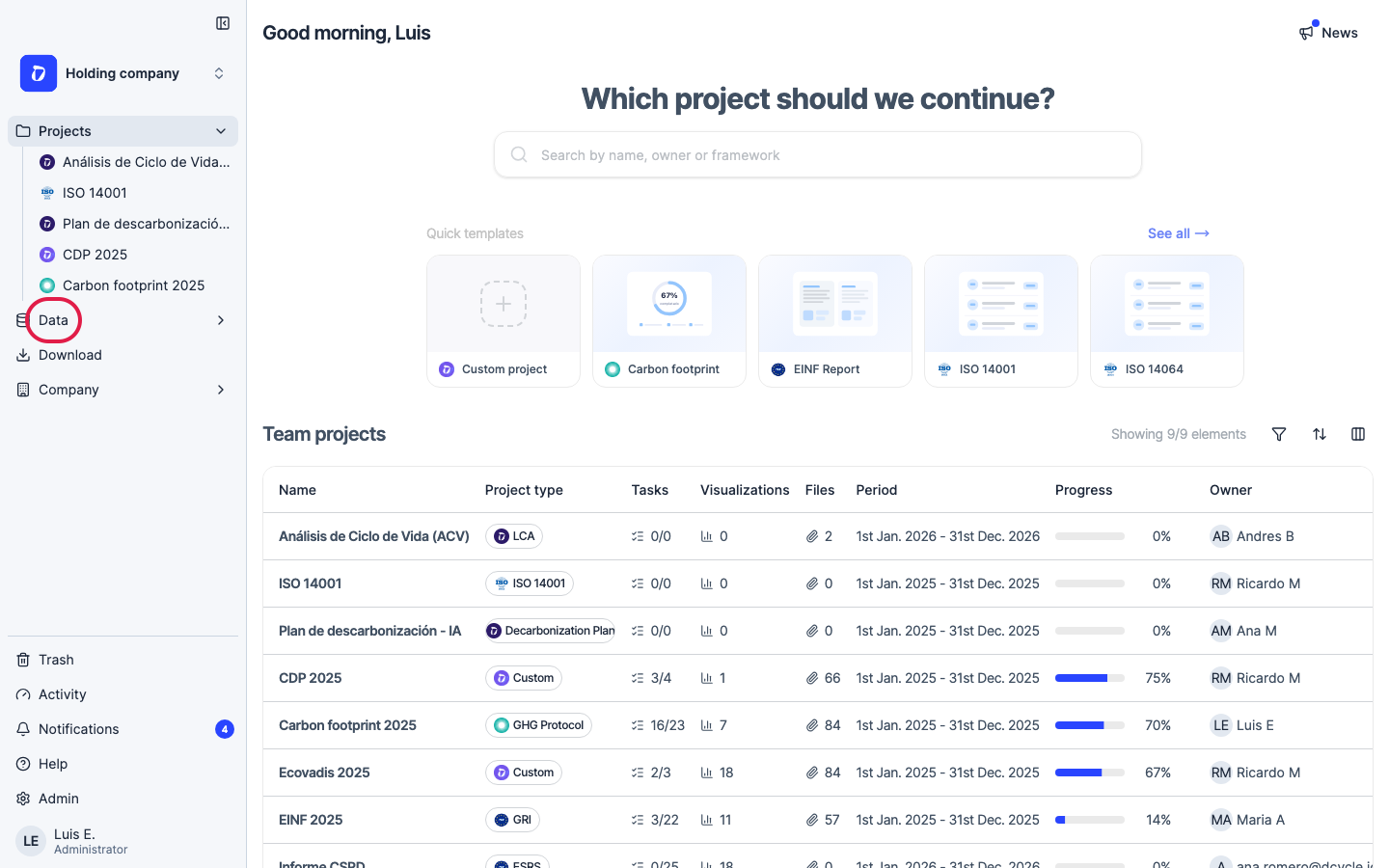
Click “Data” in the left navigation.
Step 2
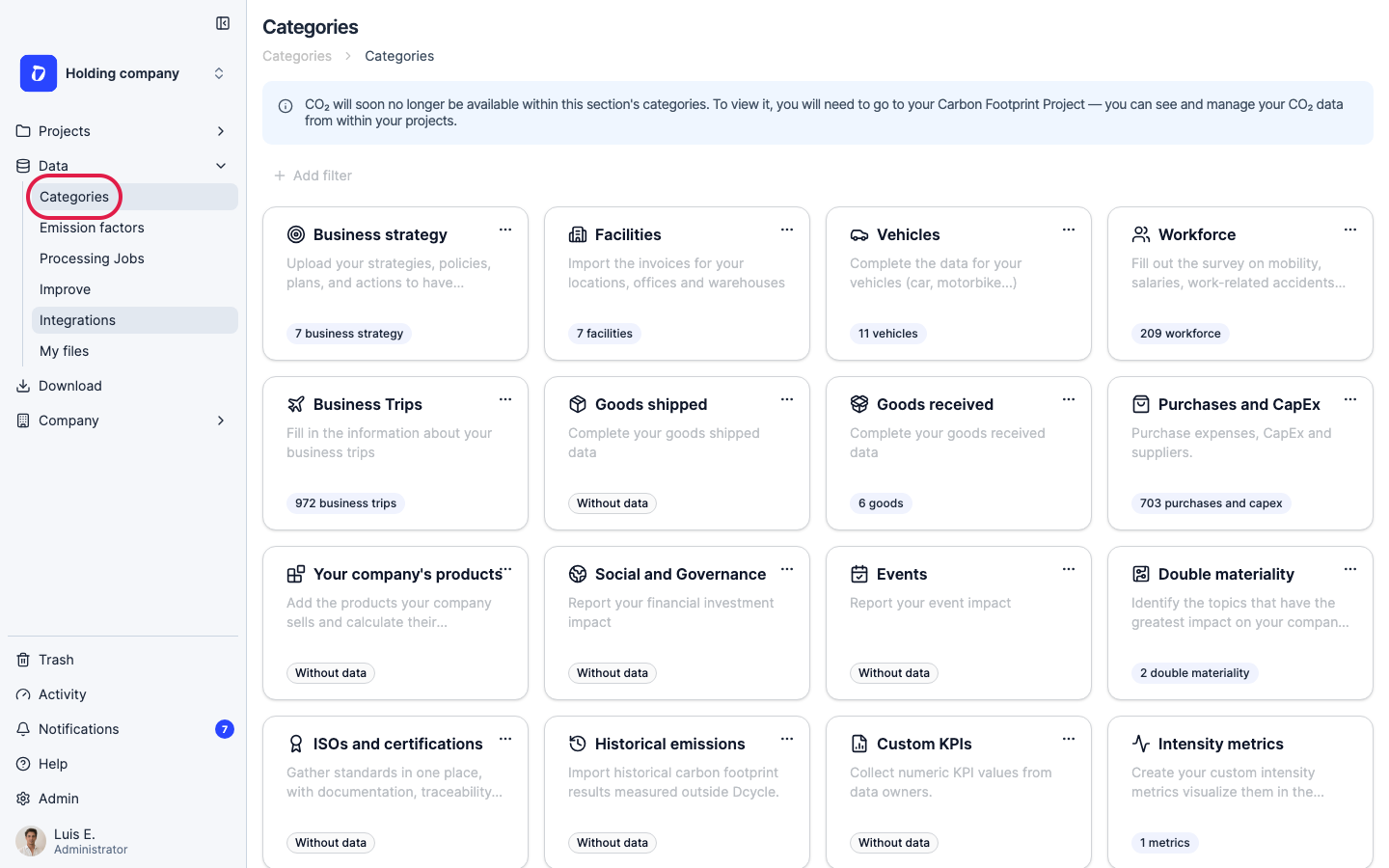
Click “Categories”.
Step 3
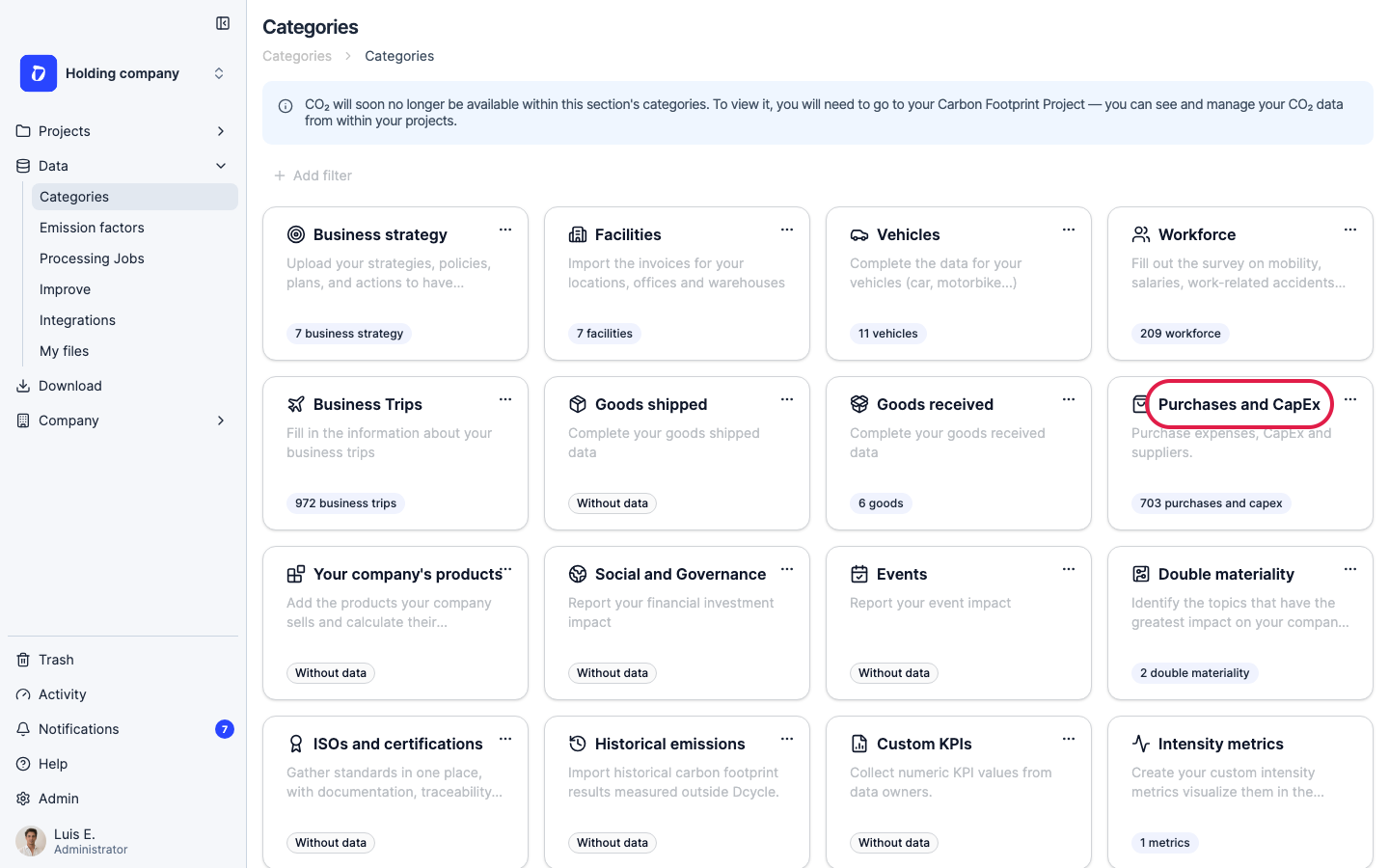
Open the “Purchases and CapEx” category.
Step 4
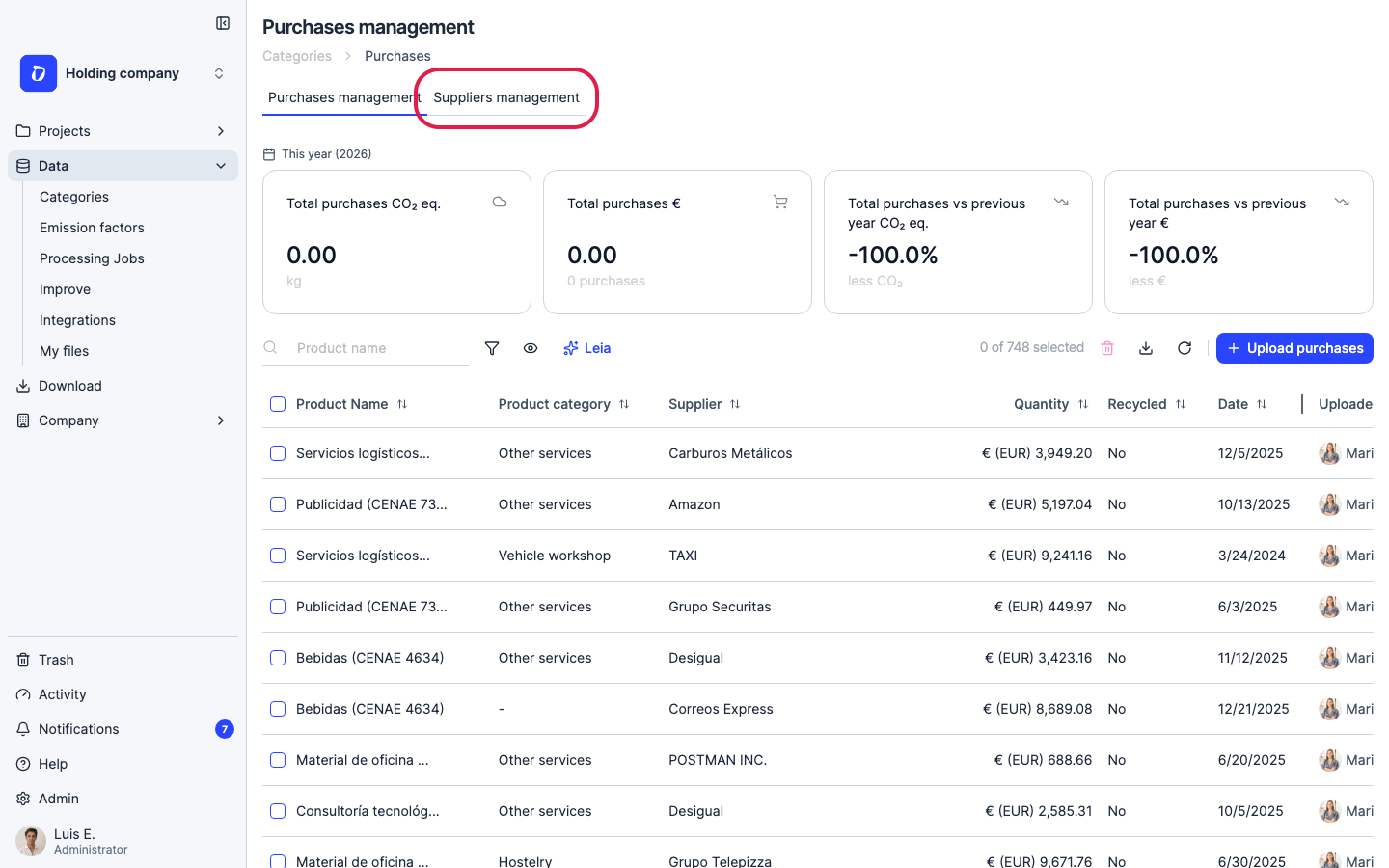
Switch to the “Suppliers management” tab.
Step 5
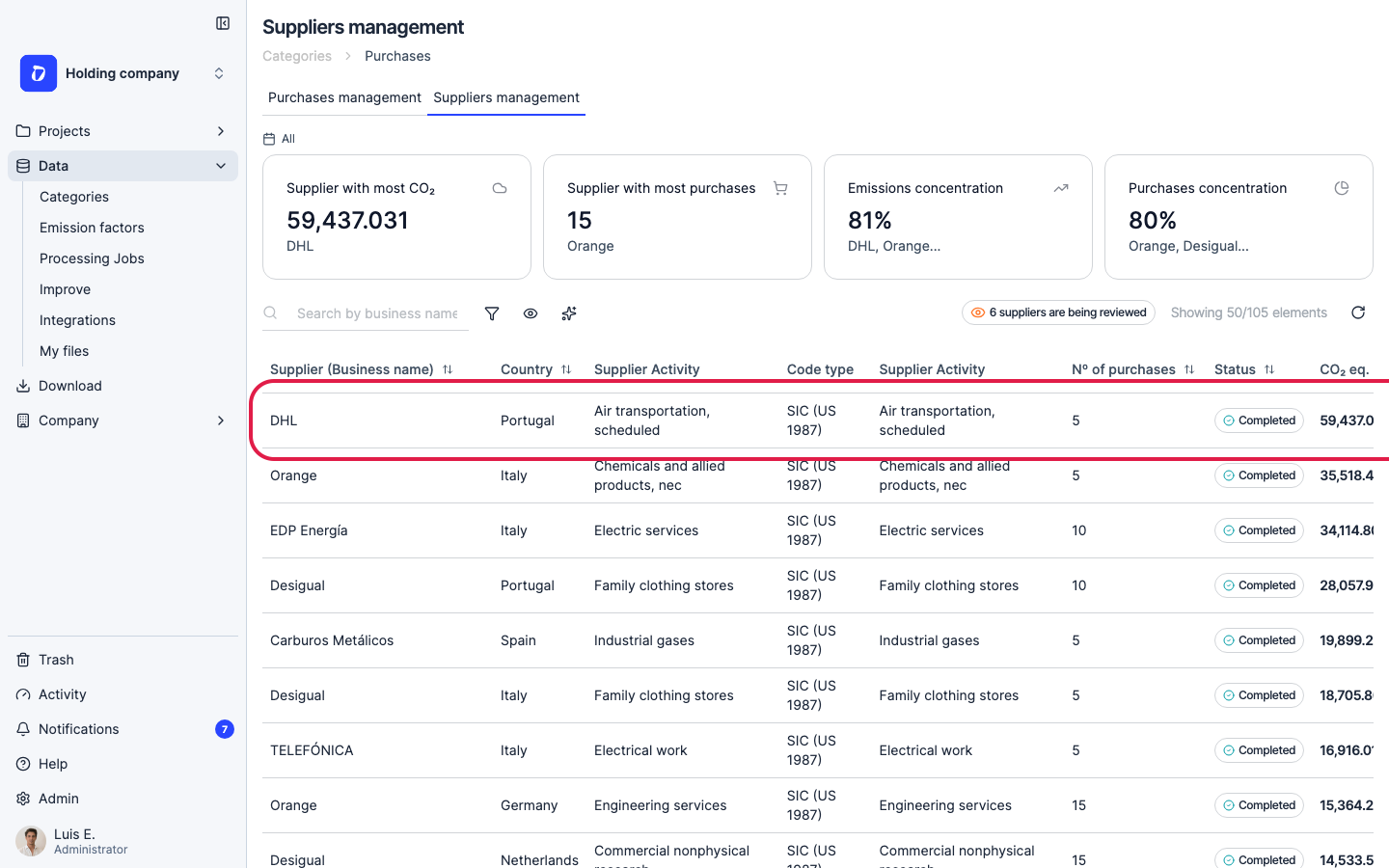
Each supplier shows its detected “Supplier Activity” and “Code type” (the CNAE or SIC standard used). Suppliers Dcycle couldn’t map confidently appear with a “Reviewing” status — these are the ones most worth checking.
Step 6
Click the supplier you want to correct to open its details.
Step 7
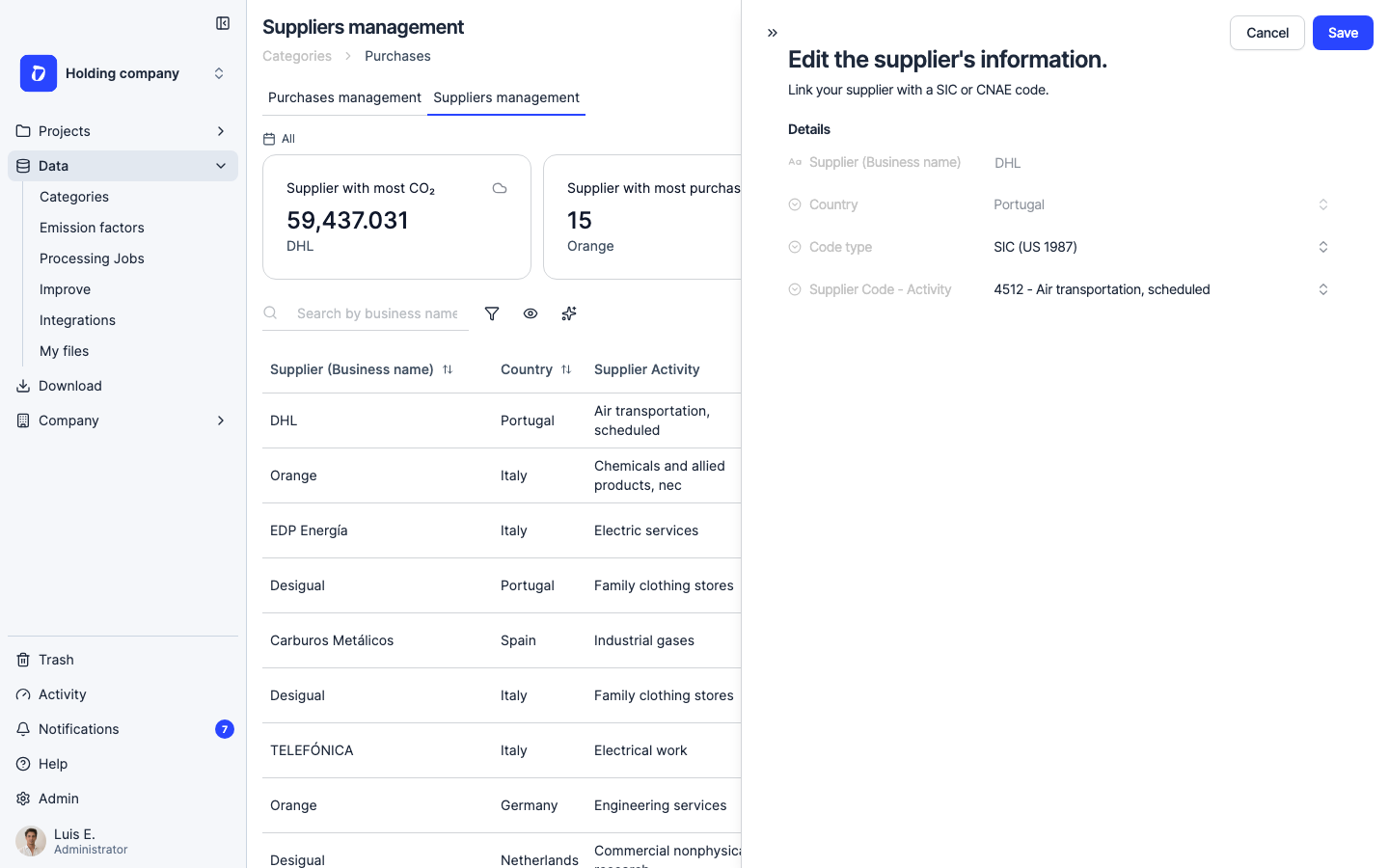
The “Edit the supplier’s information” panel opens. Set the “Code type” (CNAE or SIC) and then the “Supplier Code - Activity” to the code that matches what the supplier actually does — this is how you fix a case like an energy retailer detected as “Food & beverages”.
Step 8
Click “Save”. Dcycle recalculates that supplier’s spend-based emissions with the new factor. Mapping a previously unmatched supplier also clears its “Reviewing” status.
Step 9
Need to fix a single line instead of the whole supplier? The “Purchases management” tab lists individual purchases with their “Product category”, which you can correct the same way.
Was this helpful?
What was missing or unclear? (optional)
Sent. Thank you for helping us improve.