Product Guides
Answer a narrative item in your EINF
Most of an EINF is written, not calculated: policies, due diligence procedures, risks. This guide opens one narrative item and walks through the panel where you answer it, attach evidence and leave comments.
Before you start
You need an Editor role in your Dcycle organization.
Steps
Step 1
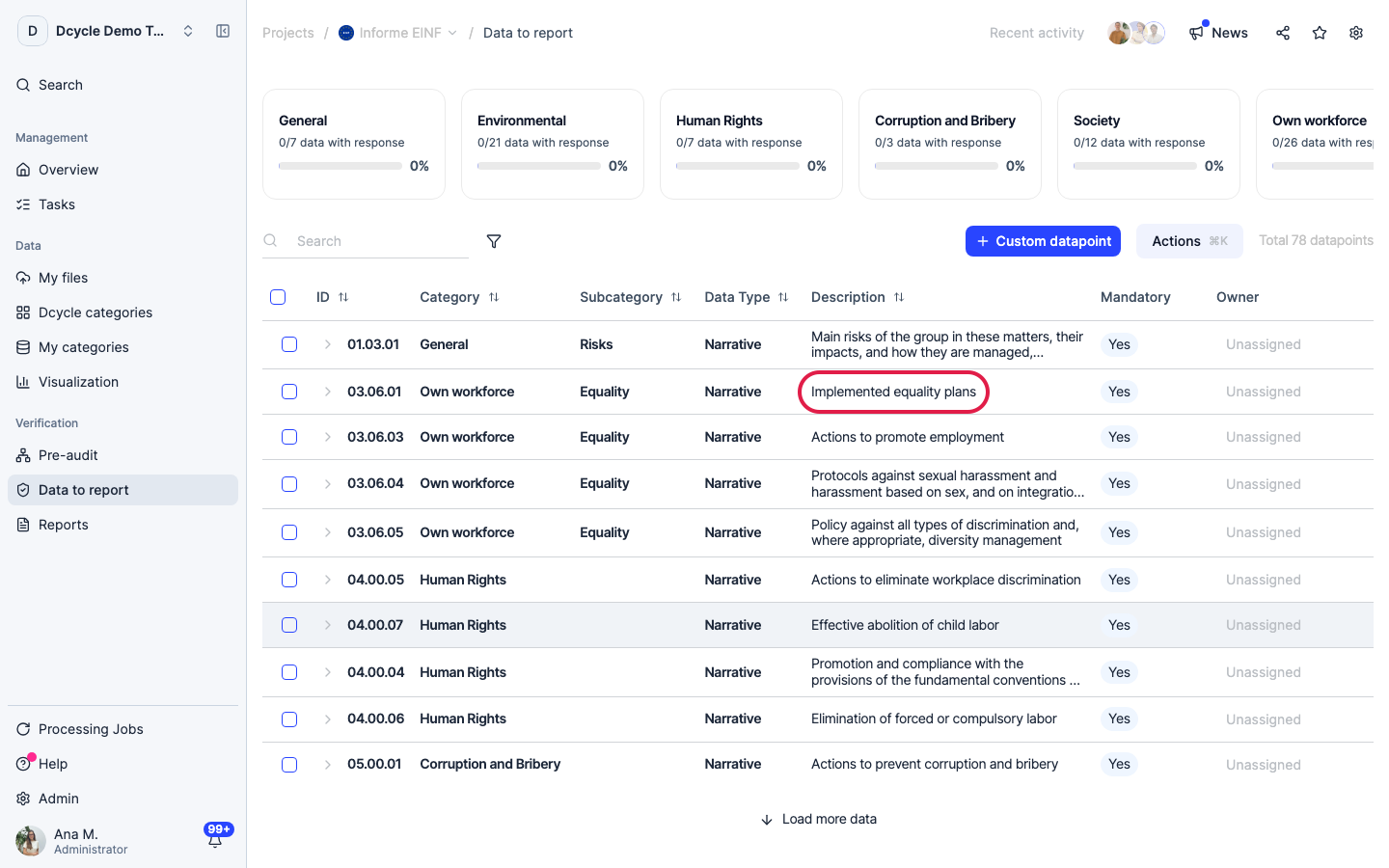
Click the description of the item you want to answer. Here we open 03.06.01, “Implemented equality plans” — a narrative item in the Own workforce category.
Step 2
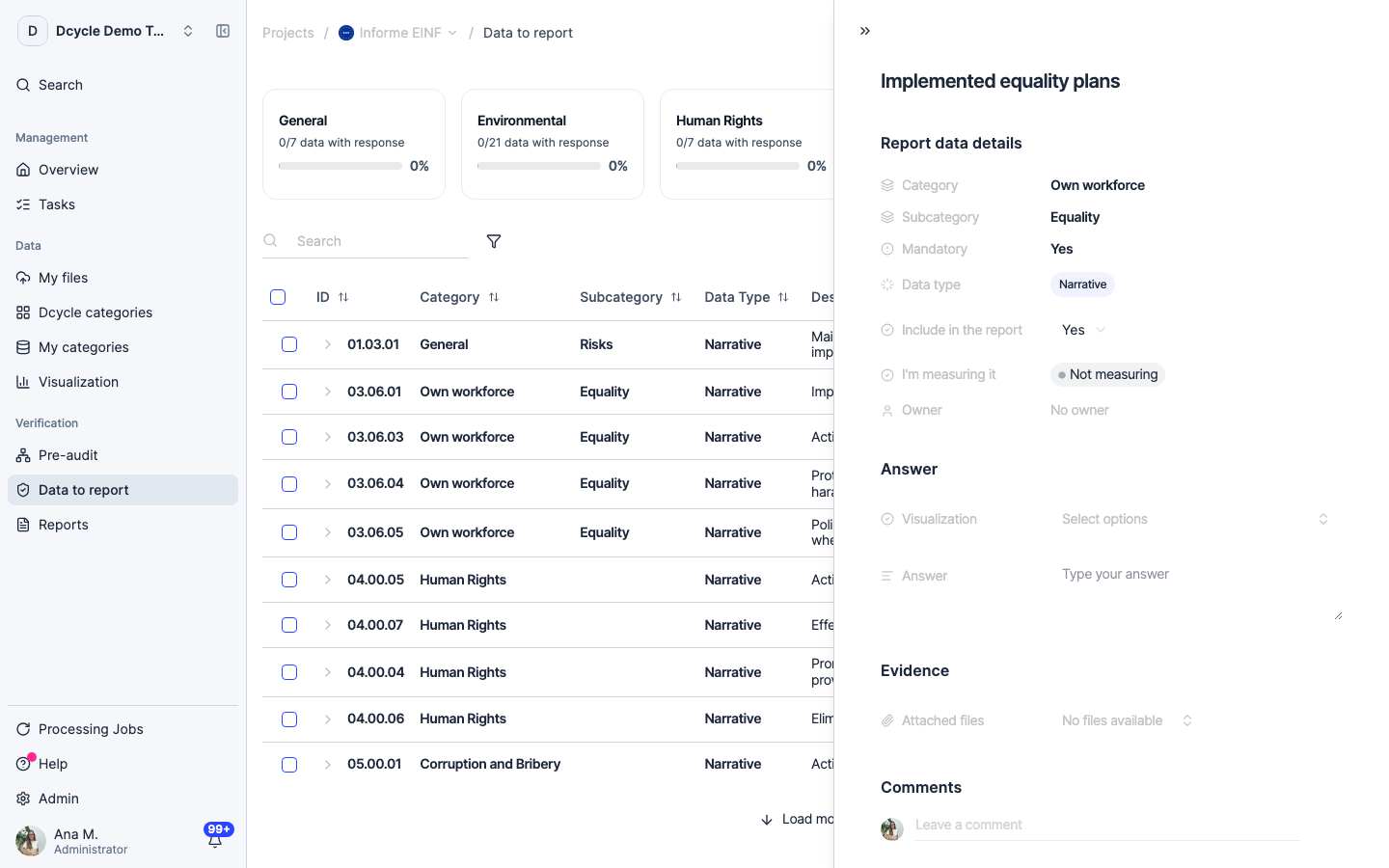
A panel opens on the right with the item’s full text at the top — read it first, it names the elements your answer has to cover — and four blocks below: details, answer, evidence and comments.
Step 3
“Report data details” holds the decisions about the item, not its content: category and subcategory, whether it is mandatory, its data type, “Include in the report” (leave it on Yes unless this item doesn’t belong in your EINF), “I’m measuring it” — which starts at “Not measuring” — and the owner.
Step 4
Write in the “Answer” field under the Answer block. A complete narrative answer covers four things: the policy, the due diligence procedure, the results for the period, and the key risks and how they are managed. An answer missing one of the four is the most common thing a verifier sends back.
Step 5
If you have no policy for something material, write that and explain why — comply or explain is a valid answer under Ley 11/2018. An empty field is not: it reads as an omission, and it keeps the item out of the category’s “data with response” count.
Step 6
Use “Attached files” under Evidence for the document behind the answer — the signed equality plan, the policy PDF, the committee minutes. The verifier asks for these one by one; having them on the item saves the round trip.
Step 7
“Leave a comment” at the bottom is for the conversation about the item — mention a colleague to ask them for the missing piece. The comment stays attached to the item, so whoever picks it up months later sees why it was answered the way it was.
Was this helpful?
What was missing or unclear? (optional)
Sent. Thank you for helping us improve.