Product Guides
Create a project
Projects are the containers for your work in Dcycle — each one covers a specific framework (GHG Protocol, FLAG, GLEC, ISO, LCA, EcoVadis…) and a reporting period. This guide shows how to create one from the project catalogue.
Before you start
You need an Editor role in your Dcycle organization.
Steps
Step 1
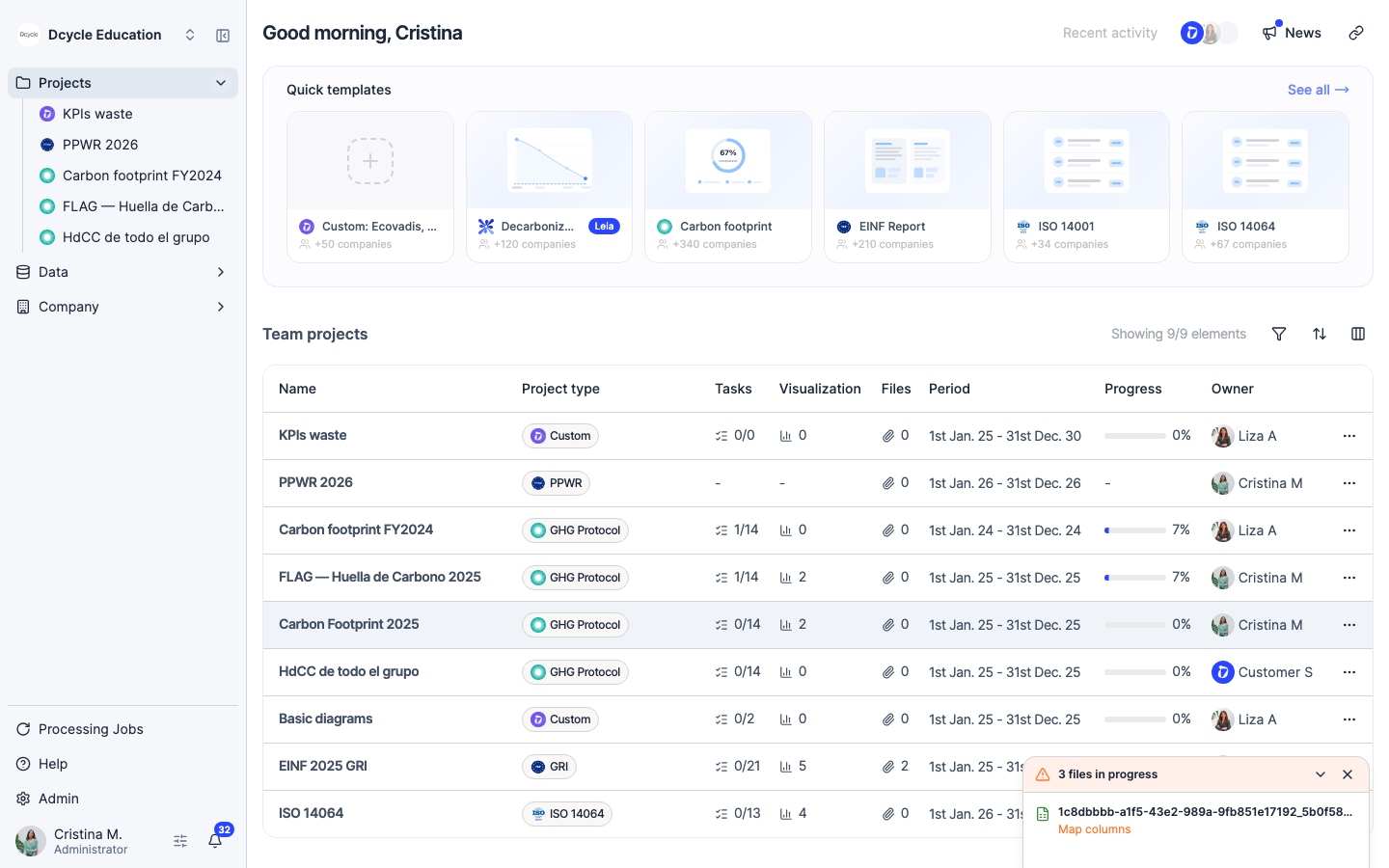
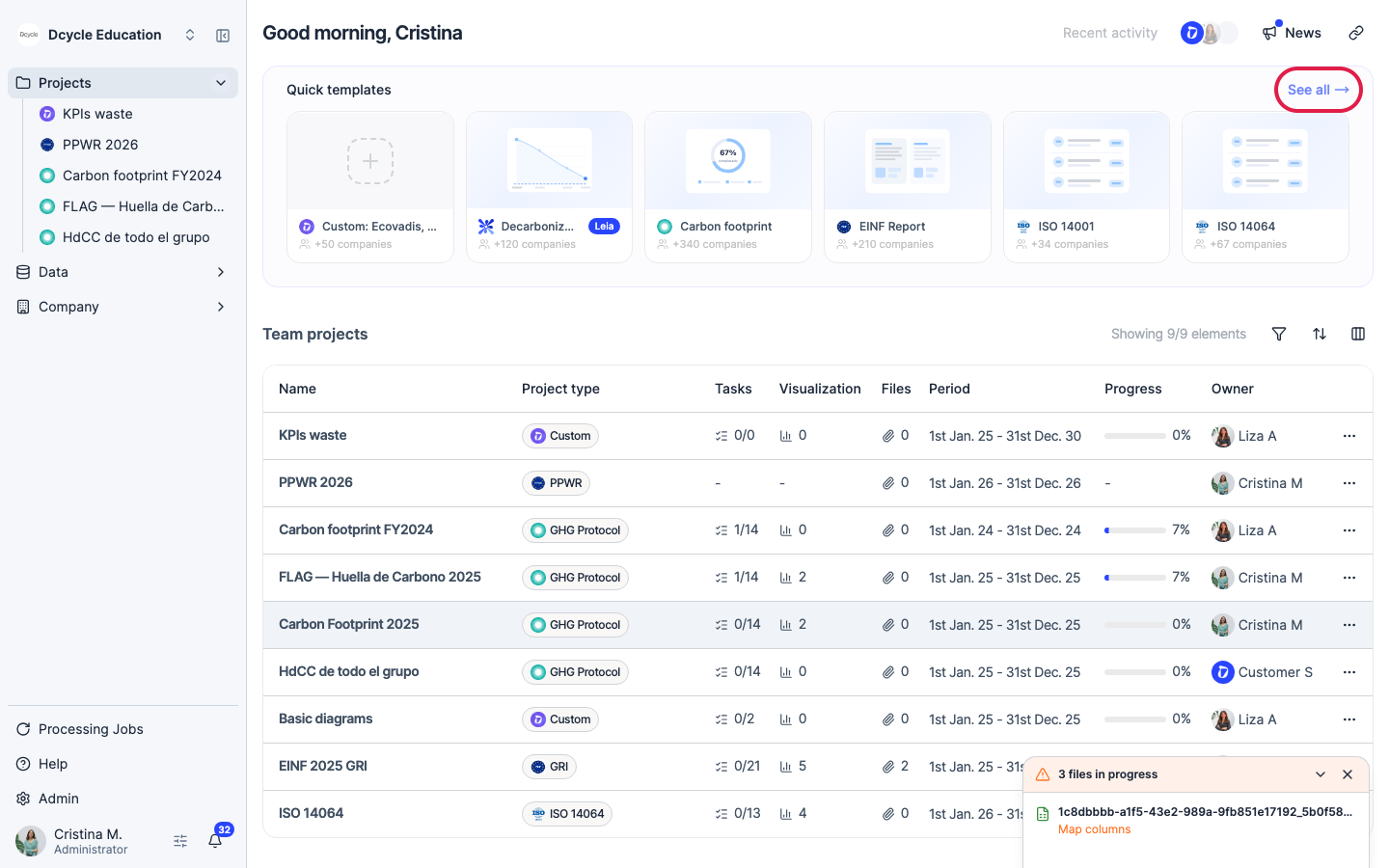
After signing in you land on the projects overview. It shows quick templates at the top and your existing projects below. Click “See all” next to “Quick templates” to open the full project catalogue.
Step 2
Click “See all” to open the full project catalogue.
Step 3
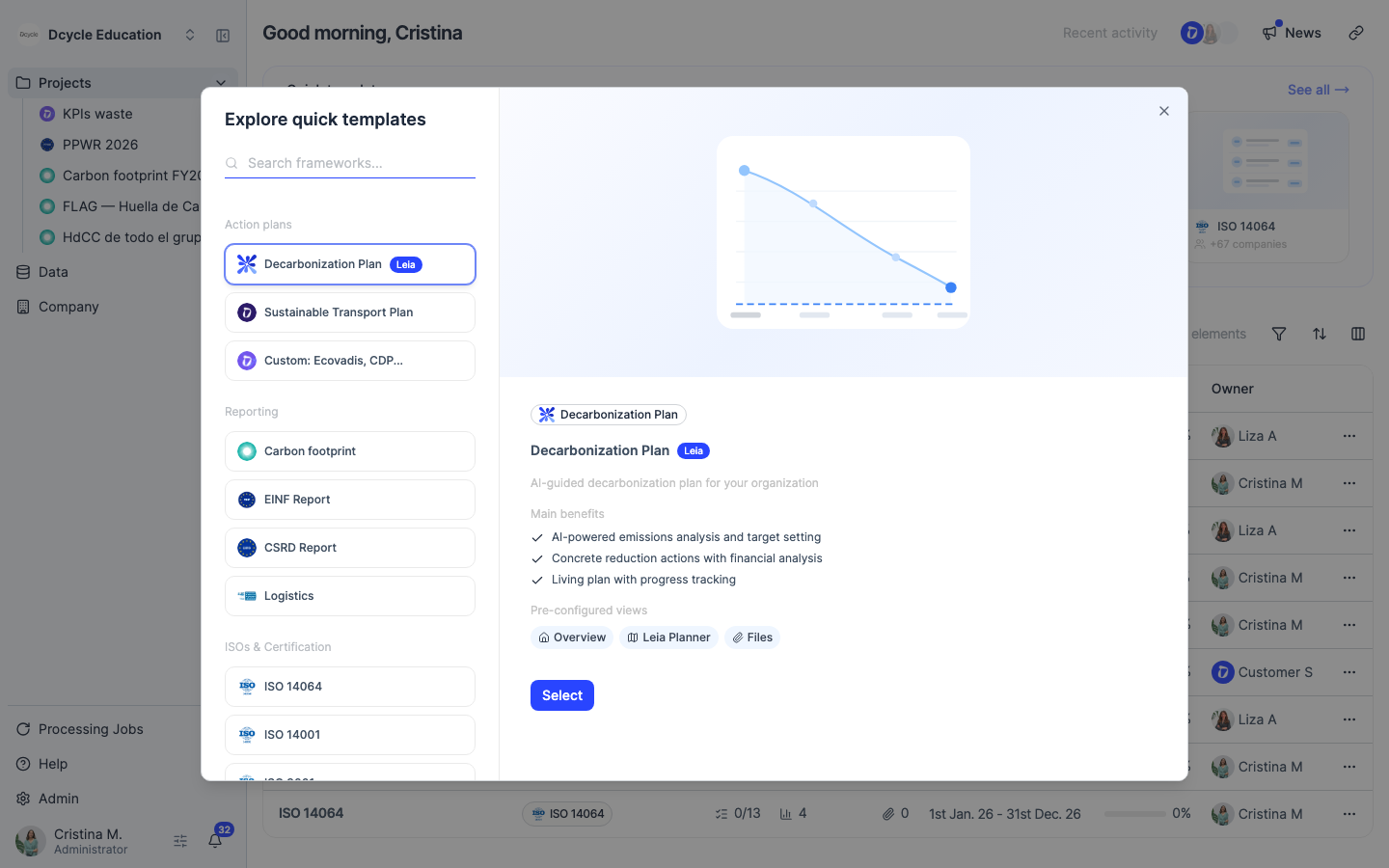
The catalogue lists every available project type — GHG Protocol carbon footprint, FLAG (land sector), GLEC (logistics), ISO management systems, LCA, EcoVadis, CSRD/EINF, and more. Each card describes what the project covers. Find the type you need and click “Select”.
Step 4
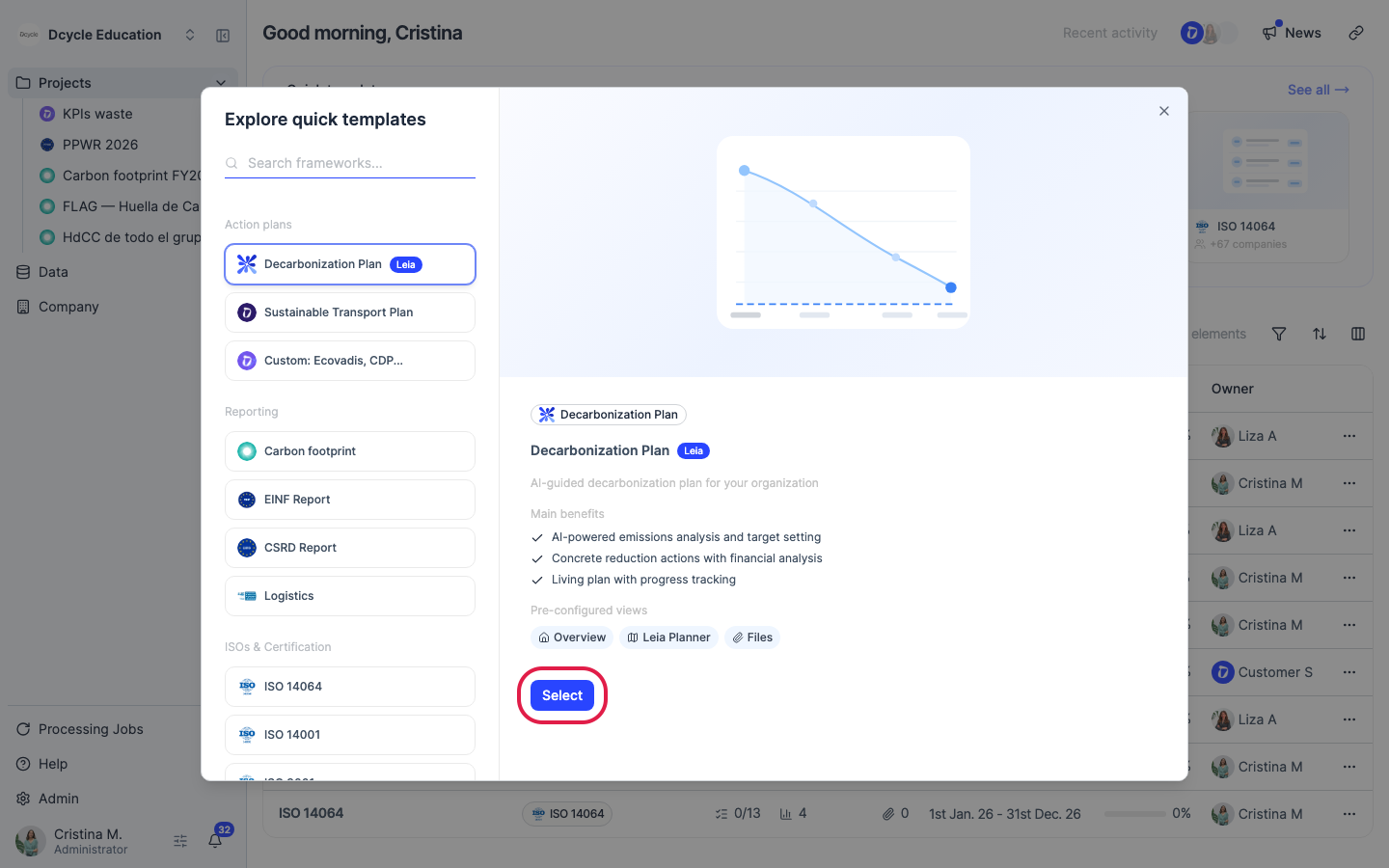
Click “Select” on the project type you want to create. A setup form opens where you name the project and set the reporting period.
Step 5
Fill in the project name (e.g. “Carbon footprint 2025”), the reporting period (start and end dates), and any other required fields shown for the chosen project type. When done, click “Create” (or “Save”) to finish — the project appears in your sidebar immediately.
Was this helpful?
What was missing or unclear? (optional)
Sent. Thank you for helping us improve.