Product Guides
Data health: vehicles
How to check that your vehicle data in Dcycle is complete, correctly classified, and ready to report.
Healthy vehicle data is the difference between a fleet footprint you can defend in an audit and one full of silent gaps. Your vehicle data does double duty: it reports Scope 1 (the mobile combustion of the fuel you burn) and, in Scope 3, the emissions from producing that fuel — the upstream, well-to-tank part. A missing plate or a wrong fuel type changes both numbers. Spend a few minutes on this check before you process or report.
Before you start
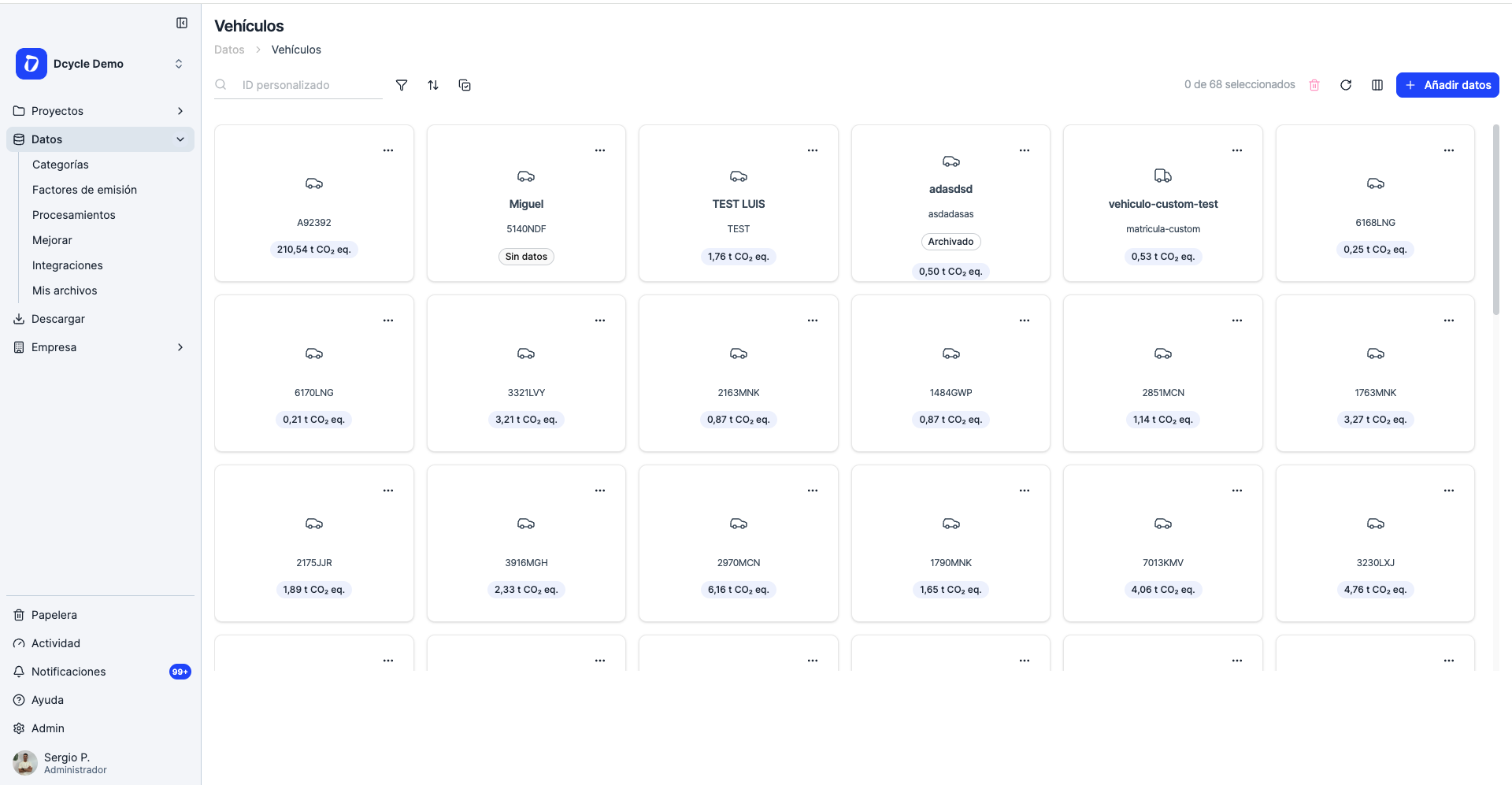
- Your fleet should already be in the account: open Data → Vehicles to see the vehicles you’ve registered and the consumption attached to each one.
- Have your source files handy — fuel-card exports (Solred, Cepsa, Repsol, Galp, BP, Shell), mileage logbooks, or leasing/rental contracts. You’ll need them to confirm what’s correct.
What to check
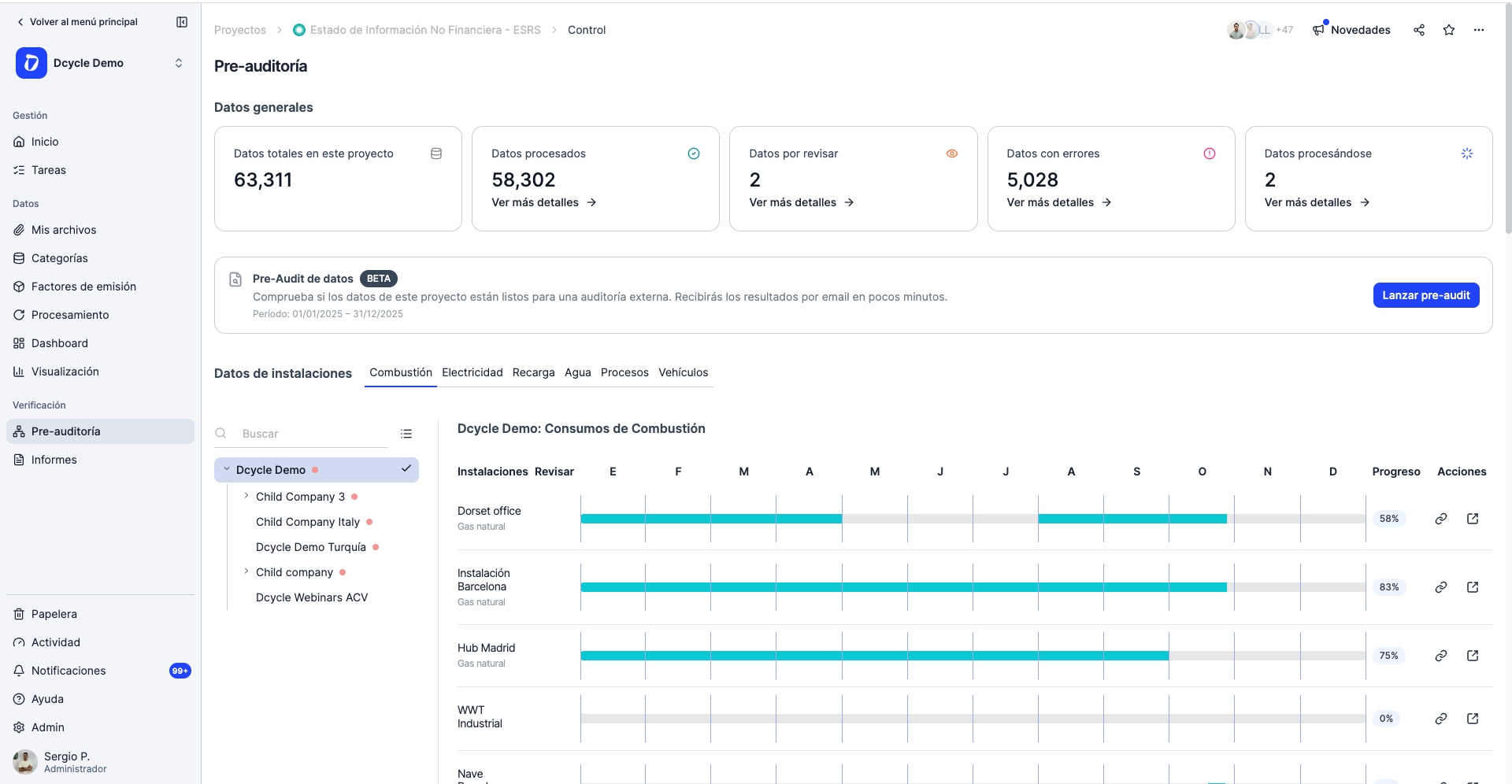
Open your project’s pre-audit panel — it runs an automatic health check across every data type and flags anything that isn’t ready to report. For vehicles, go through the list and confirm every record shows a success status.
A status that isn’t success points to data that won’t report correctly — for example:
- A vehicle with no fuel type or country of registration.
- Consumption that isn’t linked to a registered vehicle.
- A quantity whose unit doesn’t match (litres vs km).
- An incomplete period — months missing for a vehicle that was in use.
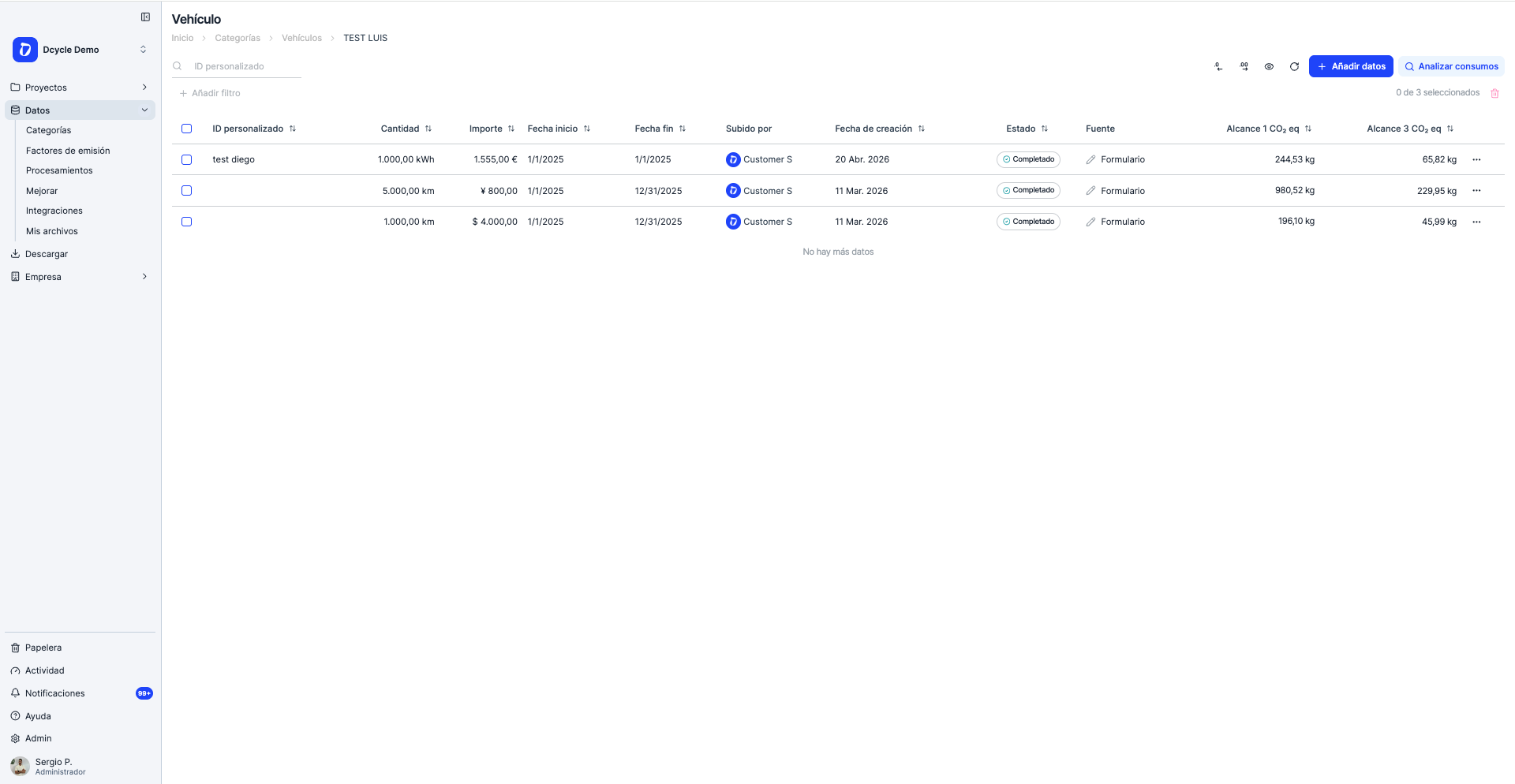
You can also open a vehicle and review its consumption records one by one: the Estado column tells you whether each record is complete, and the Scope 1 and Scope 3 columns show the split — combustion plus upstream fuel production — for that record.
How to spot problems in your data
A few symptoms tell you something’s off without checking every row by hand:
- Vehicles with consumption at zero. A registered vehicle showing no litres/km for the whole period almost always means its consumption was never uploaded or didn’t match the plate.
- Emissions that look very high or very low. A fleet that should show several tonnes but reads near zero usually points to missing consumption; a spike often means a mixed-up unit (km entered as litres or vice-versa).
- A jump versus last year. Compare this year’s vehicle emissions against the previous year — a large, unexplained swing up or down is a strong signal that data is missing, duplicated, or in the wrong unit.
How to fix
- Missing vehicle? Register it (Data → Vehicles → Add), then re-upload or re-link its consumption. See Upload vehicles via CSV. For forklifts, tractors or other industrial equipment with no road plate, use an internal placeholder ID (
FORKLIFT-01,TRACTOR-02). - Gaps in the period? Ask your fuel-card provider for a yearly summary in Excel with litres per licence plate — usually faster than chasing individual receipts. No actual consumption yet? Enter the contracted km/year or litres/year from the leasing contract for this cycle and replace it with measured data next year.
Next steps
- Back to the hub: Check that your data is healthy.
- Full primary-data reference: Facilities & corporate vehicles checklist.
Start with what you have and improve it each cycle — a complete estimate beats a precise blank.
Was this helpful?
What was missing or unclear? (optional)
Sent. Thank you for helping us improve.
Up next
Check that your data is healthyBefore you report or process emissions, run a quick health check on your data. This guide shows you what 'healthy data' looks like for each data type in Dcycle and links to a checklist for facilities, vehicles, employees, and purchase data.
Read more → Register vehicles and fleet fuel in DcycleVehicle fuel is Scope 1 mobile combustion. Register each vehicle first, then add its fuel consumption — this guide covers registering vehicles in bulk with a file upload.
Read more → Facilities & corporate vehicles: data collection (Scope 1, 2, 3)A practical checklist of the primary data you need for your facilities and corporate vehicles across Scope 1, 2 and 3 — combustion, recharges, vehicles, process, electricity, district heating, water and waste.
Read more →